Knowledge Base Article
Overview Part 1 of the Argenta Event Management System
Argenta's Event Management covers the whole life of an event: setting it up, selling tickets to the public, tracking who is coming, seating and feeding them, and seeing what the event actually made. This overview shows you the shape of it so you know where to go.
The Event Management Menu
- Event List: every event, and where you create a new one
- Public Event Form: the default look and fields for the public forms your attendees fill in
- Event Participants/Guests: attendees across all your events
- Event Seating: the seating chart
- Event Sessions: breakouts or classes within an event
- Event Ticket Sales and Event Ticket Purchasers: the money side, and who bought
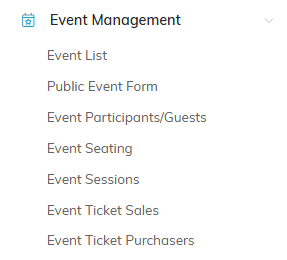
The Event Management menu on the left.
Inside an Event
Open an event and the workspace menu runs across the top, in six groups. There is a lot there because events vary so much, and most organizations use a handful of these. Each page has its own how-to:
- Setup: Event Details, Connections, Contact & Location, Public Form Design
- Tickets & Sessions (just Sessions when the event is not selling tickets): Ticket Settings, Ticket Sales, Event Sessions
- Planning: Event Itinerary, Event Committee, Event Vehicles, Event Checklists
- Participants/Guests: Participant/Guest List, Additional Guests, Wait List, Meal Choices, Participant/Guest Comments, Event Seating, Participant/Guest Groups
- Financials: Event Financials, Event Sponsorship
- Communication: Notifications, Event Files, Event Notes, Record Permissions

The workspace menu runs across the top of an open event.
Each tab of the Event Workspace has a short Show Me How To Use This Page video at the top right; click it to watch, and use its chapters to jump to the part you need.
You do not have to fill in every section. Use what your event needs and leave the rest alone.
The Order That Works
- Create the event and fill in Event Details, then Contact & Location
- If you are selling tickets or taking registrations, set up Public Form Design and publish the form
- Set Notifications so the right people hear about registrations
- As people register, watch Participants/Guests and Event Ticket Sales
- Closer to the day, work through Meal Choices, Seating, and your Event Checklists
- Afterward, check Event Financials to see where you came out
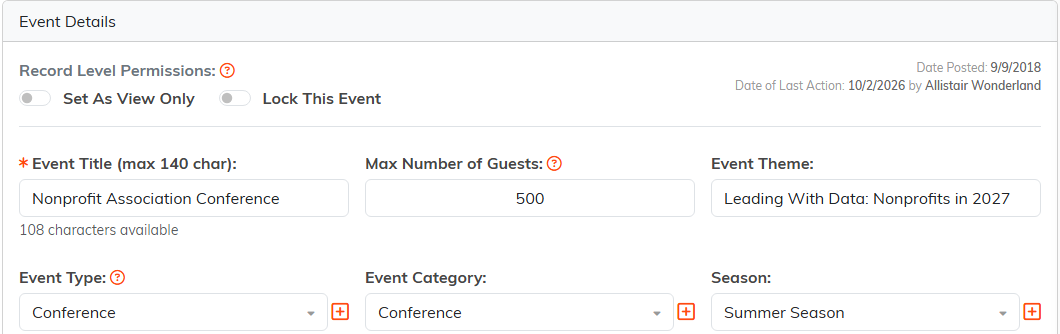
Event Details is where every event starts.
How Events Connect to the Rest of Argenta
Attendees are constituents, so an event builds on the records you already have rather than a separate list. Use Connections to tie an event to the campaign, program, or grant it belongs to, which is what lets you answer questions later about what a campaign actually produced.
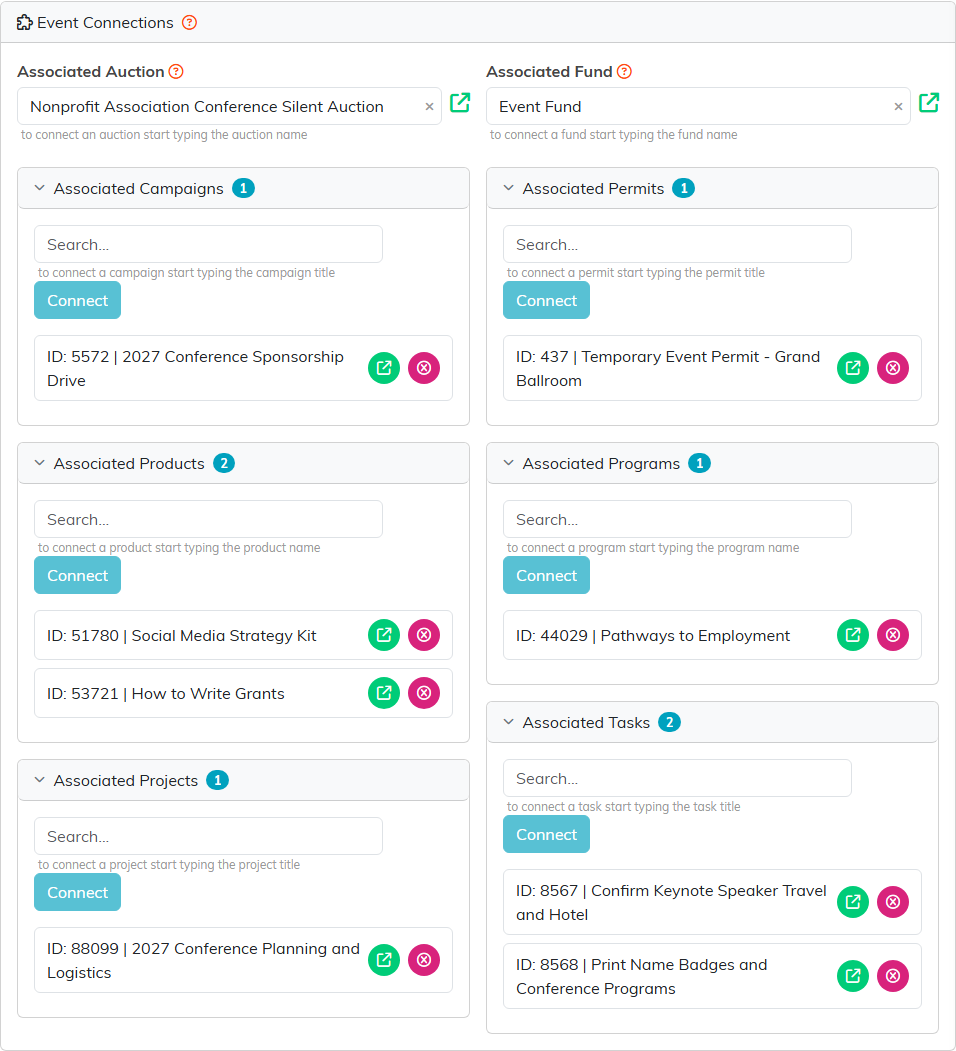
Connections ties the event to the campaign, program, or grant it belongs to.
Where to Go Next
This is the orientation. Start with How to Fill In an Event's Details, then How To Design Your Public Event Ticket Sales Form and How To Sell Tickets to an Event in Argenta. Every other page is linked in the list above.
