Knowledge Base Article
What is the Email Template Workspace?
The Email Template Workspace is the place in Argenta where you design and edit email templates, with a visual builder: you build each email from sections such as text, images, buttons and event or donation cards (see How to Design an Email Template With Sections). When a template is ready, Use This Template opens it on the Compose Email page to send.
The Template Details, Template Design and Record Permissions tabs each have a short Show Me How To Use This Page video at the top right; click it to watch, and use its chapters to jump to the part you need.

Save All Changes keeps your edits; Use This Template takes the email to Compose Email to send.
What you can do in the Email Template Workspace:
- Design your email from sections, each with its own editor for formatting, images, documents, tables, buttons, and more
- Insert merge tags for personalization by picking a section and clicking the tags icon in its editor toolbar, in Section and brand settings on the right
- Set the From email address and Subject line, including merge tags in the subject
- Send it with Use This Template, which saves the template and opens it on the Compose Email page with this subject, From address and content filled in. There you choose who gets it, copy team members, preview it as any recipient, send yourself a test and pick when it goes. See How to Send an Email From the Mail Room.
- Save, copy, or delete the template
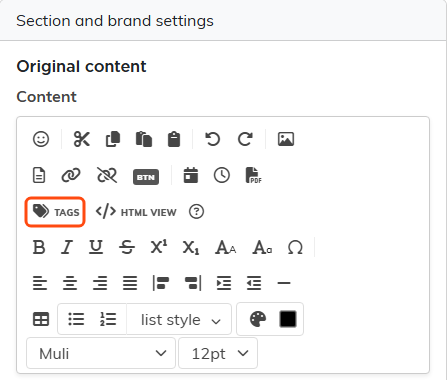
The editor toolbar, with the Tags button for merge tags.
How to access it:
- Navigate to the Communication from the main menu
- Click Email Templates
- Click on any existing template to open it, or add a new template first
- Click the Template Design tab to enter the Email Template Workspace
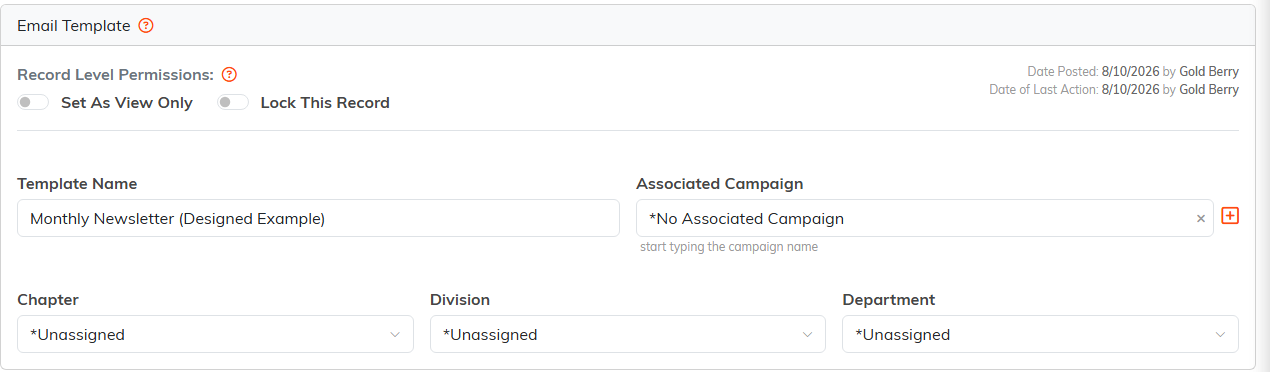
The Template Details tab. District and Precinct also appear on political teams.
The Email Template Workspace also has a companion Template Details page where you can set the template's associated campaign, organizational hierarchy assignments (chapter, division, department, district, precinct), and record-level permissions like View Only and Lock.