Knowledge Base Article
How to Use Notebooks for Personal and Team Notes
Notebooks are a place to keep notes that do not belong to any one record. Meeting notes, project planning, process documentation, research, personal reminders: anything you would otherwise keep in a document somewhere your team cannot find it.
They work like digital notebooks. Each one holds as many notes as you like, plus its own checklists and files.
Find your notebooks
The Categories button at the top of the Notebooks page is where you add, rename and remove them. A category you make there is yours alone: nobody else sees it in their list, and you can put it on any of your personal notebooks. Tick Everyone on the team as you add one to put it on the team's list instead, which needs the same permission as the Team Shared shelf. Moving a personal notebook to the Team Shared shelf takes a private category off it rather than adding that category to the team's list.
Choose Workflow & Productivity > Notebooks. The page opens on Team Shared Notebooks, with a switch at the top for My Personal Notebooks, which only you see until you share one. A personal notebook can be shared with chosen team members at Can view or Can edit, and anything shared with you appears on a third shelf, Shared With Me. My Notebooks under your own name in the top-right menu opens the page straight on your own. When you leave a notebook, the Back to List icon returns you to the shelf that notebook is on, so a personal or shared one takes you back to its own shelf rather than to Team Shared. Filter either one by category, by the team member who created it, or by your organizational groupings, then sort them and swap between card and list view from the same toolbar.
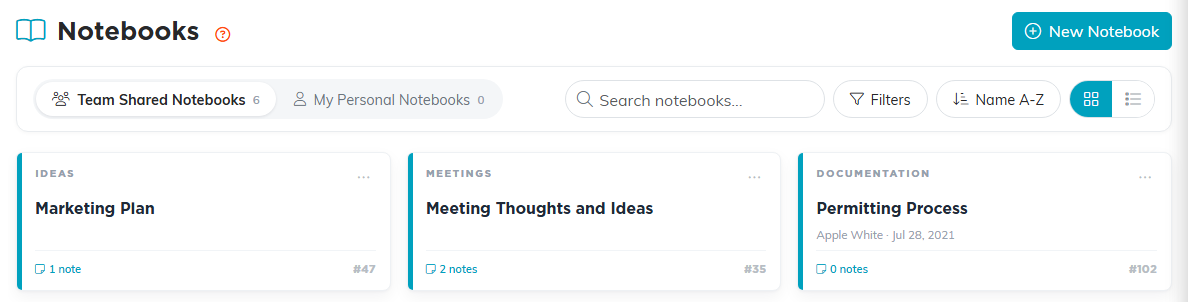
My Personal Notebooks is only yours. Team Shared Notebooks is shared.
Create a notebook
- Click New Notebook.
- On Notebook Details, enter the Notebook Name. It is required, and saving without one gives you "Notebook Name is required." The field holds up to 150 characters and stops you there as you type.
- Pick a Category if you use them, and a Notebook Color to make it easy to spot in the list. On a personal notebook the Category list holds your team's categories plus any you have made for yourself; on a team notebook it holds the team's only.
- Click Save All Changes & Continue or Save All Changes & Exit.
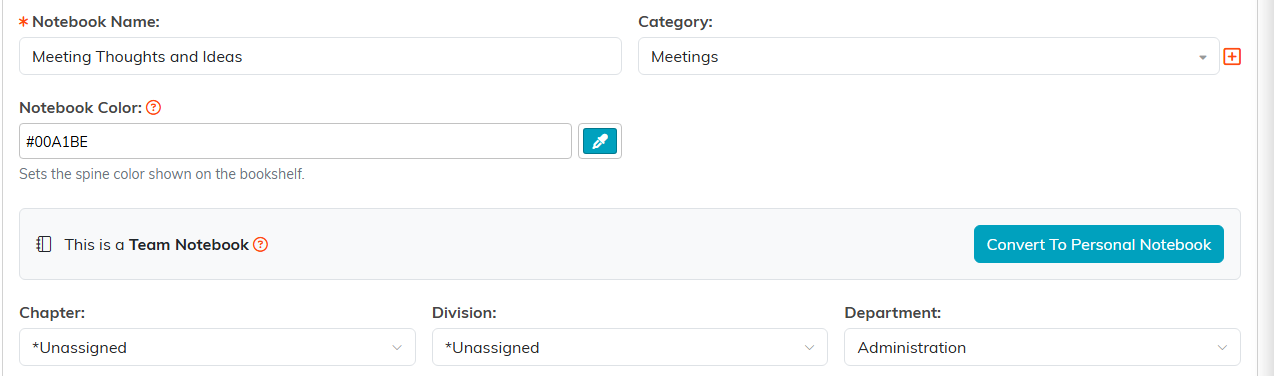
Notebook Name is the only required field.

Either save button finishes the notebook.
Add notes to it
- Open the notebook and go to Notes, the first page in the workspace.
- Click Add A New Note.
- Enter a Note Title, which is required and holds up to 500 characters, then write the note itself in the editor. It is a full editor, so you can format the text rather than typing everything flat. The title field stops you at 500 characters as you type, and a longer title pasted in is refused with a message rather than quietly shortened.
- Set a Note Type and Note Category if you want to group your notes, and attach any files to the note itself. Once the notebook has tabs, Filed Under Tab also appears here; see Add Notebooks and Notes for setting up tabs.
- Click Save All Changes or Save All Changes & Exit.
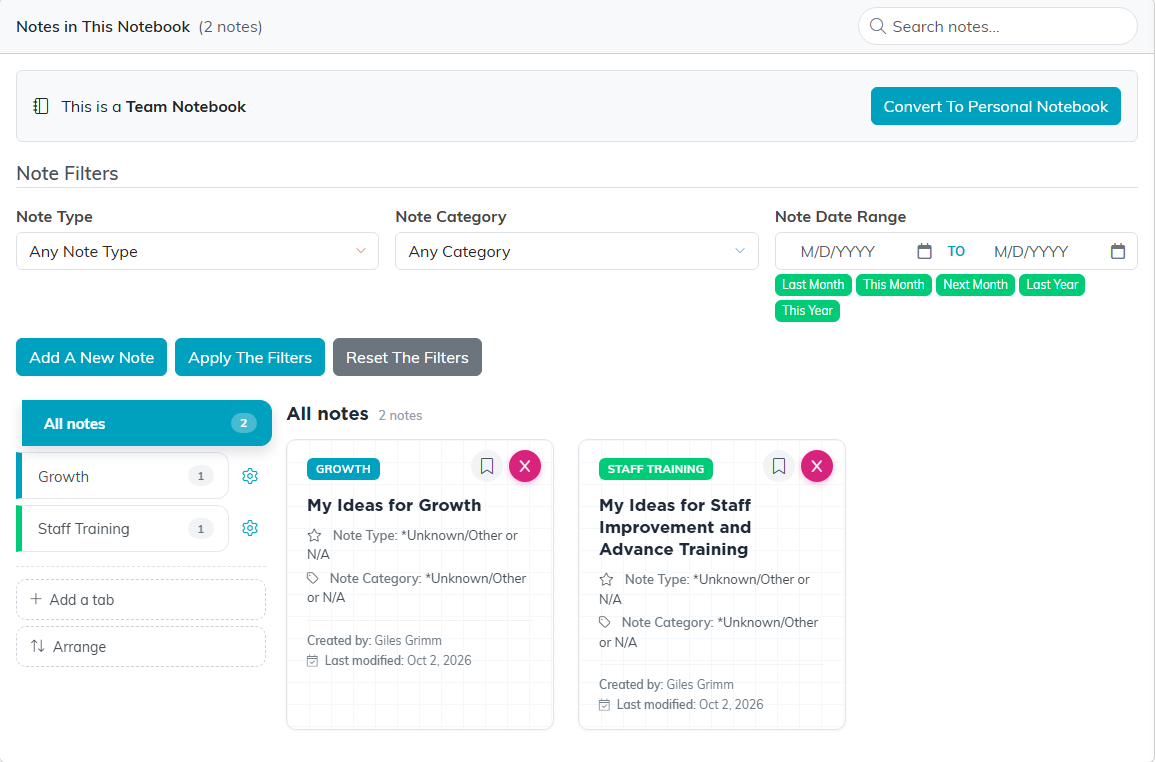
Notes is the first page in the workspace.
Back on the Notes page you can filter what you are looking at by note type, note category, or a date range, and search the notes in the notebook.
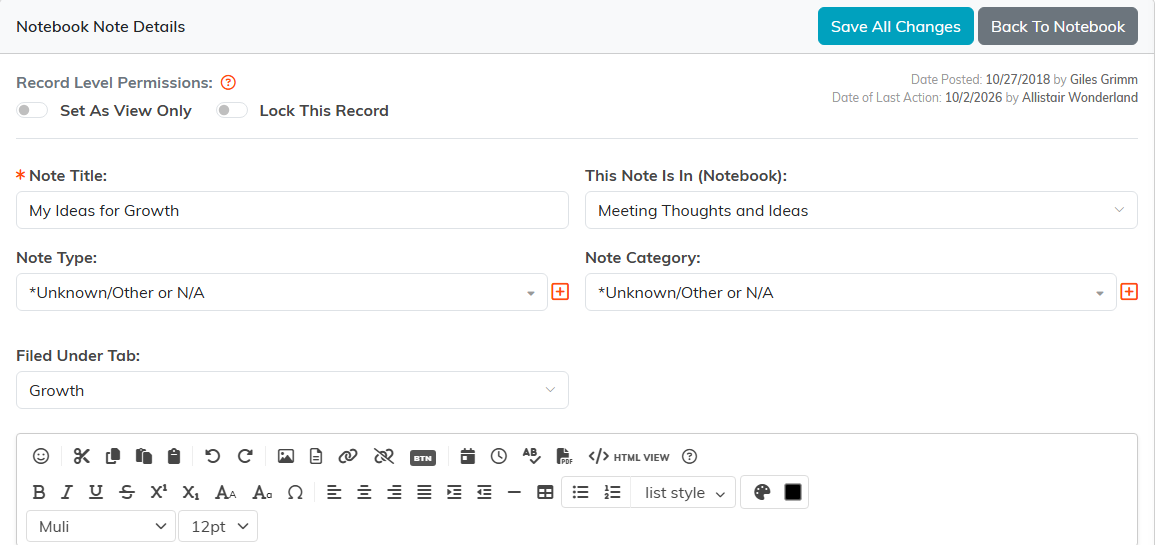
Note Title is required. The editor does the rest.
When a notebook fills up, file its notes under tabs. The tabs run down the left side of the Notes page: click Add a tab to make one, then use the bookmark icon on a note card to file the note under it. All notes shows everything, and Loose notes shows what is not filed yet. See Add Notebooks and Notes for the details.
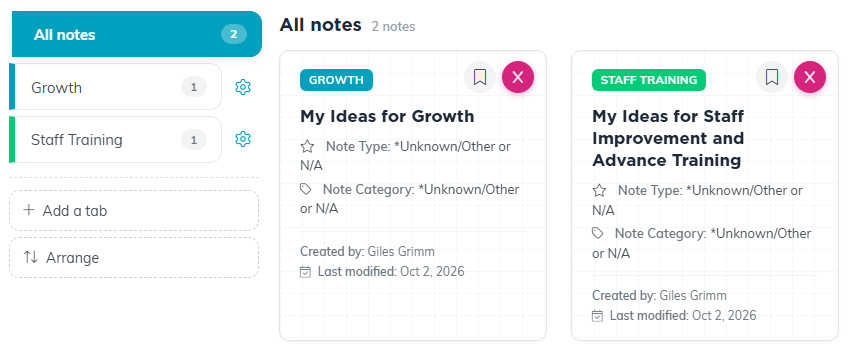
Tabs work like dividers in a binder.
The rest of the notebook
The Notebook Workspace has five pages: Notes, Notebook Details, Checklists, Notebook Files, and Record Permissions. Checklists are handy for turning a set of meeting notes into things somebody has to do. See Add Checklists.

The five pages of the notebook workspace.
Who can see a notebook
Keeping a notebook in My Personal Notebooks rather than sharing it is the first level of privacy. Beyond that, Set As View Only lets the team read a shared notebook without changing it, and Lock This Record keeps them out entirely. In both cases you name any exceptions on Record Permissions.

Beyond keeping it personal, these two switches control access.
Notebooks or notes on a record?
- Use a notebook when the note is about a topic: a meeting, a project, a process.
- Use a note on the record when it is about one donor, event, or task, so it stays with them. See Add A Note to the Notes Section.
