Knowledge Base Article
How Session Connections Work
The Connections page on a session links it to records you already keep elsewhere in Argenta, so you can see everything tied to that session in one place. For the session itself, see What Are Event Sessions and How They Work.
What You Can Connect
The page carries a panel for each of these:
- Partners
- Payments
- Permits
- Products
- Volunteers
- Volunteer Task Groups
- Volunteer Tasks
Each one is headed Associated followed by its name, and they all work the same way: search for the record you want, then click Connect.
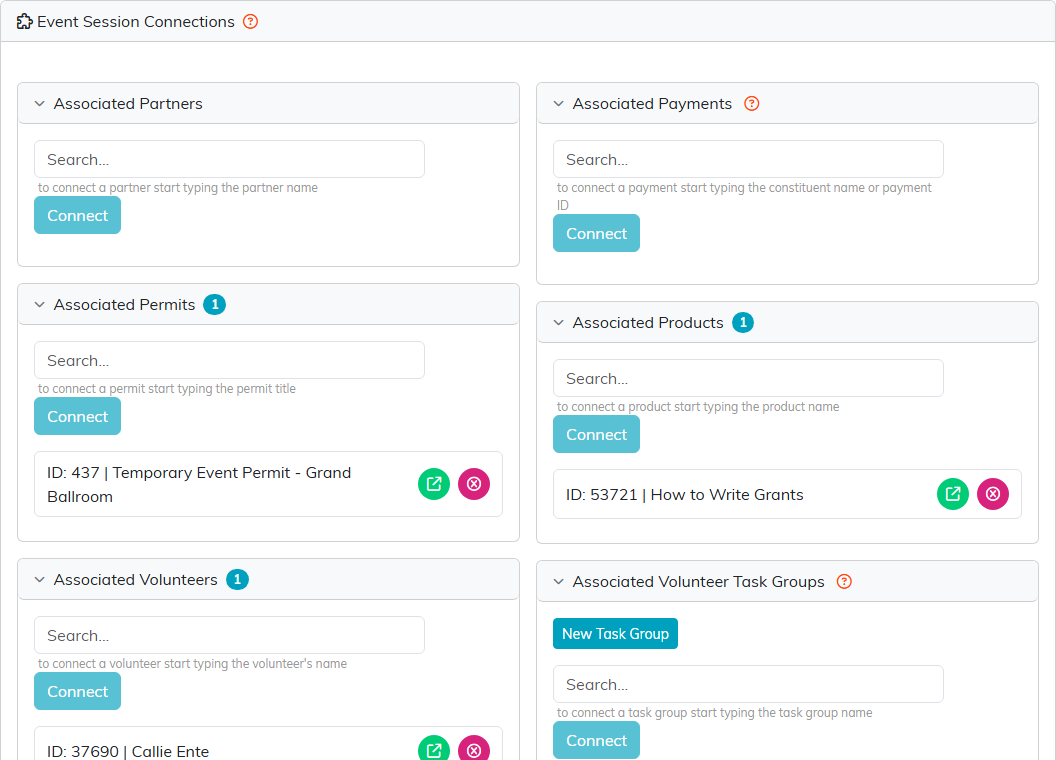
The panels sit two to a row. Each one searches the records you already keep.
A Connection Is a Cross-Reference, Not a Copy
This is the part worth knowing before you start. Connecting something never creates it and never changes it. You are pointing at a record that already exists.
Removing a connection is the same in reverse: it breaks the link and leaves the record itself alone. Taking a volunteer off a session does not touch their volunteer record, and taking a permit off does not affect the permit.
The One Exception
New Task Group on the Volunteer Task Groups panel does create something. It makes a new volunteer task group for this session, prefilled with the session's date, time and location, with the session's facilitator as the group's organizer, and connects it for you in the same step.
Everything else on the page only ever links and unlinks.
Volunteers Appear in Two Places
The Volunteers panel here is the same list as Associated Volunteers on the session's Session Team page. A volunteer connected in either place shows in both, so there is no need to add them twice. See How to Use the Session Team.
