Knowledge Base Article
Viewing Files Without Downloading in Argenta
Can you view files in Argenta without downloading them? Sometimes, and it depends on the file type and your browser rather than on Argenta. Argenta delivers the file; your browser decides what to do with it.
Anywhere you see an attached file, clicking its name opens it in a new browser tab. That is why the column is labeled File Name (Click To View). What happens in that tab is the browser's call.
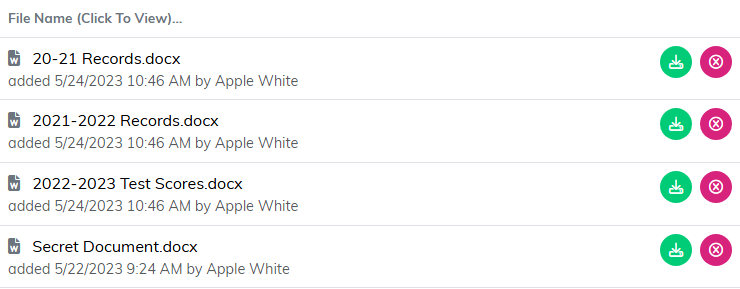
Wherever files are attached, the column heading says File Name (Click To View).
PDFs and images
Most browsers can display these directly. If yours is downloading them instead, the setting is on your side:
- Chrome: Settings > Privacy and security > Site settings > Additional content settings > PDF documents, then choose "Open PDFs in Chrome".
- Edge and Firefox: both have equivalent options in their PDF or file handling settings.
Word, Excel, and PowerPoint
Browsers cannot display Office files on their own, so these will always download. You can open them in the web versions of Office if you need a preview, but for most day-to-day work that is more hassle than just opening the downloaded copy.
The short version
- PDFs and images: viewable in your browser, with the right browser settings.
- Office documents: always download. That is a browser limitation, not an Argenta one.
For how to attach files in the first place, see Add Related Files.
