Knowledge Base Article
Where to find the Email Template Workspace and Email Templates
To access your email templates and the Email Template Workspace in Argenta:
- Navigate to Communication from the main menu
- Click Email Templates to see your list of all email templates
- Click on any template to open it
- Click the Template Design tab to enter the Email Template Workspace, where you edit the template content and send it with Use This Template

The Email Templates list.
What you can do from the Email Template list:
- View all your organization's email templates
- Search for a specific template by name
- Create a new email template
- Click into any template to edit it

Template Design is the tab that holds the editor.
What you can do from the Email Template Workspace (Template Design tab):
- Edit the template body using the full HTML editor
- Insert merge tags for personalization
- Set the From email address and Subject line
- Send it with Use This Template, which saves the template and opens it on the New Campaign page with this subject, From address and content filled in. There you choose who gets it, copy team members, preview it as any recipient, send yourself a test and pick when it goes. See How to Send an Email From the Mail Room.
- Save, copy, or delete the template
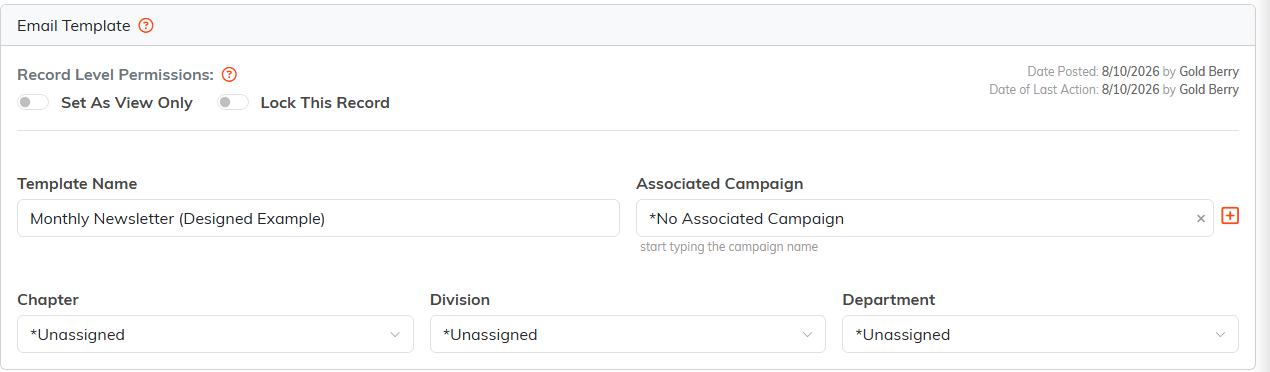
The Template Details tab.
What you can do from the Template Details tab:
- Set the template name and associated campaign
- Assign organizational hierarchy (chapter, division, department, district, precinct)
- Set record-level permissions (View Only, Lock)
