Knowledge Base Article
Where to find Event Reports
Event Reports covers your guest lists, catering and seating, sessions and ticket sales.
Getting there
- Open the Report Center from the top right of the header
- Click the Event Reports category card
- Use the search box on that page to narrow the list by report name or description
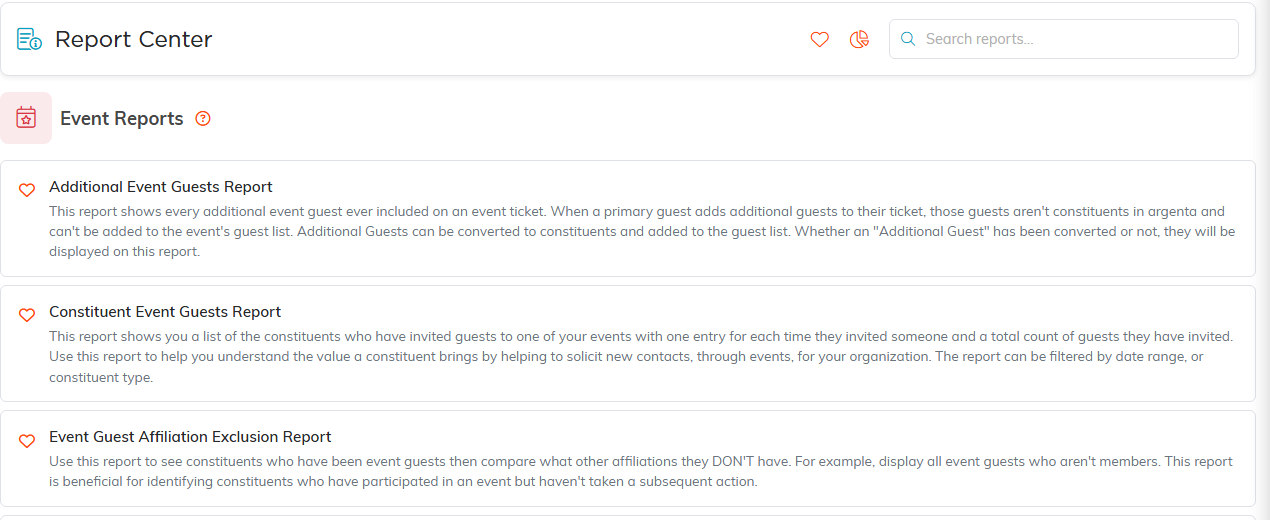
Event Reports, with what each one does.
Who is coming
- Constituent Event Guests Report for guests who are in your records
- Additional Event Guests Report for the plus ones and walk ins who are not
- Event Guest Group Details Report for guests booked together as a group
Catering and seating
- Event Meal Planning Report for meal counts and dietary needs
- Event Seating Report with Meal Choices for table assignments with each guest meal alongside, which is the one to hand your venue
Sessions
- Event Sessions Summary for how each session filled
- Event Session Cancellations for people who pulled out
- Event Session No-Shows for people who booked and did not arrive
Ticket sales
- Event Ticket Sales Guest Detail Report for tickets sold with the guest detail behind them
For the money your events have taken in, ticket sales together with sponsorships, invoices, donations, session bookings and linked auctions, use Event Income. It sits in the Financial Reports category rather than here; see How to Plan and Track an Event's Financials.

Both exports sit above the results.
Leaving people out
Event Guest Affiliation Exclusion Report lists everyone who has been a guest at one of your events, leaving out anyone with the affiliations you pick under Affiliations To EXCLUDE, such as Donor or Board Member. That makes it useful for building an invitation list from past guests that skips a group.
Set your filters, click Run Report, then Export To CSV or Export To PDF. One of these is linked in the sidebar as well, under Event Management as Event Seating, so you do not always have to come through the Report Center for it.
