Knowledge Base Article
How to Record and Track Volunteer Hours
Volunteer hours matter for recognition, grant reporting, and board updates. In Argenta they come from your volunteer tasks, and the important thing to know up front is that you do not type the hours in. Argenta works them out for you.
How Hours Are Calculated
Hours live on the Volunteer Task. Each task has a required start date and time and a required end date and time, and the # of Hours field is calculated from those two when you save the record. You cannot edit it by hand, which is deliberate: the hours can never drift away from the schedule they came from.

The hours field is filled from the two times, and cannot be typed into.
So recording hours accurately is really about recording times accurately.
Recording Hours for a Task
- Open the volunteer task
- Enter the start date and time and the end date and time
- Assign the Volunteer who is doing the work
- Save. The # of Hours updates from the times you entered.

Step 3. Assign the volunteer doing the work.
If you are not sure how long a task will run when you schedule it, estimate the end time and correct it afterward. Reopen the task once the work is done, set the real end time, and save again to recalculate the hours.
Closing Out Tasks
Set Task Status to Closed/Complete when the work is finished. You do not have to chase every one of them, because Argenta closes past-due tasks for you overnight. Any task whose end date and time has passed is closed automatically, and if it was never assigned to a volunteer it is also flagged Unfulfilled so you can spot the gaps.
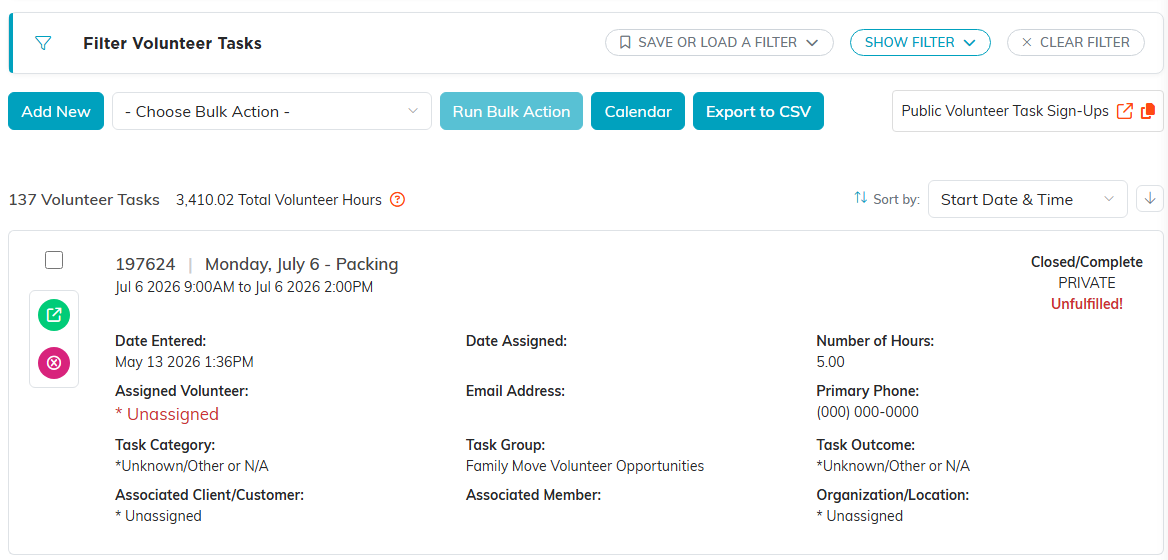
A past task that was never assigned closes overnight and carries the red Unfulfilled stamp.
Putting a Dollar Value on Volunteer Time
For grant applications and board reports you will often need to convert hours into a dollar figure. Select Volunteerism > U.S. Volunteering Rates from the main menu to keep a table of hourly rates by year, one rate per year: a second rate for a year that already has one is refused. That link appears for organizations that have U.S. Volunteering Rates turned on. Click Add A New Rate, enter the Year and the Hourly Rate, and save. Most organizations use the published national or state volunteer hour rate for the year in question.
Seeing the Totals
Once hours are on your tasks, the reports do the adding up, whether you want a single volunteer's service history or the organization-wide total.
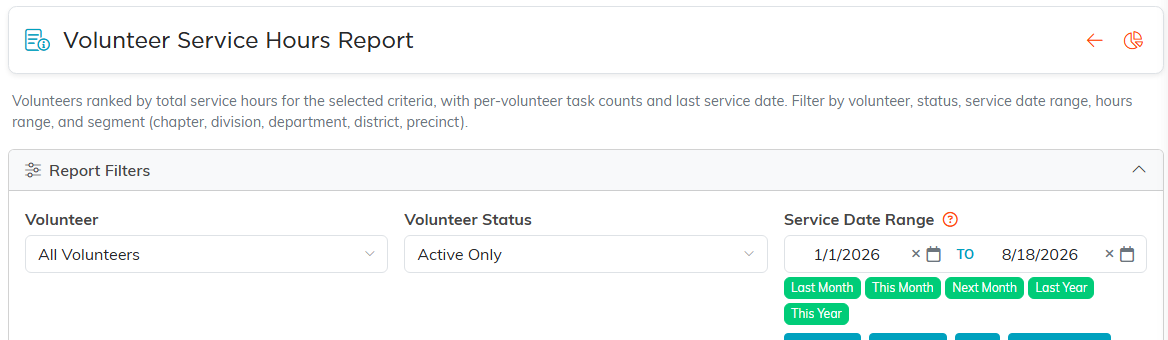
The reports add the hours up for you.
For where to find those, see How to View Volunteer Hours and Service History.