Knowledge Base Article
What is the difference between Tasks and Projects?
Tasks and Projects both track work, and the difference is how much structure the work needs.
Tasks
A task is a single action item, found under Workflow & Productivity > Team Tasks. It has one assignee, a due date, a status, and a priority, and it stands on its own.
Examples: call a donor, send the board report, update the volunteer handbook.
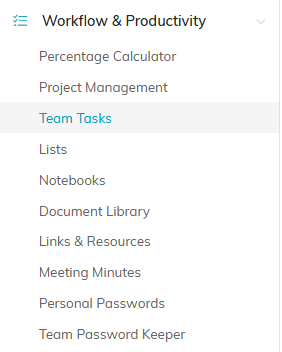
Team Tasks and Project Management sit side by side in the same menu.
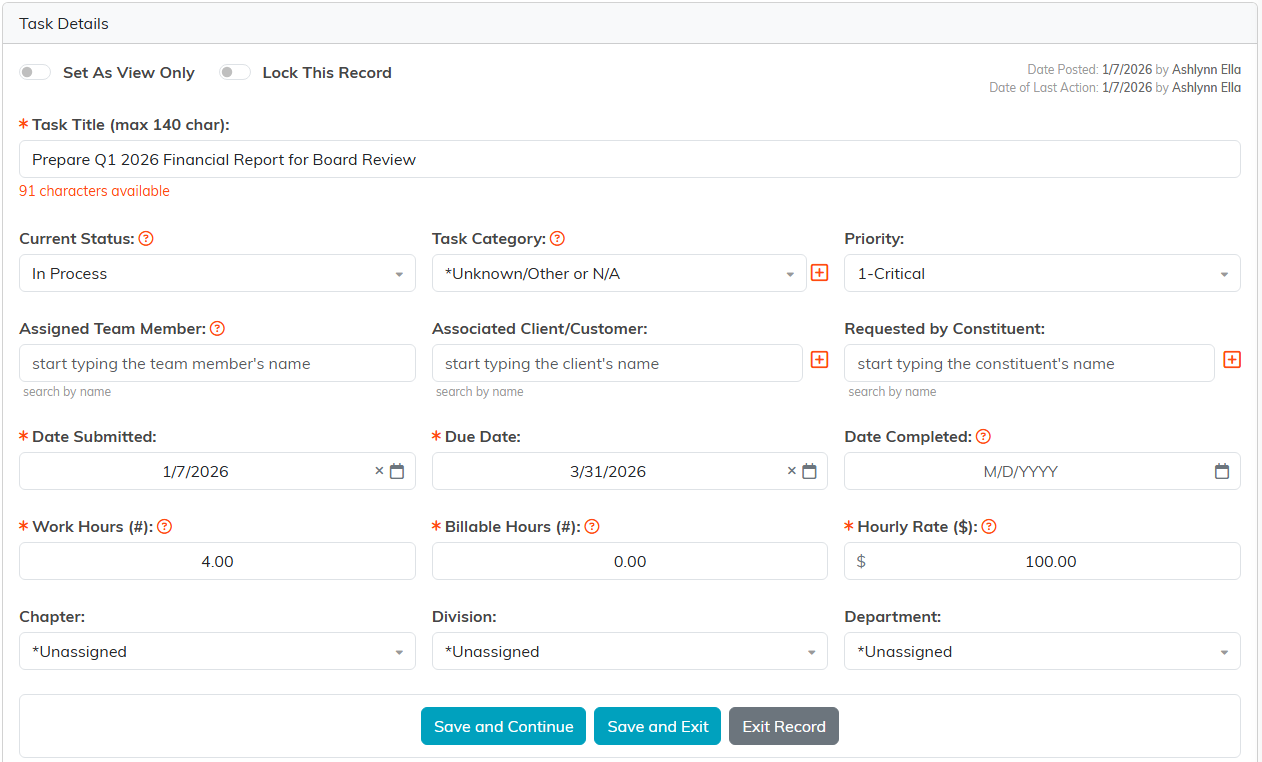
A task carries its own status and priority.
Projects
A project is a body of work with its own workspace, found under Workflow & Productivity > Project Management. It carries its own task list, team, checklists, discussions, meeting minutes, files, time tracking, and client billing, and its progress percentage is calculated from how many of its tasks are complete.
Examples: a website redesign, annual event planning, a grant implementation.

A project brings all of this with it. A task has none of it.
Which One to Use
- A task when one person can finish it and nobody else needs to follow along.
- A project when the work has several steps, involves more than one person, runs over weeks or months, or needs to be billed to a client.
When in doubt, start with a task. Promoting it later is a single click, and it brings everything with it.
One Thing That Surprises People
Tasks inside a project are simpler than standalone tasks. A project task has a title, description, hours, assignee, due date, and sprint, but no status or priority of its own, because within a project a task is either done or it is not. The status and priority live on the project.
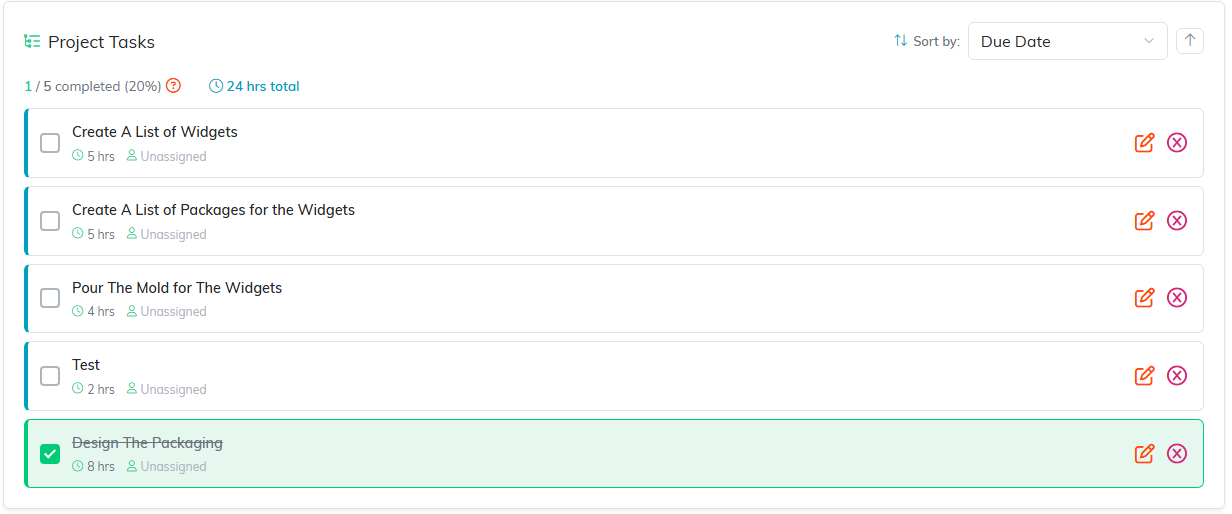
Hours and an assignee, a tick box, and the completed count that drives the project's progress.
Converting a Task
Both conversions start from the task and both are permanent:
- Convert Task To A Project turns the task into a full project, bringing its checklists, files, notes, meeting minutes, any invoice, and its connections across.
- Convert Task To A Project Task moves it into a project you already have, as one line on that project's task list.

Both conversions start from these two icons at the top of the task.
The original task is deleted once everything has moved, and a project cannot be turned back into a task. Full detail is in How to Convert a Task to a Project.
