Knowledge Base Article
How to Manage Delegates
Delegates are the constituents your organization designates as representatives, and the Delegate Workspace keeps their status, dates, and territory in one place instead of a spreadsheet nobody can find.
Where to find delegates
Go to Voting & Elections > Delegates. The list has a search box and filters for Delegate Status, Delegate Type, Delegate Category, Delegate Level, Chapter, Division, Department, and more, plus Export to CSV.
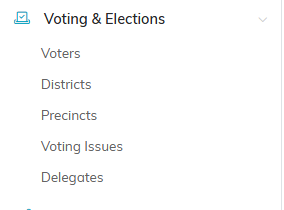
Delegates sits under Voting & Elections in the main menu.

Add A New Delegate and Export to CSV sit above the list.
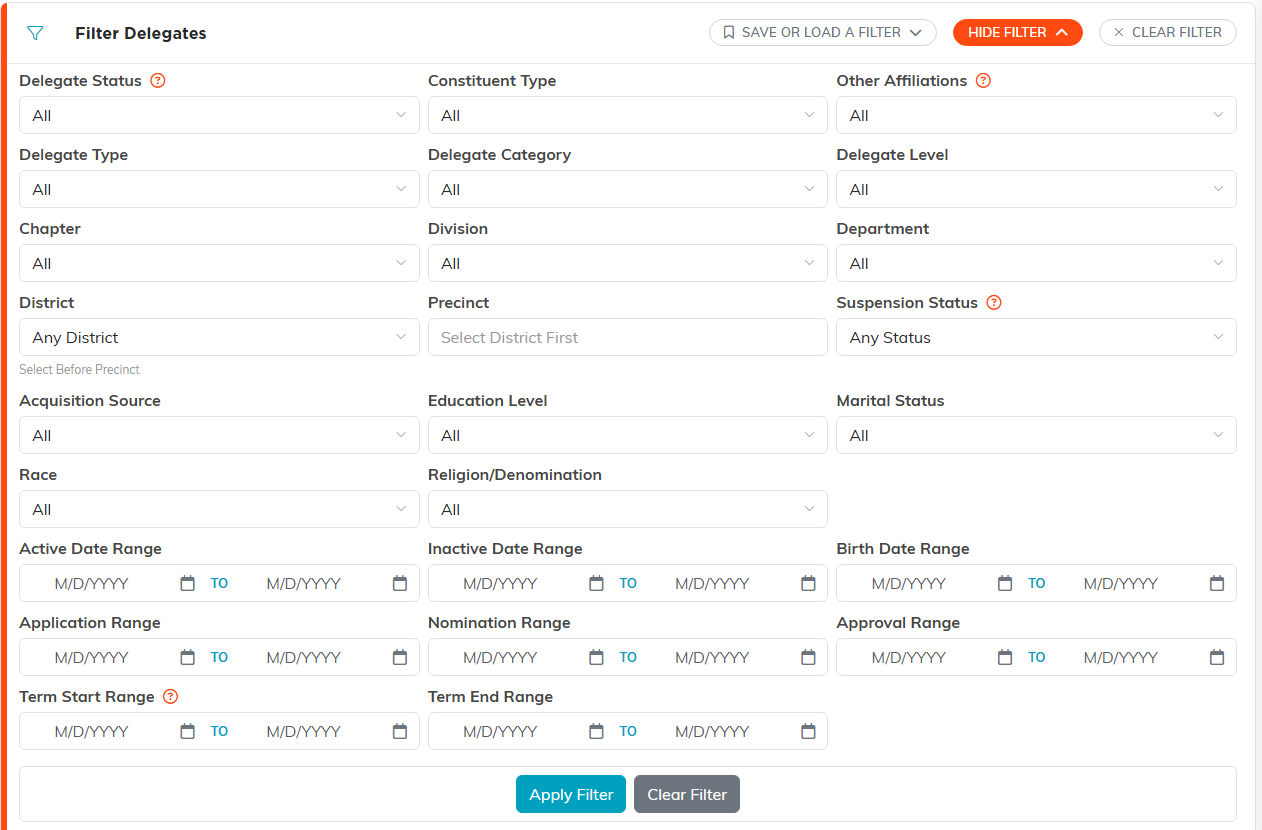
Show Filter opens the whole set, down to the date ranges.
Add a delegate
- Click Add A New Delegate.
- On the Designate A Constituent As A Delegate screen, start typing the person's name. If they are not in Argenta yet, use the add icon to create the constituent first.
- Click Add Delegate & Enter Details. That opens the Delegate Workspace on Delegate Details.
The step-by-step version with every field is in Add Delegates.
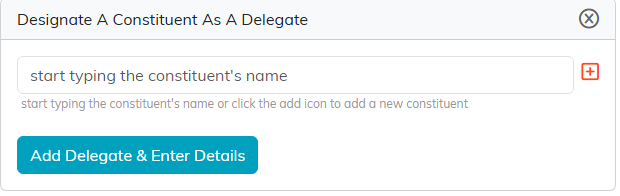
Start typing the name. The plus icon creates the constituent first if you need to.
What you track on a delegate
- Delegate Status. In Process, Active, or Inactive. Choosing Inactive opens an Inactive Date and an Inactive Reason, and the date is required while the delegate is inactive.
- Delegate Number and Preferred Payment Method.
- Delegate Type, Delegate Category, and Delegate Level. All three pull from your own classification code lists, so the choices are the ones you set up.
- Dates. Active Date, Delegate Start Year and End Year, Application Date, Nomination Date, Approval Date, Delegate Term Start and End Date, and Renewal Date.
- Territory. District and Precinct, alongside your Chapter, Division, and Department.
- Acquisition Source and Associated Campaign, for where the delegate came from.
- Is Suspended? Turning it on opens a Suspension Reason, a Suspension Start Date and a Suspension End Date. The start date is required while the delegate is suspended.
Save with Save All Changes & Continue or Save All Changes & Exit. Cancel & Exit leaves without saving, and Delete This Record removes the delegate.
When Argenta will not let you delete. A delegate who has any payments recorded against them cannot be deleted. Set Delegate Status to Inactive instead, and the payment history stays intact for reporting. A locked delegate cannot be deleted until it is unlocked, unless you are a Master Admin.

Status, number and payment method sit above the three classification codes.
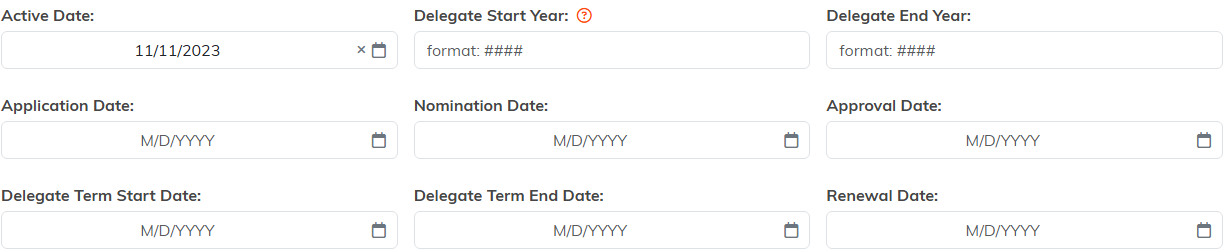
Every date the role needs, in one block.

Territory sits below the dates. Pick the district before the precinct.
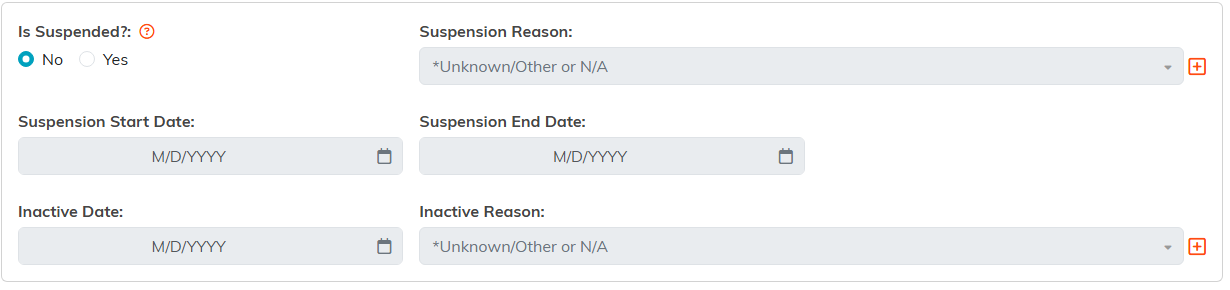
Turning Is Suspended on opens the reason and the end date.

Cancel & Exit leaves without saving.
The rest of the Delegate Workspace
- Follow-Up and Notifications. Keep the next step on the calendar.
- Contact Log and Email Log. A record of what has been sent and said.
- Delegate Files and Delegate Notes. Documents and running notes.
- Record Permissions. Who can see and edit this one delegate.

The rest of the workspace sits in this menu.
Working the whole list
For opening, editing, deleting, and bulk-updating delegates, see Overview, Working with Delegates.

Tick the boxes to work several delegates at once.
Communicating with delegates
Filter the Delegates list down to the group you want, then export it to CSV or work from each record's Email Log. Anything you send is tracked back on the delegate, so the next person to open the record sees the history.
Note. Voting & Elections only appears in the menu for political organizations.
