Knowledge Base Article
How to Track Voter Support Levels
Voter Support is where you tag a voter with where they stand, using the support levels your own organization defines, so you can pull a list later instead of trying to remember a conversation.
How it actually works
Voter Support is a tag list, not a form. You build a list of support values once (whatever scale suits you), then tag each voter with the ones that apply. A voter can hold more than one, and each value can only be on a voter once.
Tag a voter
- Go to Voting & Elections > Voters and open the voter.
- Click Voter Support in the workspace menu on the left.
- Under Add Voter Support, click the picker (it reads Select a voter support item) and choose a value. If the one you want is not there, click the add icon (admins and master builders only) on the field to create it.
- Click Add Selected Item. It saves immediately, so there is no separate save step.
The page shows a running count, so 3 Voter Support Item(s) tells you what is on file. Before you add anything it reads No voter support items on file.

Voter Support sits in the workspace menu, next to Important Issues.
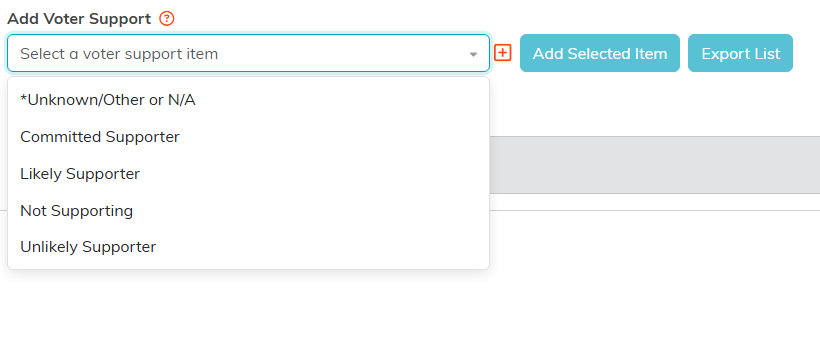
The values are yours. The plus icon (admins and master builders only) adds a new one without leaving the page.
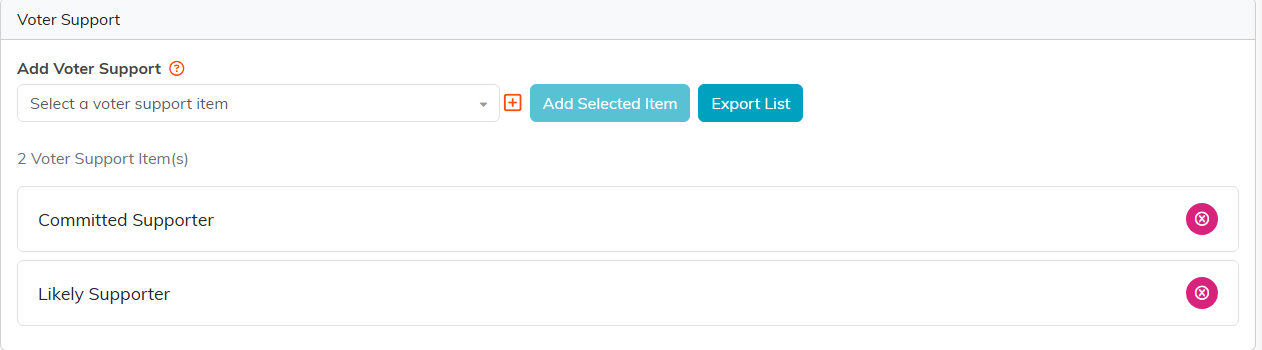
Add Selected Item saves straight away, and the count line keeps track.
Build your support list
The values in that picker are yours, not a fixed Argenta scale, so pick wording your team will actually use and keep it short. You can add values from the picker as you go, or manage the whole list under Voter Support in your classification codes. See How To Manage Classification Codes in Argenta.
Remove a tag
Click the circle-x beside the item and confirm. Because Voter Support records where someone stands right now rather than a dated history, updating a voter means removing the old value and adding the new one.
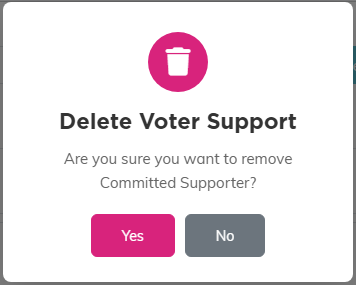
The circle-x asks you to confirm before it takes the value off.
Get the data back out
Use Export List on the Voter Support page for one voter, or run the Voter Support Overview Report in the Report Center to see it across everyone.
If the add controls are missing
The picker and buttons are hidden when the record is view only for you, and a record locked to you shows only a message saying it is locked. Check Record Permissions in the workspace menu, or ask an administrator.
For the wider picture see What is Voter Management in Argenta?, and for issue tracking see How to Use Voting Issues to Track Positions.
