Knowledge Base Article
How to Use Training Tracks for Staff and Volunteers
A training track records one training session your organization held: when it happened, what it covered, who ran it, and who attended, with a completed flag for each person.
Creating a training track
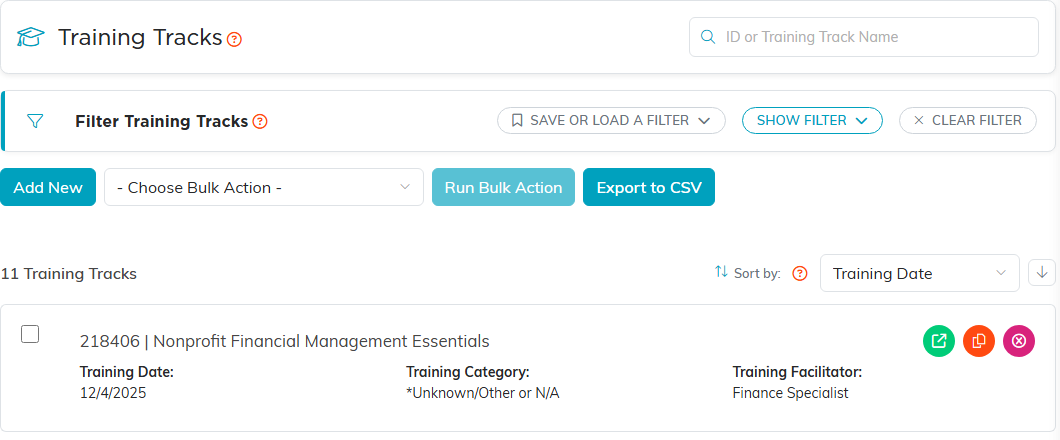
- Open the training list from the menu: Staff Member Training, Staff Training or Volunteer Training. They all open the same list.
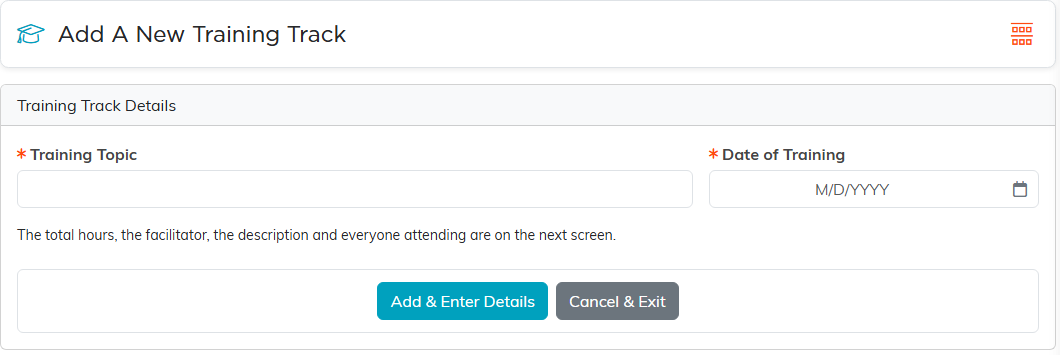
- Click Add New, enter the Training Topic and the Date of Training, and click Add & Enter Details.
- On Track Details, check Total Hours (it starts at 1 and must be more than 0), and add a Training Category, Trainer/Facilitator and Description if they apply.
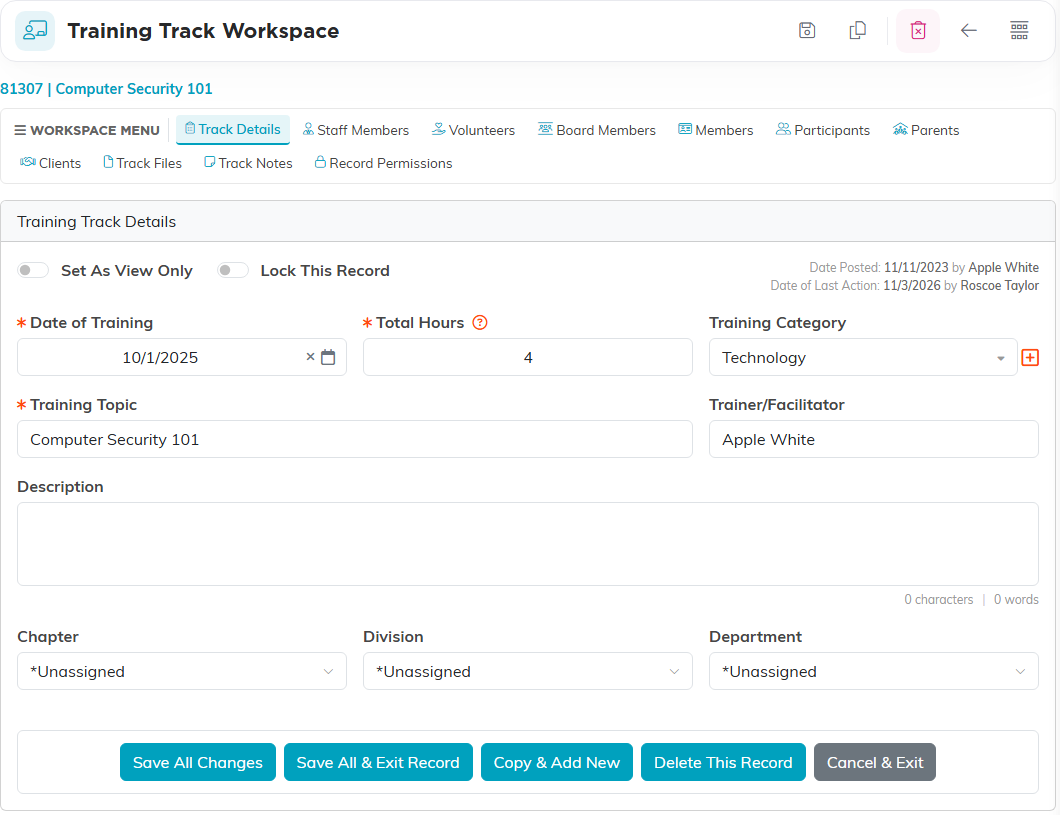
- Click Save All Changes.
Recording who attended
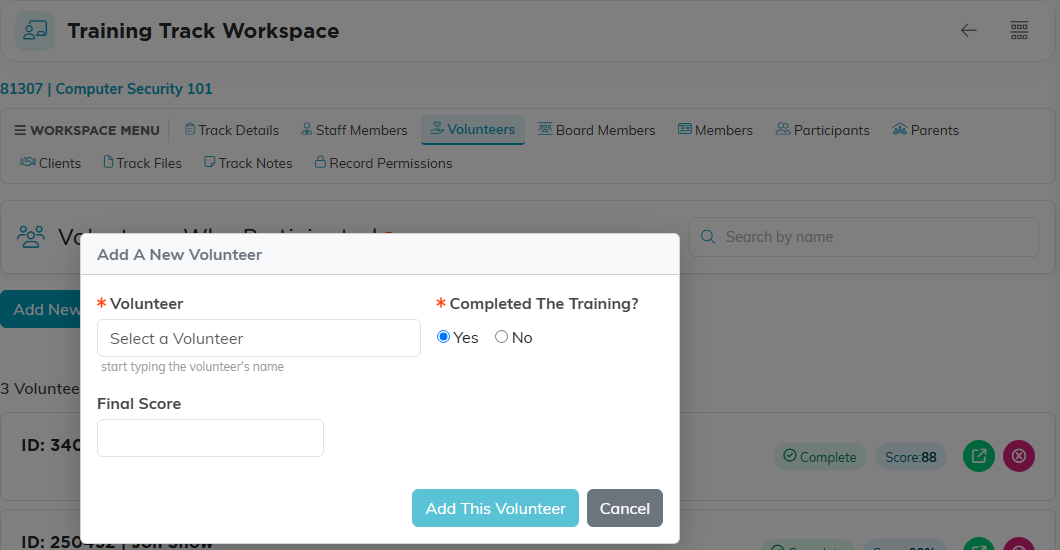
The track has a page for each kind of attendee: Staff Members, Volunteers, Board Members, Members, Participants, Parents and Clients. Click Add New on the right page, pick the person, answer Completed The Training?, and add a Final Score if you scored it. A person can be on each page only once.
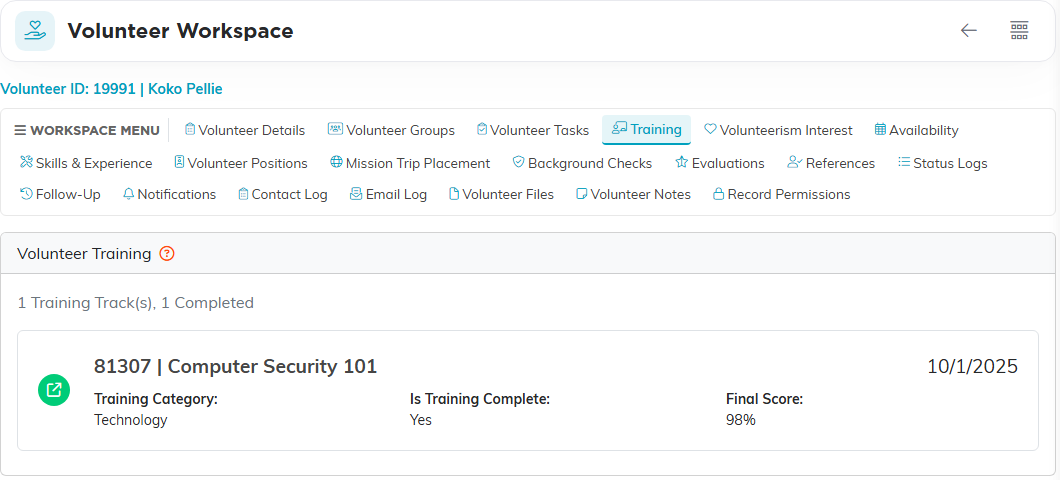
Each person's own record has a Training page listing every track they attended.
Certifications
A training track is a session on a date, not a certification with an expiry date. For something that lapses, such as CPR, record each session as its own track and use the date of training to see who is due again. Copy & Add New on a track makes the next session quickly.
For more, see How to Use Training Tracks to Manage Training Programs.
