Knowledge Base Article
How to Connect Stripe for Payment Processing
Argenta uses Stripe to process online payments for donations, events, and memberships:
- Click Settings (the gear icon, top right) and choose Subscription.
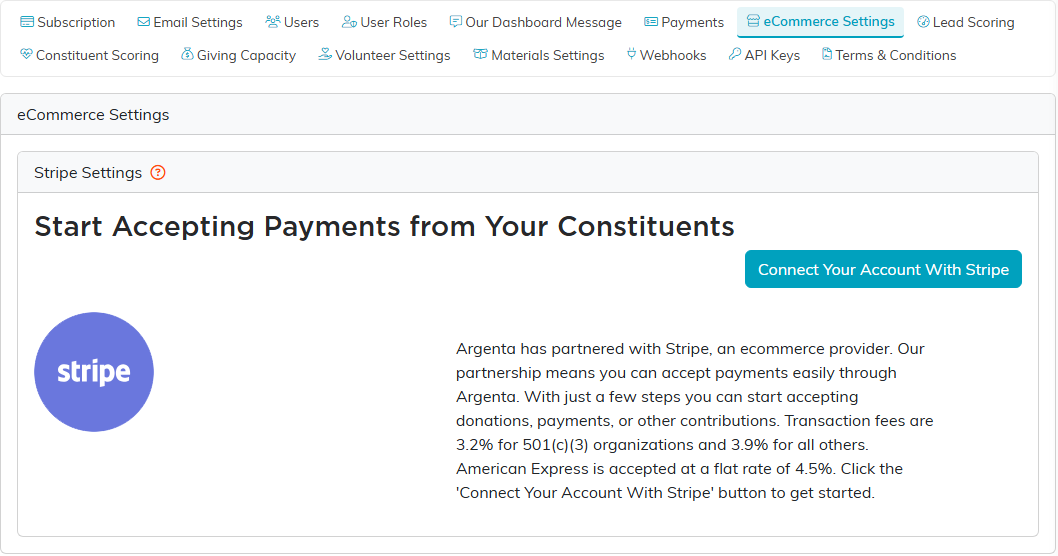
- On the Subscription Settings tabs, choose eCommerce Settings.
- Click Connect Your Account With Stripe.
- You'll be redirected to Stripe to:
- Create a new Stripe account, or
- Connect an existing Stripe account
- Complete the Stripe onboarding process (business info, bank account).
- Once connected, you'll be redirected back to Argenta.
After connecting:
- Online donation forms will process payments automatically
- Event ticket sales can accept credit cards
- You can view transaction history in Argenta
Note: Transaction fees are 3.2% for 501(c)(3) organizations and 3.9% for all others. American Express is accepted at a flat rate of 4.5%. Fees are deducted before funds reach your bank account.
Who can do this: connecting Stripe is limited to Master Admins and Subscription Admins, since it ties a bank account to your organization.
The full walkthrough is How To Setup Your Stripe Connection.
