Knowledge Base Article
How to Manage Session Participants and the Waitlist
The Session Participants page on a session is the roster of who holds a spot. This covers putting somebody on it, taking them off, moving them, and running the waitlist. For what a session is and how the workspace fits together, see What Are Event Sessions and How They Work.
Adding Somebody
Open the session and go to Session Participants, headed Associated Participants. Adding a person here books them the way a real sign-up does, rather than noting them down: Argenta creates the booking, emails them a confirmation and queues a reminder before the session. If they already hold a booking on this session, nothing extra is sent.
Someone who cancelled and then booked again shows twice, once for each spot they took. That is normal.
Cancelling Is Not the Same as Removing
These sit next to each other and do different things, so it is worth knowing which you want.
- The Cancelled switch on the card keeps the record and marks the spot as given up. The history, any payment, and the cancellation date and reason all stay. It frees the spot against the session limit, and it calls off the reminder that was queued, so nobody is reminded about a spot they gave up. This is what you want almost every time.
- The remove icon deletes the spot outright, with its cancellation date and reason and the assistance and no-show notes on that card. Their booking and any payment stay on file.
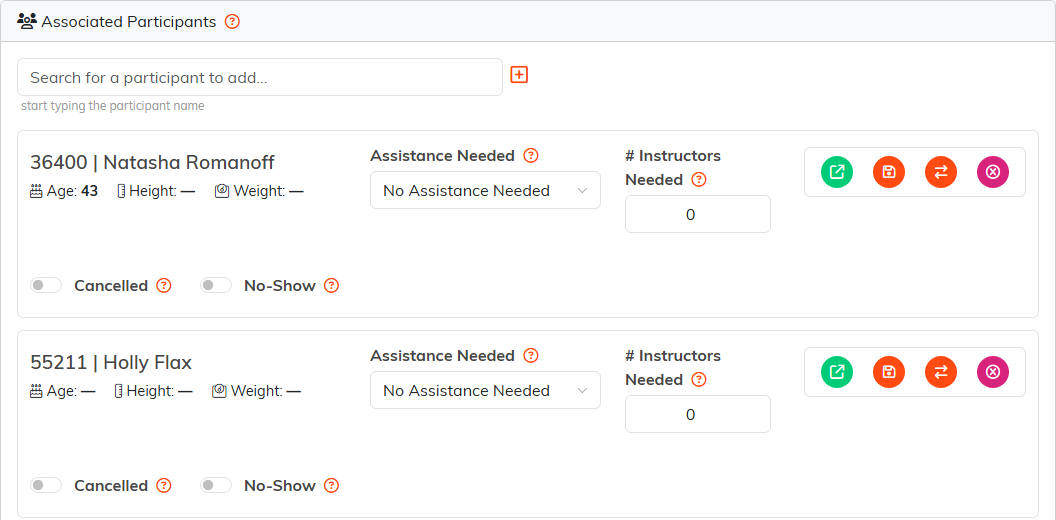
Two participant cards. Cancelled and No-Show are switches on the card; the icons on the right open, move and remove the spot.
Moving Somebody to Another Session
A move sends the person's spot to a different session and takes their booking and their reminder with it, so nothing is left pointing at the old date.
You are offered sessions still to come, and one that is full or cancelled cannot take them. Most staff see other sessions in the same program. An administrator also sees sessions in other programs, listed afterwards and badged with the program they belong to.
Before you commit, the screen lists every email the move will send. Somebody who already had a confirmation for the old date gets a change notice naming both dates; somebody who did not gets a fresh confirmation for the new one. Nothing is written and nothing is sent until you click Confirm Move.
The Waitlist
Session Waitlist is the queue of people who want the session if a spot opens. Click Add to Waitlist and choose the person. That is all the form needs. Argenta will not add someone who is already on this session's waitlist, even if a colleague added them from another tab, or someone already enrolled in the session; it tells you which instead. The preferred instructor, date and time on it are notes for whoever works the list later: they schedule nothing and they do not decide who is offered a spot, so leave them blank if you have nothing to record. One person can sit on a session's list only once, and Argenta tells you rather than making a second entry. A preferred time left blank stays blank on the list.
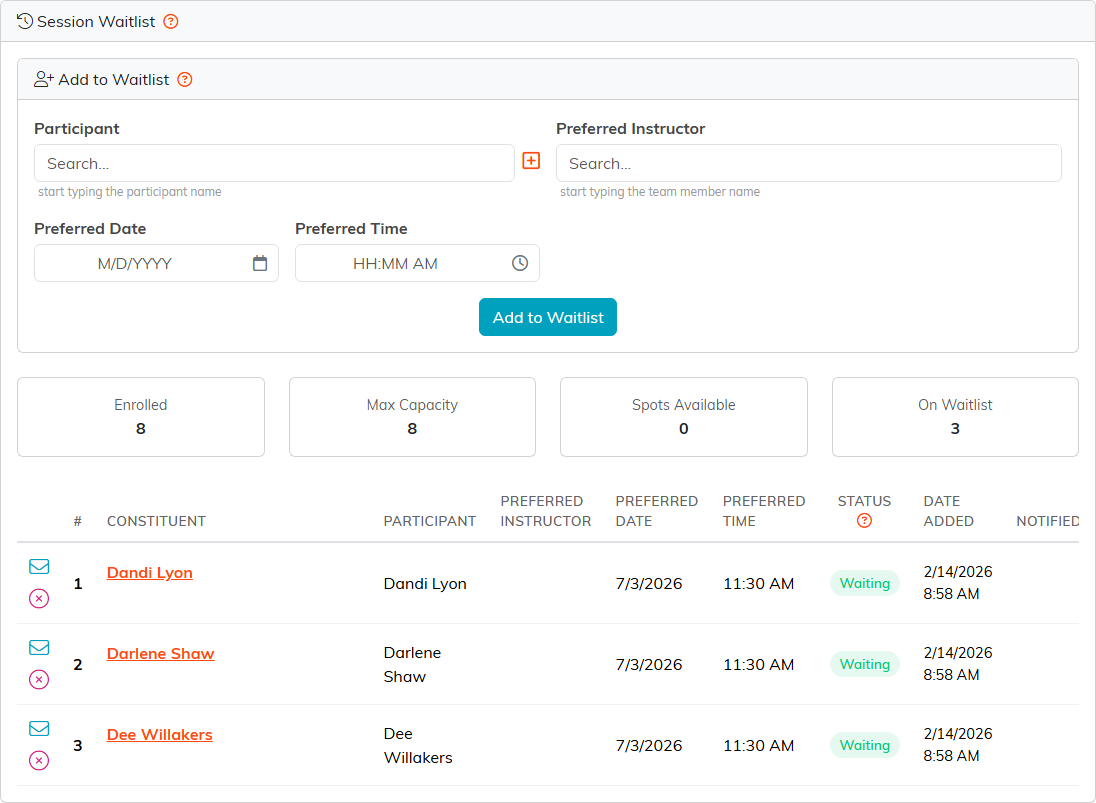
The full session and its waitlist. The # column is each person's place in the queue.
Nothing on the waitlist runs on a timer. A spot coming free does not quietly promote anybody. Two things can get a waiting person into a spot:
- Take a participant off the session, and the first person still waiting is booked in and emailed to say so.
- Send the envelope on their row, which tells them a spot is free and asks them to book it. It does not hold the spot for them, and they stay on the list.
Remove from Waitlist takes somebody off the queue without booking them. Argenta asks first, naming the person.
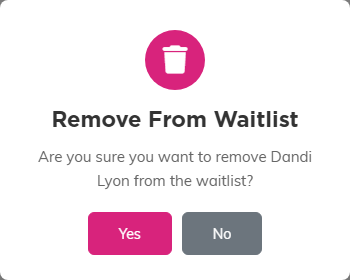
The question names the person, so you can check before you answer.
