Knowledge Base Article
What Is a Smart List?
A Smart List is a mailing list that fills itself. You set a rule once, like "anyone who's a Donor" or "everyone subscribed to the Newsletter," and Argenta keeps the list current for you. As people start matching the rule they're added, and as they stop matching or unsubscribe they drop off. You never have to open it to add or remove anyone.
This is the opposite of a hand-built list, where you pick who's on it and it only changes when you change it.
When to use a Smart List
Use one whenever "who should get this" is a rule, not a fixed set of names:
- Everyone who signed up for a topic, like your Newsletter or Volunteer Updates
- Everyone of a certain type, like Donors, Members, or Volunteers
- Everyone in a certain state
- Everyone who did something, like gave in the last year, came to an event, or opened one of your emails
You can combine rules. "Donors in Texas who subscribed to the Newsletter" is one Smart List that stays accurate on its own.
When to use a hand-built list instead
Use a hand-built list when the group is specific and won't follow a rule, like a handful of major donors you're inviting to a private lunch. You add those people yourself.
How to make one
Open Manage Mailing Lists, find the email list, and click the wand icon (only email lists have one) ("Turn this into a Smart List"). Choose your rule, and the list starts filling itself right away.

Icon 2 is the wand that turns a list into a Smart List.
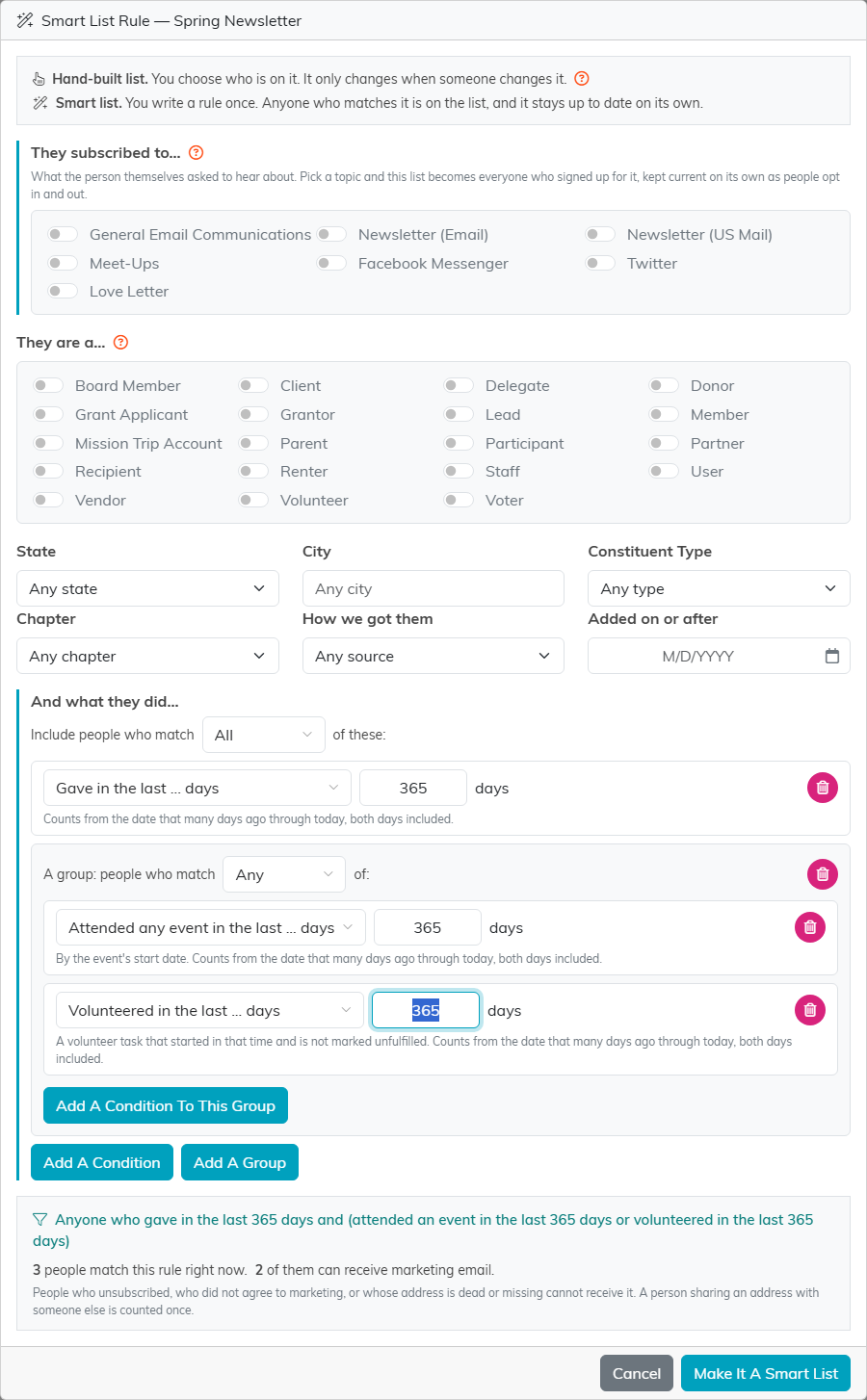
The rule window. Who they are at the top, what they did below, and the count before you save.
What they did: activity conditions
The top of the rule window is about who a person is: the topics they signed up for, their type, where they live and how you got them. Under And what they did... you can add conditions about what they have done. Click Add A Condition and choose what to check:
- Giving: gave in the last so many days or between two dates, has given before but not since a date, lapsed (gave last year, not yet this year), gave in an earlier year but not last year or this year, first gift ever in the last so many days or this year, recurring donor, total given in a period, largest single gift at or above an amount, gave to a campaign.
- Events: registered for an event, attended an event, registered but did not attend, attended any event in the last so many days.
- Volunteering: volunteered in the last so many days, total volunteer hours at or above a number.
- Membership: active member, membership renews in the next so many days, lapsed member since a date.
- Email activity: clicked or opened any email in the last so many days, was sent a particular email, clicked in a particular email, did not open or click any of their last so many emails, was emailed but did not open or click in the last so many days. Opens and clicks count only when a person made them, not the automatic ones mail scanners make.
- Contact: birthday is in a month, has an email address.
- Email consent: where their email consent last came from, such as a web form, an import, a staff edit or an unsubscribe. Not recorded also covers everyone with no consent history yet.
Every condition says underneath it exactly which days, dates or amounts it includes, so you do not have to guess where the edges are.
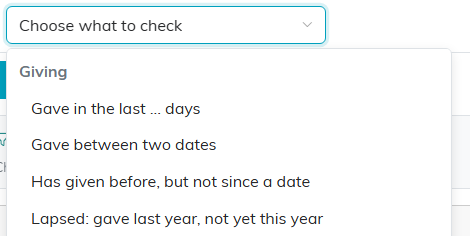
Conditions are grouped by kind: Giving, Events, Volunteering, Membership, Email activity, Contact and Email consent.
All of, Any of, and groups
Include people who match All of these means a person must meet every condition. Switch it to Any and meeting one is enough. Whatever you choose here, the conditions are always combined with the choices at the top of the window, so a Donor rule with activity conditions still only includes Donors.
Add A Group lets you mix the two. A group has its own All or Any, so "gave in the last 365 days, and either came to an event or volunteered" is one condition plus a group set to Any. Groups go one level deep. To match several consent sources, put them in a group set to Any.
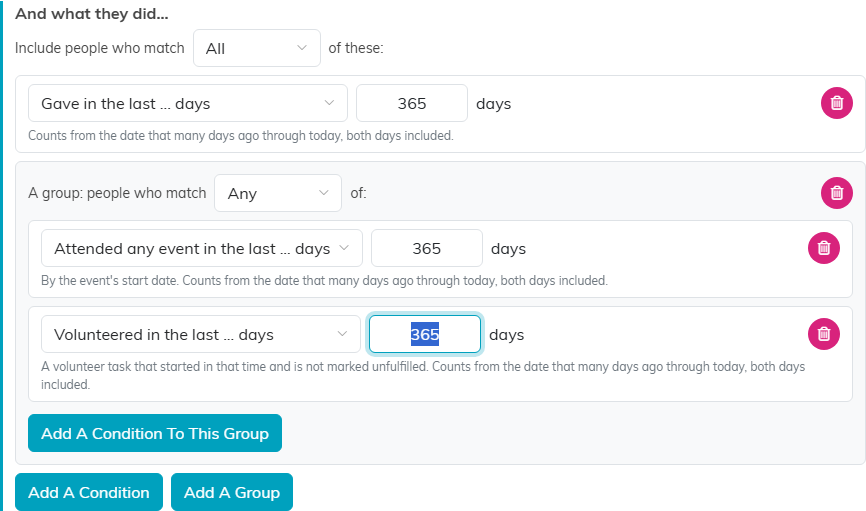
One condition, plus a group where either one counts.
The live count
Under the conditions, Argenta writes your rule out as a sentence and counts it a moment after every change: how many people match right now, and how many of them can receive marketing email. The second number leaves out anyone who unsubscribed, did not agree to marketing, or has a dead or missing address, and counts two people sharing one address once, the same way a send does. A condition that is not finished yet shows what is missing instead of a count, and the rule cannot be saved until it is fixed. A rule with nothing in it at all is refused, because it would include everyone on your team.

The rule as a sentence, and the count before you save.
Ready-made segments
On Manage Mailing Lists, Ready-Made Segments offers common Smart Lists you can make in one click: Lapsed Donors, First-Time Donors This Year, Monthly Donors, Donors Of $1,000 Or More In The Last 12 Months, Members Renewing In The Next 30 Days, Event No-Shows (choose the event first), Active Volunteers, Engaged Readers and Quiet Readers. Create makes an ordinary Smart List with that name and rule, so you can rename it and change its rule afterward like any other.
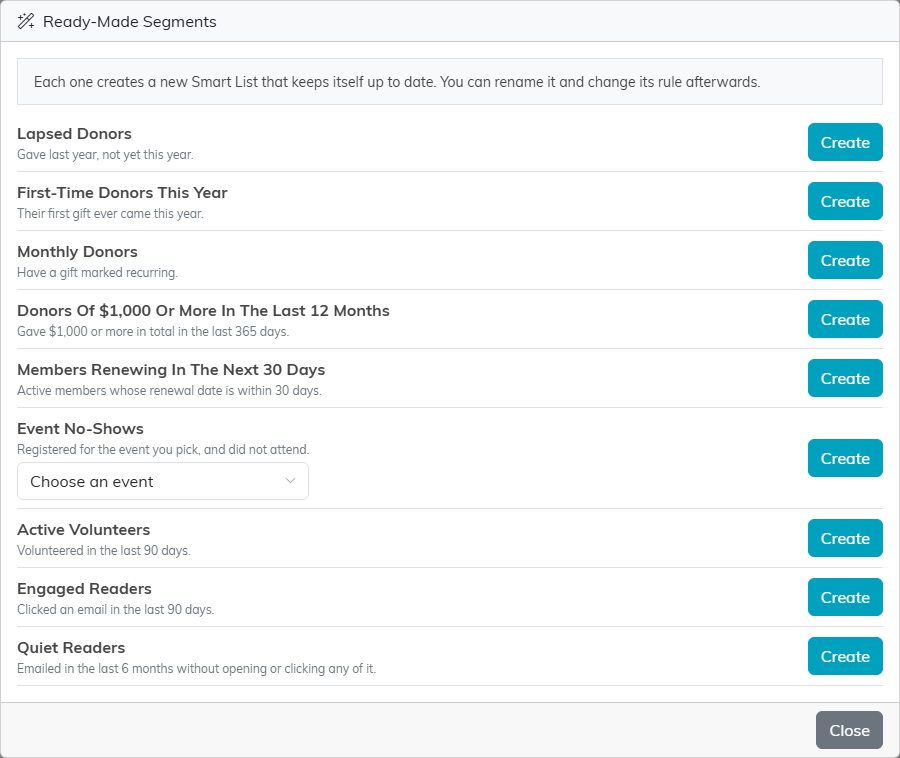
Each segment creates a new Smart List.
