Knowledge Base Article
How to Connect an Auction to an Event
If your auction is part of a larger event, you can link the two. This keeps your reporting tidy and rolls the auction results into the event.
Where to connect
- Open your auction.
- Click Connections in the workspace navigation.
The Connections tab has a short Show Me How To Use This Page video at the top right; click it to watch, and use its chapters to jump to the part you need.

Connections is one of the tabs in the auction workspace menu.
Choose the event
- Find the Associated Event field near the top of the page, just below Related Campaign.
- Start typing the event name and pick it from the list.
- It saves on its own and shows a green check when saved.

Start typing the event name and pick it from the list.
One event at a time
An auction links to a single event. Picking a different one replaces the old link. To remove it, click the small x at the right of the field. Deleting the name by hand does not remove it. On a view-only record the field is disabled, so you can read the link but not change it.

One event at a time. The small x on the right clears it.
Why it helps
- The auction money counts toward the event totals.
- You can see the auction and the event together in your reports.
- There is one clear place to manage the link.
Connecting a campaign too
Right next to it is the Related Campaign field. It is filled in the same way, but the two do not behave the same once the auction ends. An event total reads the auction live, so linking an event any time, before or after the close, still counts it. A campaign is attached to your winners' invoices at the moment the auction closes, so link the campaign before the auction ends if you want those invoices listed on the campaign and the payments on them counted toward the Total Income on its Actual Income tab.
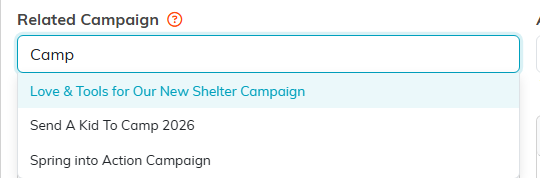
The Related Campaign field works exactly the same way.
