Knowledge Base Article
How Your Supporters Register and Place Bids
Your supporters bid on your auction online, from their own phone or computer. They don't need an account or a password. Here is everything they see and do, step by step, so you can help when someone asks.
Open the auction
You share the link to your public auction form. It opens your auction's main page, with its title, banner image, description, start and end dates and times, the Silent Bidding Closes date and time when online bidding stops before the auction ends, the Amount Raised so far, and your sponsors' logos if you have any. Amount Raised adds the current high bid on every online item to every live auction and Fund A Need sale recorded on the Live Auction screen.
While the auction is open, the page has a View All Auction Items button. After it closes, that button is replaced by Auction Is Closed. Before you open bidding, while its status is still New, Pending Approval or In Planning, that spot says Bidding Has Not Opened Yet instead.
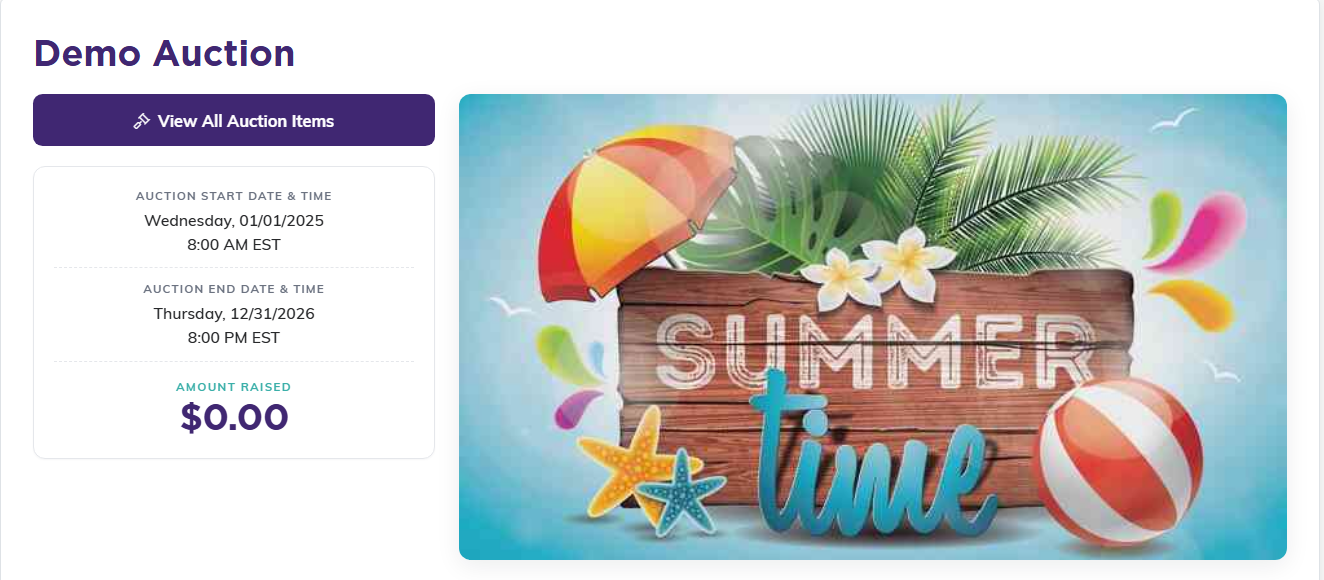
This is the page your link opens.
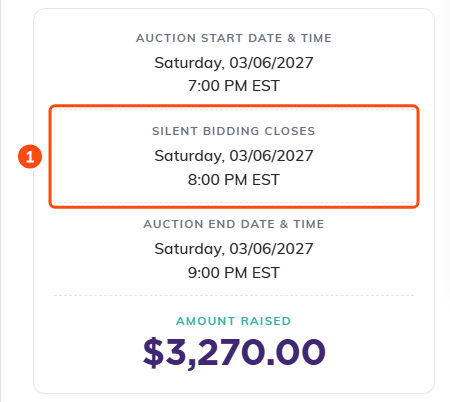
On an auction with a silent bidding close, guests see when online bidding stops. Once that time passes, the line reads Silent Bidding Closed.
Browse and search the items
View All Auction Items shows every item you've set to show on the public form. Each card has the item's photo, name, value, current bid and number of bids. Bidders can type in Search items… and press Search to find an item by name, or Clear to see them all again.
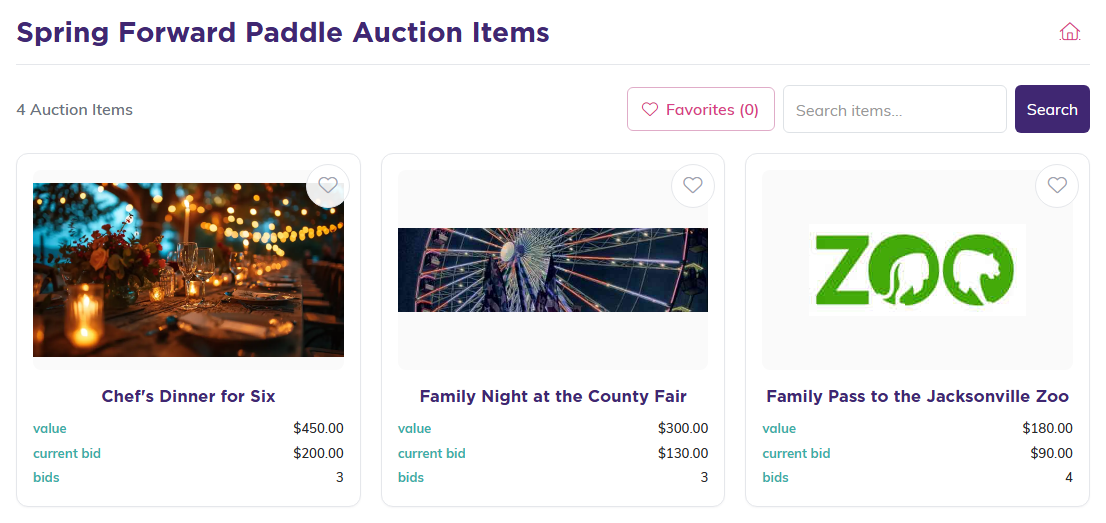
The item list. Bidders open an item by clicking its card.
An item that has stopped taking bids says Bidding Closed on its card: one you closed early with Bidding Closed On This Item, one already awarded, or every online item once silent bidding has closed. The marker appears at the close without anyone reloading the page.
Live auction items, the ones called out in the room, never show on the public form. Bidders bid on those in person, with their bidder number. On an auction with live items and none shown online, View All Auction Items opens a page that says the items are auctioned live at the event.
Save favorites
Bidders can tap the heart on any card to save it. The Favorites button shows how many they've saved, and tapping it shows only those items. On an item's own page, the same button reads Add to My Favorites.
Favorites are saved in the bidder's browser, not in Argenta. You can't see them, and they don't follow the bidder to a different phone or computer.
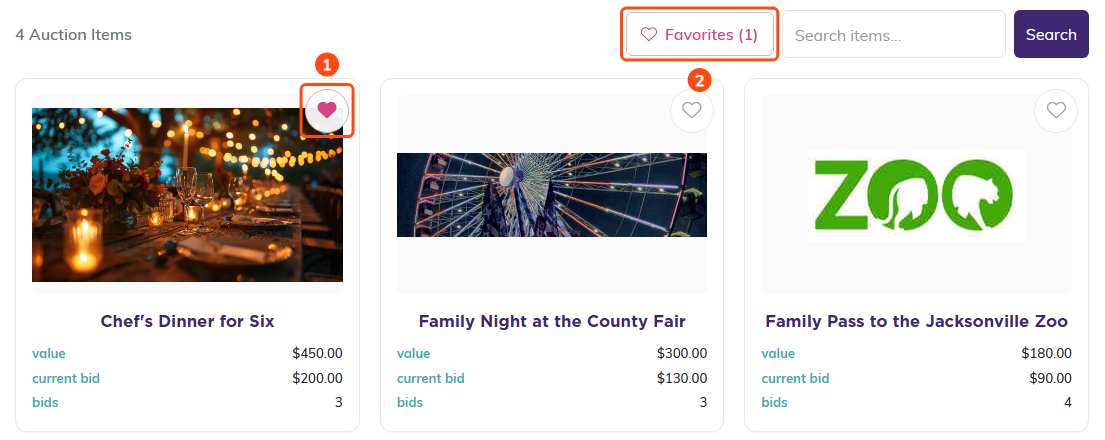
Tap a heart (1), then use Favorites (2) to see only the saved items.
Look at an item
An item's page shows its photo, its name, and the Item Value, with a short note on what may be tax-deductible. For a Fund-A-Need item, the note says the full amount may be tax-deductible. For any other item with a value, it says only the amount bid above the value may be.
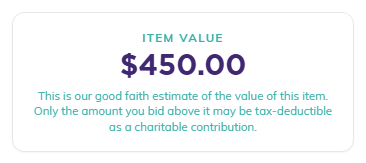
The Item Value box and its tax note.
Below that are the bidding figures: Current Bid, Next Bid (the least they can bid now), Starting Bid, Min. Bid Increment and Total Bids, along with when bidding starts and ends. The page also shows the item's description and any purchase instructions you added.
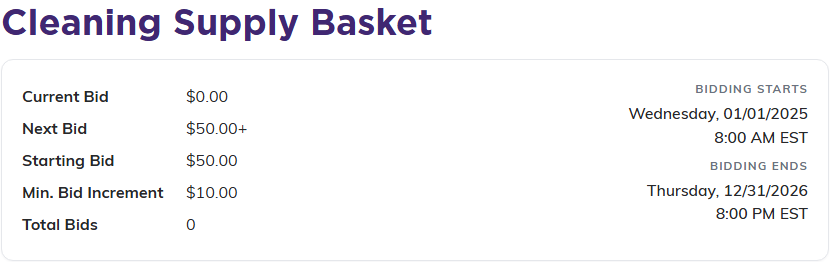
Every item shows the current bid and the next bid they need to beat.
Before the auction starts, or after it ends, the item shows Bidding Is Not Open. If you closed that one item, it shows Bidding On This Item Has Closed.

What an item shows outside the bidding window.
Register a card to bid
Before their first bid, a bidder puts a card on file. They can start on the auction's home page, where Register to Bid sits under View All Auction Items whenever the auction's status is Bidding Open: before bidding starts, on a live-only auction, and after silent bidding closes. Or, on any open item, they press Register a Card to Bid.
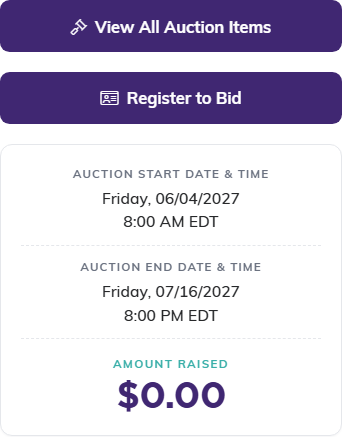
Register to Bid on the auction's home page. Once someone has registered on that phone or computer, this spot shows their bidder number instead, or You're Registered to Bid on an auction with no live items.

Until they register, this is what a bidder sees on an item.
- Your Information: they enter their first name, last name and email address, and tick the box that lets your organization save their card and charge it for anything they win. Then they press Continue.
- Card on File: they enter their card details and press Save Card & Start Bidding.
The card is not charged when they register. It's only charged if they win.
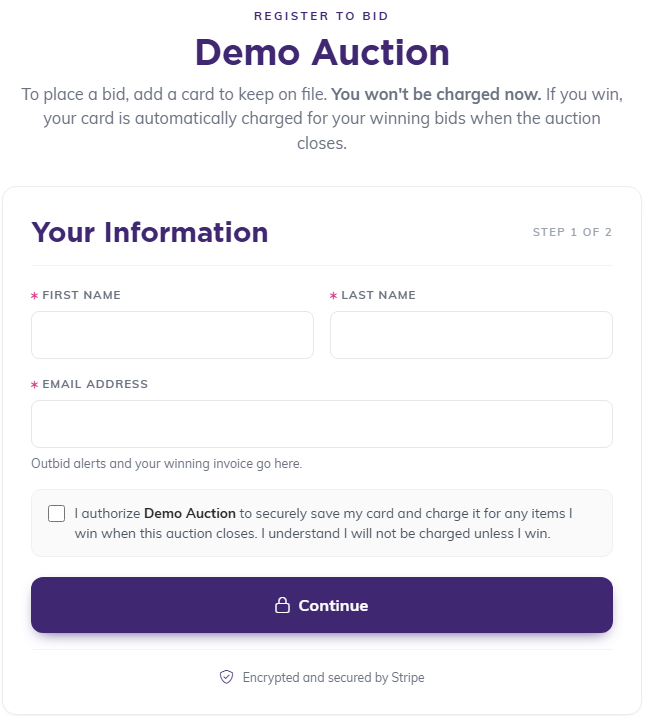
Step 1 of 2 takes their name, email and permission to save the card.
Registration is remembered in that browser, for that auction. A bidder who moves to another phone or computer doesn't add their card again. They tap Sign back in, under Register to Bid on the home page or on an item, enter the email they registered with, and press Email Me a Sign-In Link. Opening that email, Sign Back In to Bid, and tapping its link signs that phone or computer in.
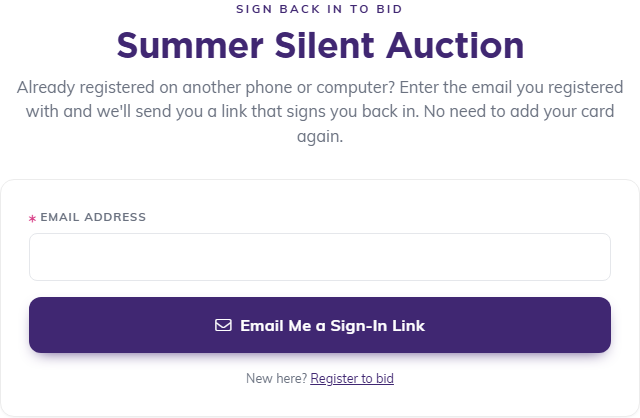
Sign back in takes only the email they registered with.
If they press Register to Bid again with the same email instead, Argenta sends them the same link rather than asking for their card. Someone who really is a different person, or wants to use a different card, presses I'm Someone Else, or Want a Different Card to register anyway.
If your auction has a live part, the bidder also gets a bidder number. It's shown on screen right after they register and emailed to them. A bidder who registered before your auction had any live items gets a number by email when you save a live item, or on the auction's page the next time they open it. That's the number they hold up when they bid in the room.
Place a bid
- They open the item they want.
- They press Bid On This Auction Item.
- Under Your Bid Amount, they enter at least the amount shown in the hint, Enter $X or more. Commas between thousands are fine, as in 1,500, and cents go after a period, as in 150.50. An amount with a comma before the cents, such as 100,50, is refused with a message asking for a period.
- They press Place My Bid.
The form shows who they're bidding as and the last four digits of the card on file. When the bid goes through, they see Thank You! Your bid was successful. with the item's total bids, their bid and the next bid, and a line saying when their card is charged if they win.
If someone else bid while they were typing, their bid may now be too low. They'll see a message with the new least amount, and they can try again. While the auction's page, its item list or an item is open, the bids refresh on their own every 15 seconds, so nobody has to reload to see the latest bid. A very large bid is refused online, with a note to contact your organization directly.
Emails a bidder gets
- Successful Bid: after every bid that goes through.
- Someone Has Outbid You: when another bidder takes the lead, with a link to bid again. A bidder whose new bid was still lower than someone's earlier one gets this one right away, too.
- Sign Back In to Bid: when they ask for a sign-in link.
- You Are the Highest Bidder: if you delete a bid and that puts them back in the lead.
A bidder doesn't have to wait for the email, either. While bidding is open, a registered bidder who has been outbid on an item that is still open sees a You've Been Outbid notice on the auction's page, the item list and that item's page, with the current bid. On the auction's page and the item list it names each item they've lost the lead on, with a link to bid again. The notice goes away by itself once they're back in the lead.
These emails come from your organization's payment notification email address, or your main email address if that's blank. The links in Someone Has Outbid You, You Are the Highest Bidder, Sign Back In to Bid and the bidder number email also sign the bidder in on whatever phone or computer opens them, so they can bid straight away without adding their card again. They sign the bidder in even after bidding has closed. Because whoever holds one of these links can bid on the bidder's card, the Sign Back In to Bid email asks them not to forward it.
There is no "My Bids" page. A bidder keeps track of their bids through these emails and their favorites.
When the auction closes
When the auction closes, the highest bidder on each item wins. The auction's main page shows Auction Is Closed, and items no longer take bids. The public pages don't show who won.
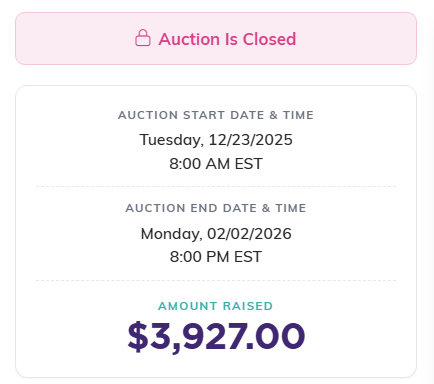
What the main page shows after the auction closes.
A winner gets one invoice covering everything they won, however many items that is. The card they registered is charged for that total automatically, and they get a payment receipt that shows what may be tax-deductible. There is no extra step for them, and no separate "you won" email.
One exception: if your auction also has live items and you've turned off Charge Silent Winners At The Silent Close, online winners aren't charged when bidding closes. Their invoices wait until you press Run Transactions on the live auction page. The Register to Bid page and the confirmation a bidder sees after each bid both tell bidders so: on that kind of auction they say the card is charged after the event, when the night's sales are finalized, rather than when bidding closes.
If the card is declined, or the bidder has no usable card on file, nothing is charged. Instead they get an email, Auction Item Bid Winner, with a Click Here To Pay This Invoice link, and the invoice stays unpaid until they use it. That is the one case where a winner has something left to do, so it is worth checking your unpaid invoices after an auction closes.
Bidders pay exactly what they bid. Argenta adds no buyer's premium or fee to their total.
