Knowledge Base Article
Where to find Constituent Reports
Constituent Reports is about the people and organizations in your records rather than their giving. Contact preferences, households and relationships, care details, and the reports that help you keep the data clean.
Getting there
- Open the Report Center from the top right of the header
- Click the Constituent Reports category card
- Use the search box on that page to narrow the list by report name or description
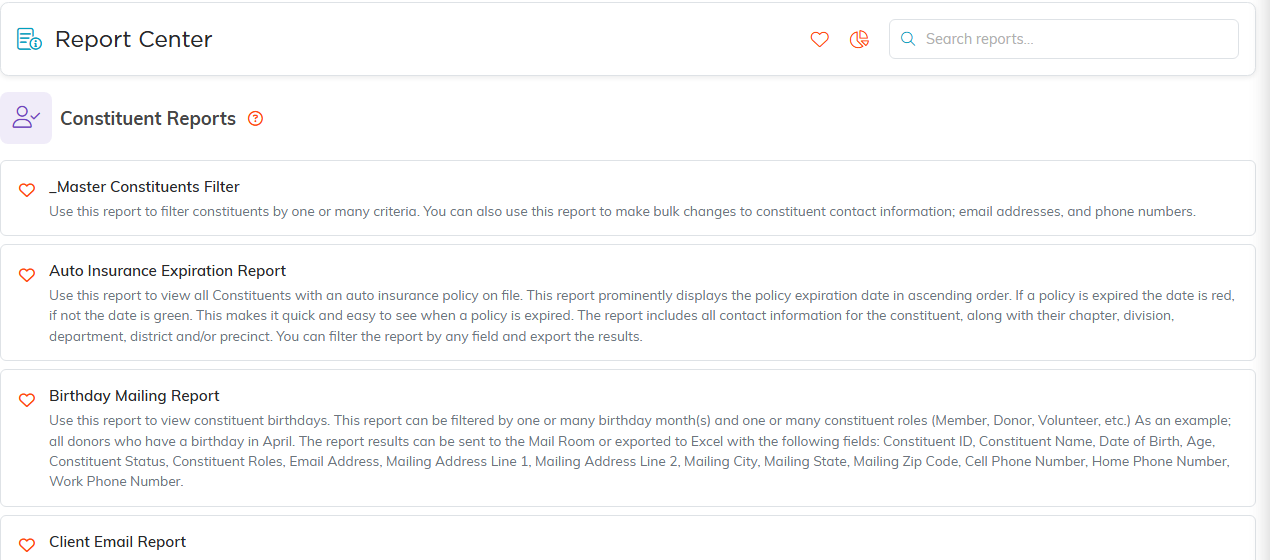
Constituent Reports, with what each one does.
Contact preferences and consent
Run these before any mailing or email goes out:
- Constituent Do Not Email Report, Constituent Do Not Mail Report and Constituent Do Not Solicit Report
- Constituent Email Unsubscribe Report for people who have opted out themselves
- Constituent Communication Report for how each person prefers to hear from you
- No Email With Address Report for people you can only reach by post
Mailing lists
- Birthday Mailing Report
- Constituent Households Only Mailing List so a household gets one piece rather than four
- Master Constituents Filter, the broad filter report for finding constituents by one or many criteria
Households, relationships and organizations
- Individuals NOT Part of A Household for people who should probably be linked and are not
- Relationships By Constituent Type Report
- Organization Employee Details Report and Constituent Organization Contact Report
- Partners by Partner Type Report
Care and safety details
- Constituent Medical Report and Constituent Medication Report
- Constituent Allergy Report
- Constituent Emergency Contact Report
- Constituents with Dependent Special Needs Report
Skills, training and involvement
- Constituent Skills Report and Constituent Training Report
- Constituent Staff and Volunteer Report and Constituent Volunteering Interest Report
- Constituent Event Guests Report
- Constituent Engagement Score Report for a single score across giving, volunteering, events and email
Keeping the data clean
- Deceased Constituent Report
- Constituent Group Affiliation Exception Report for members of a group who are missing an affiliation, such as group members who are not donors
Finding duplicate records is not one of these. Duplicates are handled by the duplicate checker, where you compare two records and merge them, rather than from the Report Center.

Both exports sit above the results.
A few specialized ones
- Constituent Voting Issues Report where you track political issue interest
- Auto Insurance Expiration Report, Material Intake Report, Client Email Report and User Permissions Master Report
Set your filters, click Run Report, then Export To CSV or Export To PDF to take the results with you.
