Knowledge Base Article
How to Navigate the Argenta Report Center
The Report Center is organized to help you find reports quickly. You see it if you are a Master Admin or have the Report Manager permission. Here is how to navigate it effectively:
Report Center Dashboard:
- The main page shows a grid of category cards, one for each category that has reports available to your team
- Each card displays the category name, icon, and number of reports
- Click any card to view all reports in that category
Navigation elements:
- Search box: At the top, filters the category cards by name
- Search All Reports By Name: The page with a magnifying glass, top right, searches every report name at once
- Favorites button: Heart icon opens your saved favorite reports
- Category cards: Click to browse reports by functional area
- Back buttons: Return to category list or Report Center main page
Within a category:
- Reports are listed with their name and description
- Click a report's name to open and run it
- Click the heart beside it to add it to or remove it from favorites
- Use the back link to return to the Report Center
Within a report:
- Parameters section at top for filters
- Run Report button to execute
- Results appear in a data grid below
- Charts may appear for visual reports
- Back links in the title bar, and export buttons above the results once the report has run
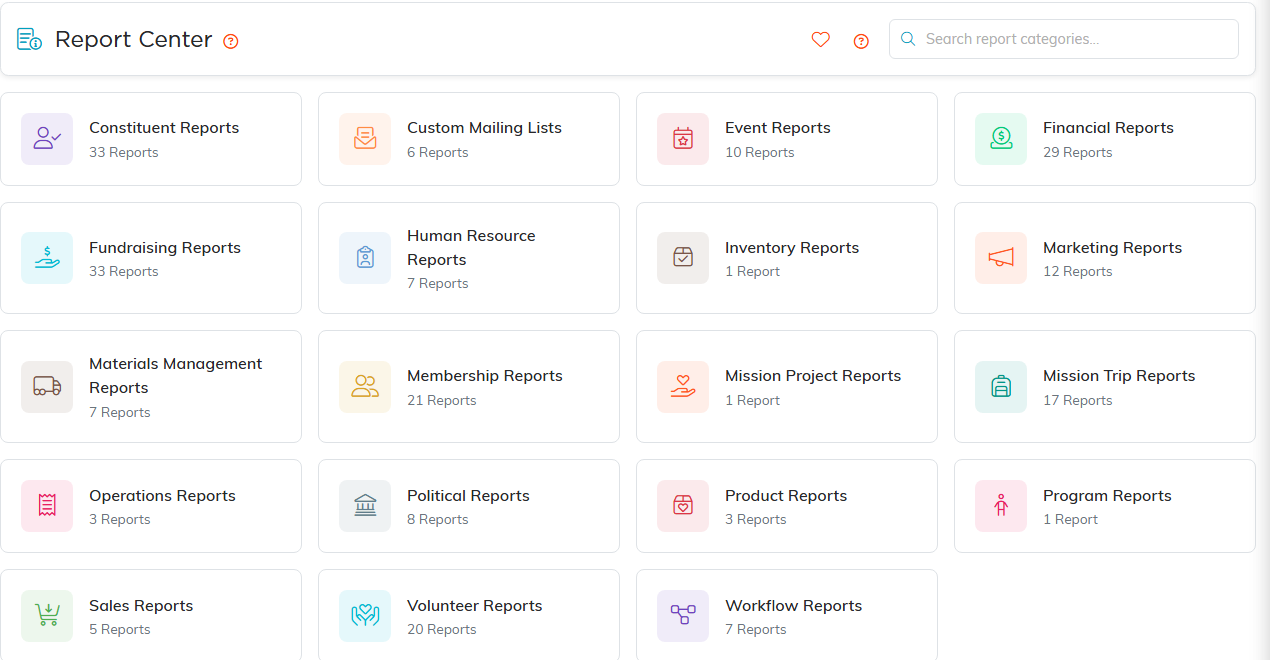
The Report Center. Every category card shows how many reports it holds.
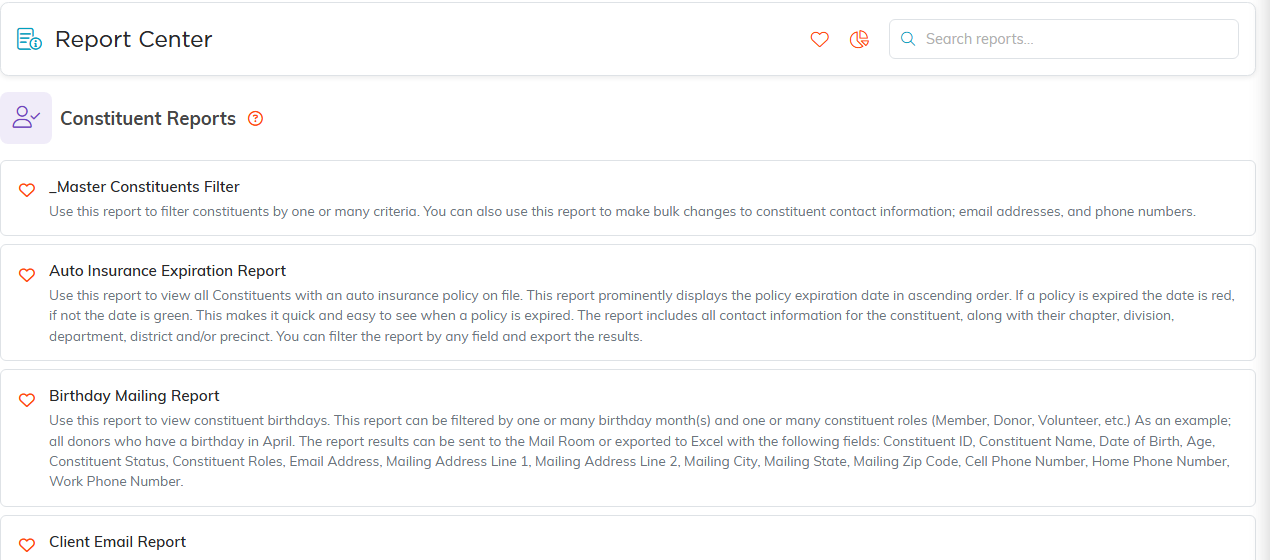
Inside a category, every report is listed with what it does.
