Knowledge Base Article
Can I create custom reports in Argenta?
Argenta provides pre-built reports that cover most common reporting needs. Here is what you should know about custom reports:
Using existing reports flexibly:
- Most reports have multiple filter options to customize results
- Date ranges, categories, and entity filters let you narrow data
- Export To CSV for further manipulation, and Export To PDF or Export To Excel on the reports that offer them
- Many reporting needs can be met by combining filters creatively
Custom report options:
- Administrators can request custom reports from the Argenta support team
- Custom reports can be built to meet specific organizational needs
- Once created, a custom report appears in your Report Center alongside the standard ones
- Custom reports are only visible to your organization, and only your organization can open one; anyone else who follows its web address sees This page is not available for your team
Alternative approaches:
- Export the report and build pivot tables from it - use Export To Excel where the report has it, otherwise Export To CSV, which every report has
- Combine data from multiple reports in a spreadsheet
- Use the data export features throughout Argenta to gather raw data
To request a custom report:
- Contact Argenta support
- Describe the data you need and how it should be organized
- Provide examples of the desired output if possible
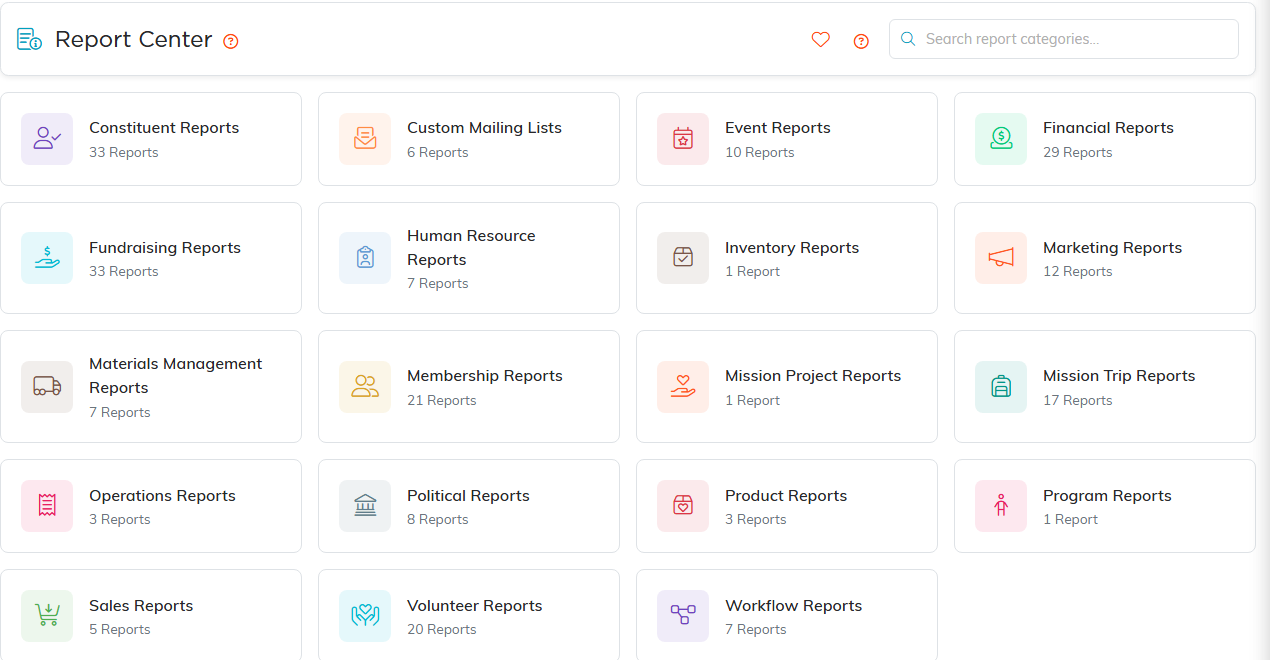
The Report Center. Every category card shows how many reports it holds.
