Knowledge Base Article
How to Search for Reports in the Report Center
Argenta has more than one way to search for a report, and they do different jobs. Knowing which one you are looking at saves most of the hunting.
The box on the Report Center searches categories, not reports
When you open the Report Center, the search box at the top filters the category cards. Its placeholder says Search report categories. Type volunteer and the Volunteer Reports card stays on screen. Type the name of a report and you will usually see no cards, because that box never looks at report names. Instead the page says No report categories match your words and offers a Search All Reports For button that looks for the same words in report names.
This is the part people get caught by, so it is worth saying plainly: an empty result in that box does not mean the report is missing.
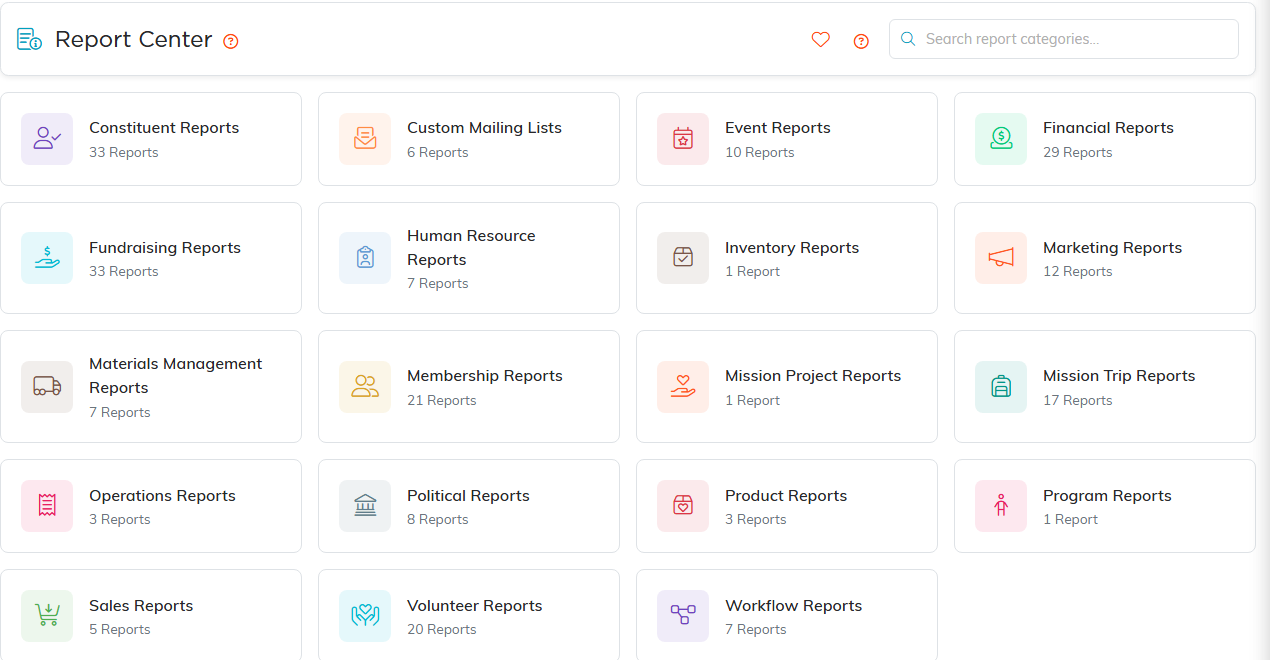
The Report Center. Every category card shows how many reports it holds.
To search by report name, open a category first
- Open the Report Center from the top right of the header
- Click the category card closest to what you need
- Use the search box on that page, the one that says Search reports
- Click any report to open and run it
That second box matches the report name and the report description, so a word from either one will find it.
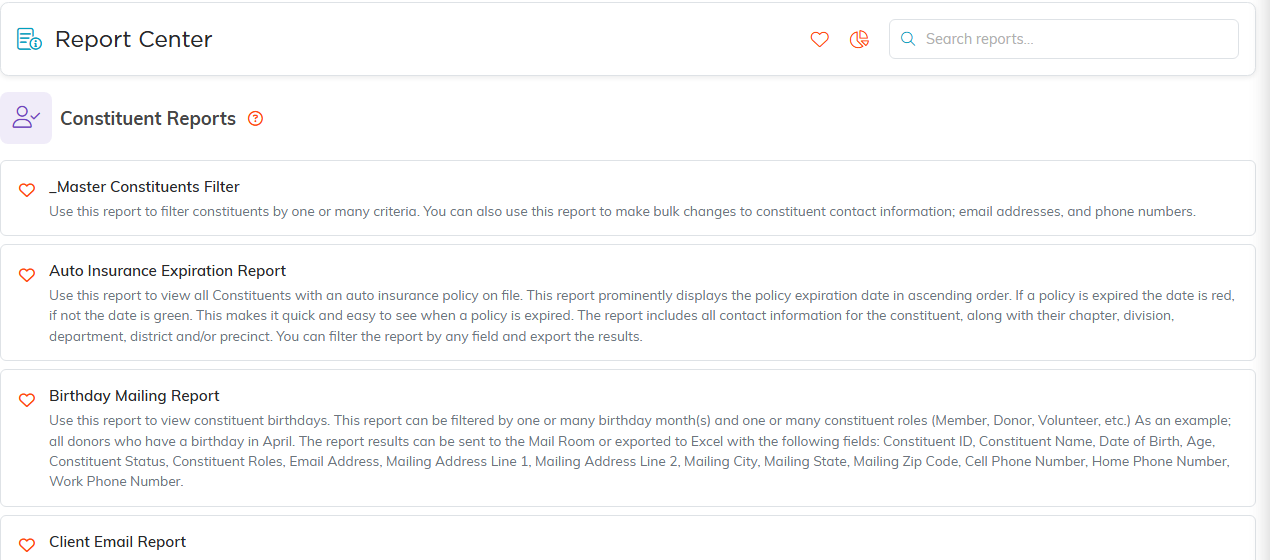
Inside a category, every report is listed with what it does.
If you are not sure which category to try
Click the Search All Reports By Name icon (the page with a magnifying glass) in the top right of the Report Center. It searches the name of every report at once, across all categories, though not the descriptions. Or open the closest match and search there. Fundraising Reports covers donations, campaigns, pledges and donor segmentation. Financial Reports covers the balance sheet, income statement and account statements. Constituent Reports covers your records themselves. A report can belong to more than one category, so if it is not where you looked, a related category is a good second guess.

The heart on a report saves it. The heart in the header shows your saved ones.
Save the ones you use often
Every report in a category list has a heart icon beside its name. Click it to add that report to your favorites, then reach it from My Favorite Reports in the Report Center header. Favorites are personal to your own login, so what you save does not change what anyone else sees.
