Knowledge Base Article
Where to find Financial Reports
Financial Reports holds your accounting statements, expenses, invoices and fund reporting. If you are looking for something you would take to a board meeting or an auditor, it is in here.
Getting there
- Open the Report Center from the top right of the header
- Click the Financial Reports category card
- Use the search box on that page to narrow the list by report name or description
There is no category called Accounting. Financial Reports is where accounting lives.
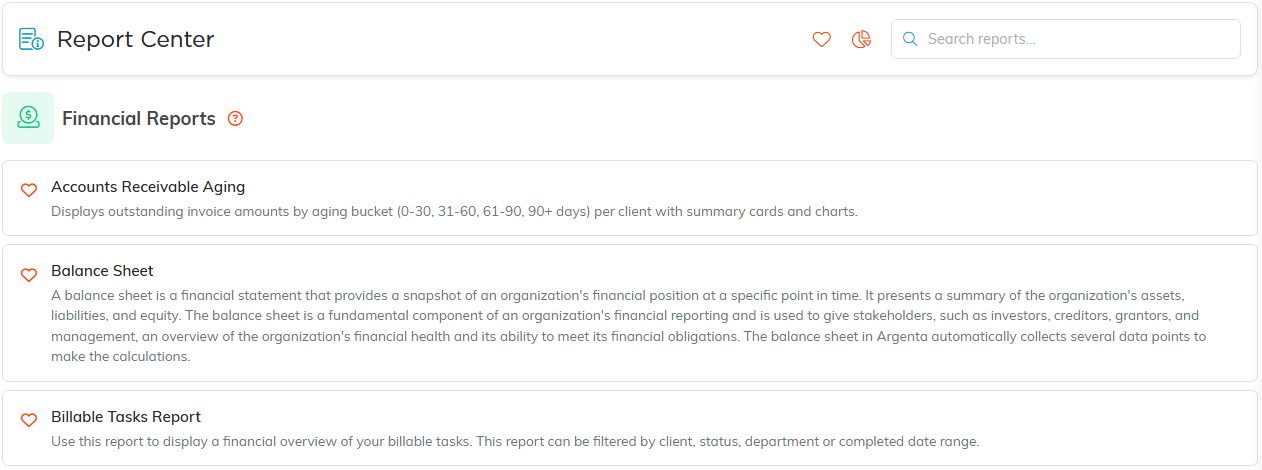
Financial Reports, with what each one does.
The core statements
- Balance Sheet for assets, liabilities and net assets
- Income Statement for income, expenses and net income over a date range
- Statement of Activities Report, the nonprofit format
- Trial Balance for debits and credits by account
- Budget to Actual for how you are tracking against plan
Money coming in
- Payments Monthly Report and Invoice Payments Monthly Report
- Cash Flow Forecast for what is expected ahead
- General Financials Contribution Overview Report for a contribution summary
- Event Income for every event's ticket sales, cash sponsorships, invoices, donations, session booking payments and linked auction income over an Income Date Range, with each event's total and a grand total
Money owed to you
- Accounts Receivable Aging for what is outstanding and how long it has been
- Past Due Invoice Report and Time To Pay
- Client Invoice Details Report, Member Invoice Details Report and Revenue By Client Report
Expenses
- Expense Details By Category Report and Expense Details by Payee Report
- Expenses Monthly Report for spending over time
- Expenses by Category Pie Chart Report and Expenses by Team Member Pie Chart Report for a visual split
- Expense Reimbursement Report for what is owed back to people
Funds and fees
- Funds Detail Report and Fund Expenses Detail Report for restricted and designated fund activity
- Merchant Fee Report for card processing costs

Both exports sit above the results.
A few that sit here but belong to other work
- Billable Tasks Report and Campaign Sales Orders Report
- Month End: Enrollments with an Outstanding Balance and Outstanding Mission Trip Refunds, both mission trip specific
Set your filters, click Run Report, then use Export To CSV, Export To PDF or Export To Excel where the report offers it. Reset Report clears your filters and starts again.
