Knowledge Base Article
Where to find Fundraising Reports
Fundraising Reports is the largest report category in Argenta. It covers donations, donors, campaigns, pledges, grants and the letters you send afterwards.
Getting there
- Open the Report Center from the top right of the header
- Click the Fundraising Reports category card
- Use the search box on that page to narrow the list by report name or description
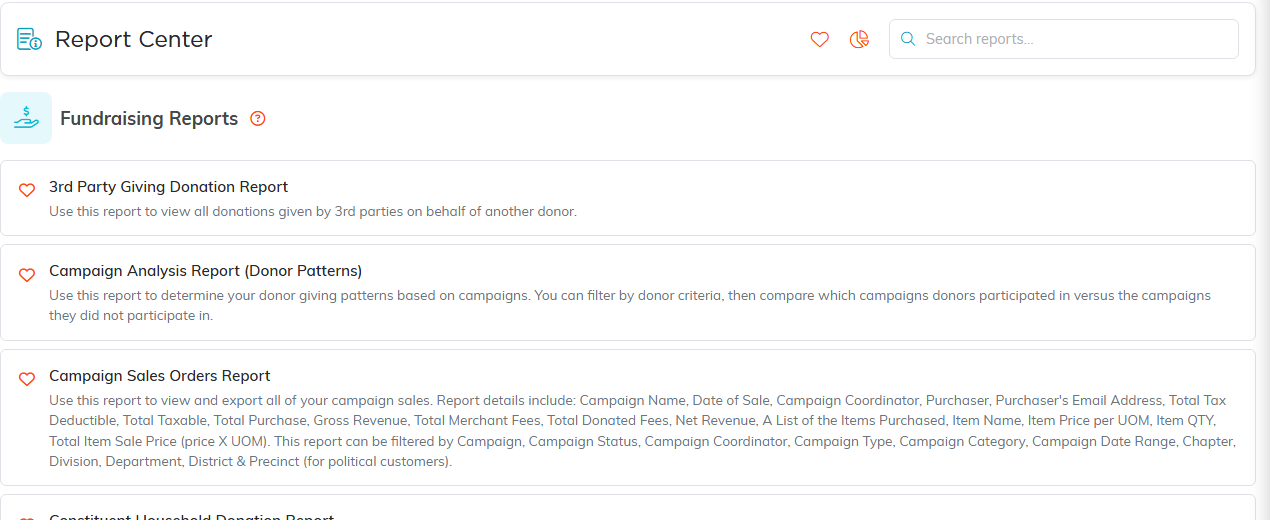
Fundraising Reports, with what each one does.
Looking at donations
- Donations by Campaign Report and Campaign Analysis Report (Donor Patterns) for campaign performance
- Donations Monthly Report for giving month by month
- Donations by Donation Code Report, Donations by Donor Type Report and Donations by Donor Level Report to break giving down
- Fiscal Donation Details Report and Donation Criteria Report for detail behind the totals
Looking at donors
- Donor Summary Report and Donor Statements - Donation Details Report for one donor at a time
- Top... Donor Report and Top... Donations Report to rank your largest supporters
- Donors by Donation Amount Report and Donors by Donor Level Report to group them
- Constituent Household Donation Report to see giving by household rather than by person
Keeping donors, and winning them back
- Donor Retention for how many stayed with you
- Lapsed Donors (LYBUNT) Report for people who gave last year but not this one
- RFM Donor Segmentation Report to segment by how recently, how often and how much
- Donor Acquisition Pie Chart Report for where new donors came from
Pledges, recurring gifts and tributes
- Pledge Fulfillment for pledges made against pledges paid
- Recurring Donation Report for active recurring giving
- In Honor Of Donations Report for tribute gifts
Grants, fees and sales
- Grants by Grant Status Report and Grants by Grant Type Report
- Donation + Stripe Merchant Fees Report for processing costs
- Campaign Sales Orders Report and 3rd Party Giving Donation Report
Your team, and saying thank you
- Solicitation Report - Donations by Team Member and Solicitation Report - Team Performance
- Summary Donation Thank You Letters to produce acknowledgment letters, including year end letters

Both exports sit above the results.
Leaving people out
Three reports exist to find who should be excluded rather than included: Donor Exclusion Report, Donation Date Exclusion Report and Donors by Campaign Exclusion Report. These are worth knowing about before a mailing goes out.
Most of these reports let you filter by date range, campaign, fund and donation code. Set your filters, click Run Report, and use Export To CSV or Export To PDF to take the results with you.
