Knowledge Base Article
Where to find the Argenta Report Center
To access the Argenta Report Center:
- Log into your Argenta account
- Look for Report Center at the top right of the header, next to Help Center
- Click on Report Center to open the reporting dashboard
What you will see:
- A search box that filters the category cards
- A My Favorite Reports button to access saved favorites
- 19 category cards organized in a grid layout
- Each category card shows the category name and number of available reports
Navigating the Report Center:
- Click any category card to view all reports in that category
- Use the search box to narrow the category cards
- Click the heart icon to access your saved favorites
Note: You must have Report Manager or Master Admin to access the Report Center. If you cannot see the Report Center in your menu, contact your system administrator about updating your permissions.
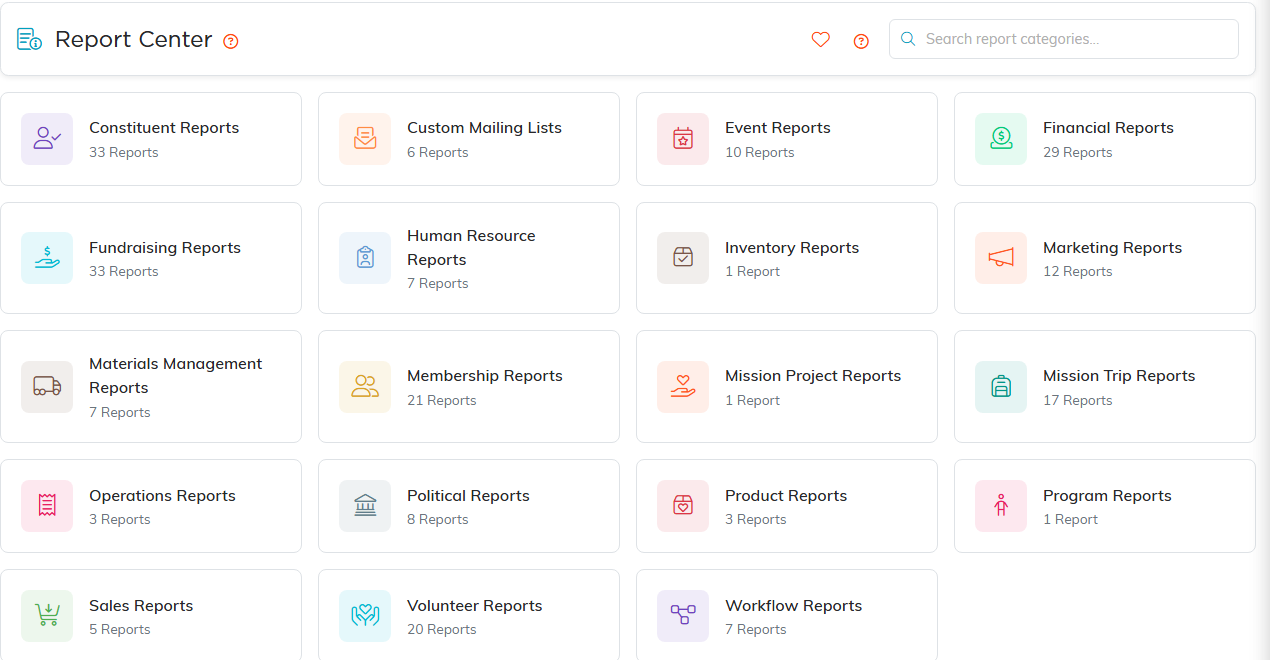
The Report Center. Every category card shows how many reports it holds.
