Knowledge Base Article
Can I organize documents into folders in the Document Library?
No. The Document Library has no folders. Documents are found by filtering rather than by browsing a tree.
- Document Category is the "what kind of thing is this" grouping, and each record carries one.
- Chapter, Division, Department, District and Precinct sit on the record too, so you can narrow to a part of the organization. They also affect who sees what: somebody restricted to certain segments only sees the documents in them, plus documents not assigned to any.
- The library search looks at the record ID, the title and the description. It never looks at the name of the uploaded file, so title the record with words a colleague would actually type.
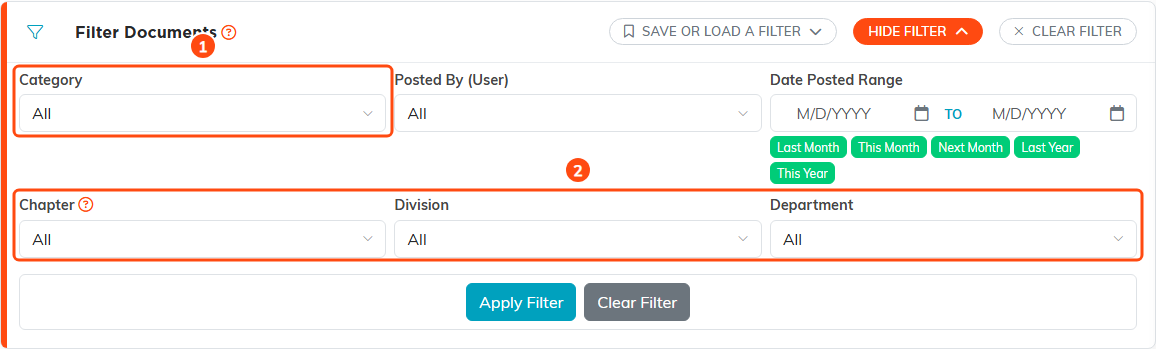
1. Filter by Document Category. 2. Filter by part of the organization. District and Precinct appear here too on a political team.
The Document Manager inside the content editor is a different thing, and it does have folders. That library holds files for reuse inside content you are writing; the Document Library holds document records.
