Knowledge Base Article
What are Calendar Items in Argenta
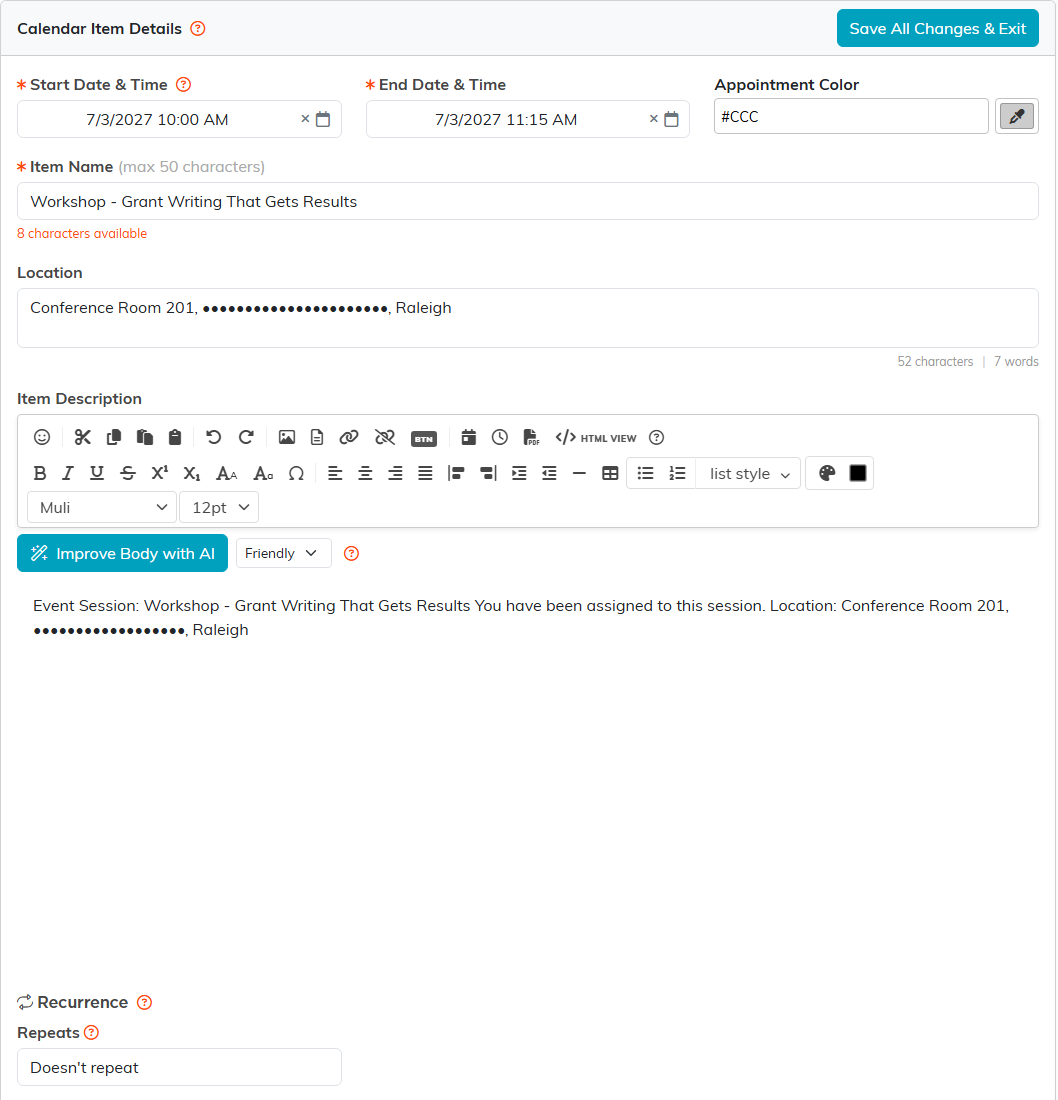
A calendar item is a single entry on an Argenta calendar. Opening one gives you Calendar Item Details, which holds:
- Item Name, required, up to 50 characters.
- Start Date & Time and End Date & Time, both required.
- Appointment Color, the color it shows in on the calendar.
- Location.
- Item Description.
- Recurrence, for something that repeats. An appointment someone booked through your public link never repeats, so it has no Recurrence section.
Save All Changes & Exit saves it.
An appointment booked through your public link shows more:
- Booking Answers, when the event type asked its own questions.
- People Booked, on a group session: each person's name, organization, email, phone and answers. It is read only.
- No-Show. Switch it on if the person who booked did not come. It can be switched once the appointment has started, saves right away, and is counted in the bookings report.

Where they come from
- Somebody booking through your public link.
- An appointment block added on the Availability tab, which appears as BLOCKED DAY for a whole day or BUSY for part of one.
- Anything you add yourself with New Appointment.
- Events pulled in from Google by a sync.
Volunteer shifts shown by Display Volunteer Tasks To This Calendar are not calendar items. They cannot be moved, resized or deleted on the calendar, and clicking one opens the volunteer task instead, for someone with the Volunteer Manager module.
The details page carries no constituent field and no sync-status field, whatever the item's origin.
