Knowledge Base Article
How to Access Ava Support Chat
To access Ava, Argenta's AI support assistant:
- Log into your Argenta account
- In the main menu, click Support Chat with Ava. It is a top level item with a robot icon, and the page it opens is titled Ava Support Chat
- The chat interface will open with your conversation history on the left sidebar
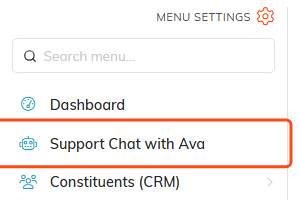
Support Chat with Ava is a top level item in the main menu.
Getting started:
- Click New chat to start a fresh conversation
- Type your question in the message box at the bottom
- Press Enter, or click the paper plane button at the right end of the box, to send it
- Ava will respond with helpful information
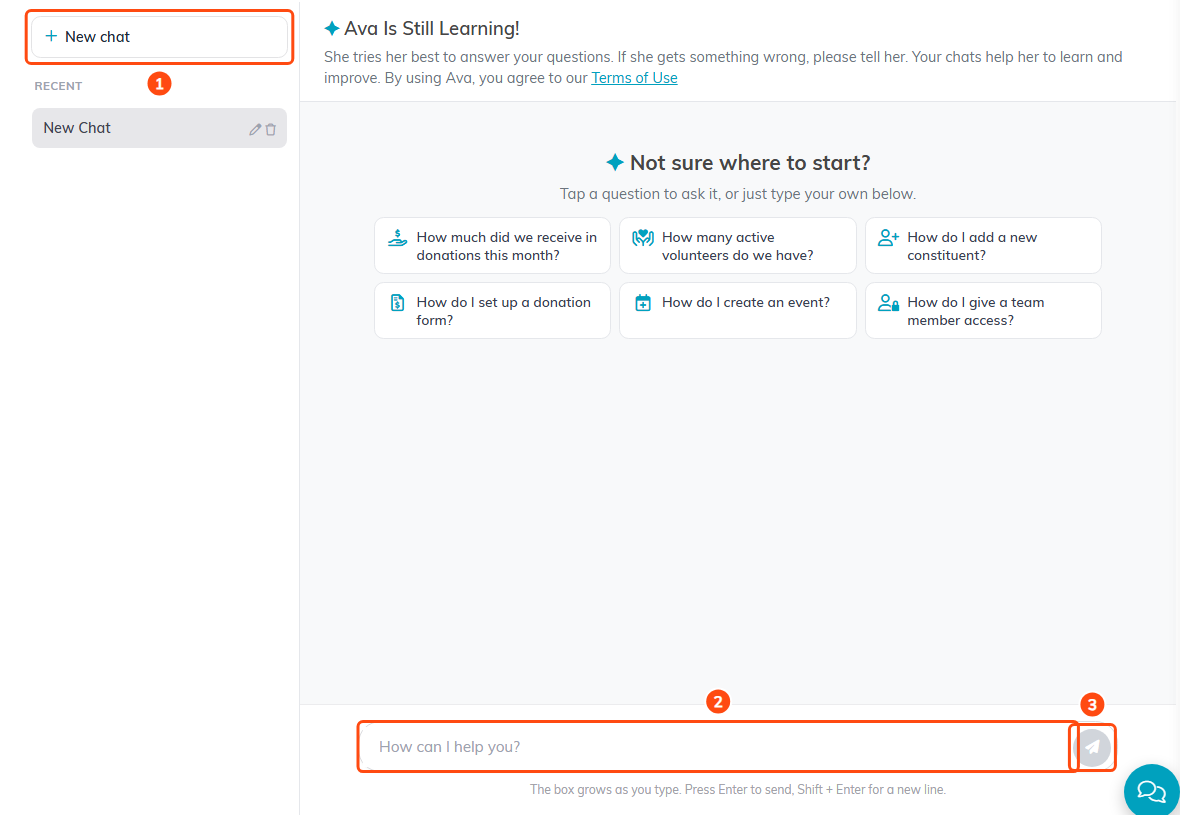
1. New chat. 2. The message box. 3. The send button.
Your chat history is saved automatically, so you can return to previous conversations at any time.
You do not have to keep the page open while Ava works. Once a conversation has been quiet for ten minutes after Ava's last answer, Argenta emails you a copy of the whole conversation, at the email address on your own record. If you come back and ask more, you get a fresh copy when it goes quiet again.