Knowledge Base Article
How to Archive External Emails Using the BCC Archiver
Plenty of your constituent conversations happen in your own inbox rather than in Argenta. The BCC archiver captures those. BCC a special address on an email you send from Outlook or Gmail, and a copy is logged in Argenta against the constituent's record.
Before You Start
External email logging is turned on per organization. If you have it, External Email Log appears under Communication in the sidebar. If you do not see it there, it is not enabled for your team, so contact Argenta Support.
Support also provides your organization's archiver address. It is specific to your team, which is how Argenta knows whose log the message belongs in, so ask for yours rather than guessing at it.
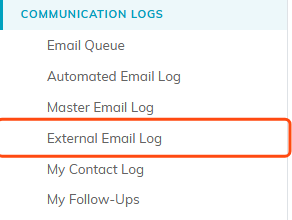
If you have the feature, External Email Log appears here.
Archive An Email
- Write your email to the constituent in your normal email program.
- Put the archiver address in the BCC field.
- Send it.
The copy arrives at Argenta and is added to your External Email Log within seconds.
Why BCC And Not CC
BCC keeps the archiver address hidden. Your constituent sees a normal one-to-one email from you, with no odd system address in the header. CC would show it to them.
How Argenta Files It
Each archived message is matched to constituents on your team by looking at the sender address and the first recipient address. If a match is found, that constituent is assigned to the message as its sender or recipient.
If nobody matches, the message is still logged, it is just filed as unassigned rather than dropped. So an email to a brand new prospect is captured even before you add them. Adding them means their later emails match. For a message already logged, open it and choose them under Assigned Constituent SENDER or Assigned Constituent RECIPIENT.
Read Your Archived Email
Go to Communication > External Email Log. Search and filter, then open a message to see its details, content, related files, and notes.
A constituent's own Email Log lists the email Argenta sent them, not archived copies, so archived mail is read from the External Email Log.
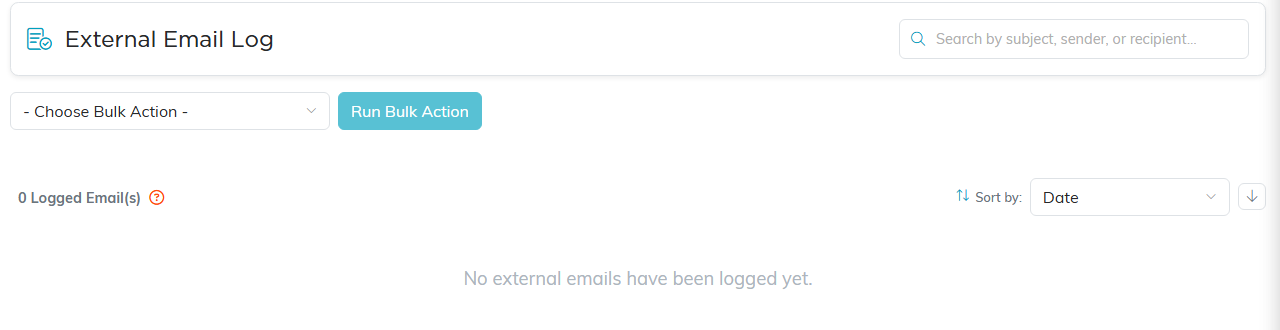
Archived copies land here, newest first, searchable by subject, sender or recipient.
Making It Stick
- Save the archiver address as a contact so it autocompletes. The habit only holds if it is easy.
- Better still, add it to a BCC rule or a template in your email client so you do not rely on memory.
- Get the whole team using it. A log that has only one person's email in it gives a misleading picture of the relationship.
- Check the log now and then to confirm messages are arriving and being matched to the right people.
Worth Knowing
- It captures only what you remember to BCC. Nothing scans your mailbox.
- It is one-directional. Replies your constituent sends back are not captured unless you forward or BCC those too.
