Knowledge Base Article
How to Use the Contact Log to Track Constituent Interactions
The Contact Log keeps a running history of your interactions with a constituent, so anyone on your team can see what has already been discussed.
Open the Contact Log
- Open the constituent record (or an affiliate record such as a Donor, Member, or Volunteer).
- Click Contact Log in the workspace menu.
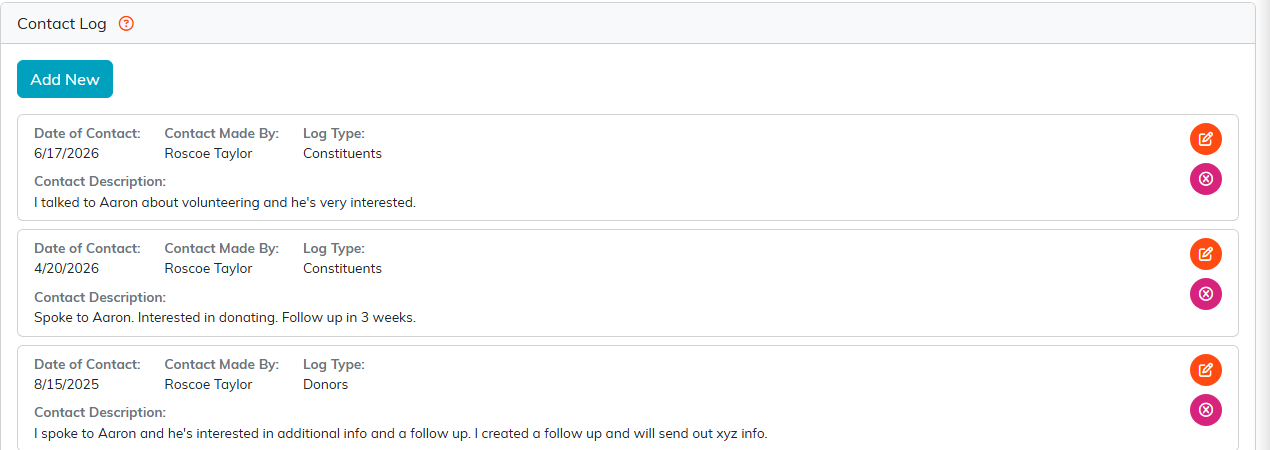
The Contact Log, with Add New at the top.
Log an interaction
- Click Add New.
- Set the Contact Date and the Team Member who made the contact.
- Choose Mark Contact As An Engagement?: leave it on the first choice, or pick an engagement type to also log this as an engagement. The first choice reads "-- Do Not Mark Contact As Engagement --" on a constituent's own Contact Log and "No" on an affiliate record such as a Donor, Member, Volunteer or Client.
- Write the Contact Description in the rich-text editor, then click Save.
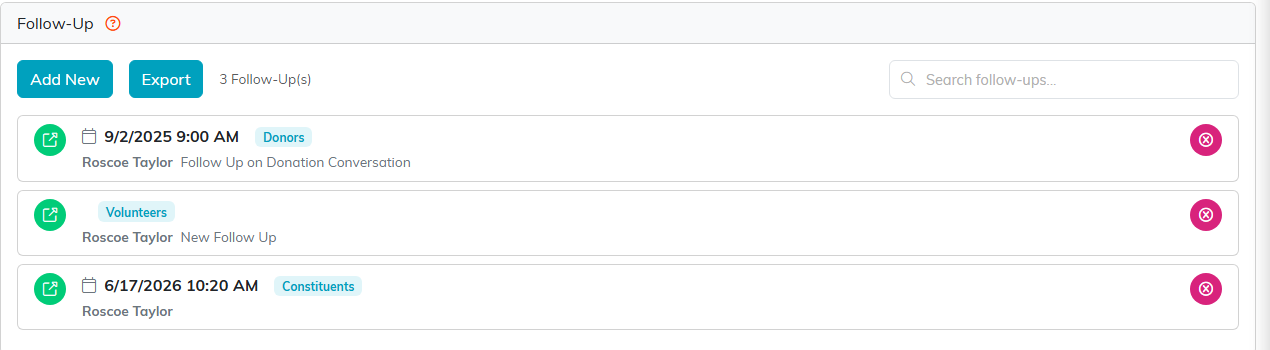
The Follow-Up tab.
Review the history
Each entry lists the Date of Contact, who it was Contact Made By, and the Contact Description. Edit an entry with the orange pencil or remove it with the pink icon. Checking the log before you reach out helps you avoid repeating a recent ask and pick up where the last conversation left off.
