Knowledge Base Article
How to Track Volunteer Training and Certifications
Argenta tracks volunteer training through Training Tracks. You build a track once, and every volunteer who completes it shows up on their own record with the category, completion status, and score.
Setting Up Training
Training itself is managed in one place, not on individual volunteer records. Select Volunteerism > Volunteer Training from the main menu on the left side of the screen to open your Training Tracks, where you create and maintain the courses and certifications your volunteers need.
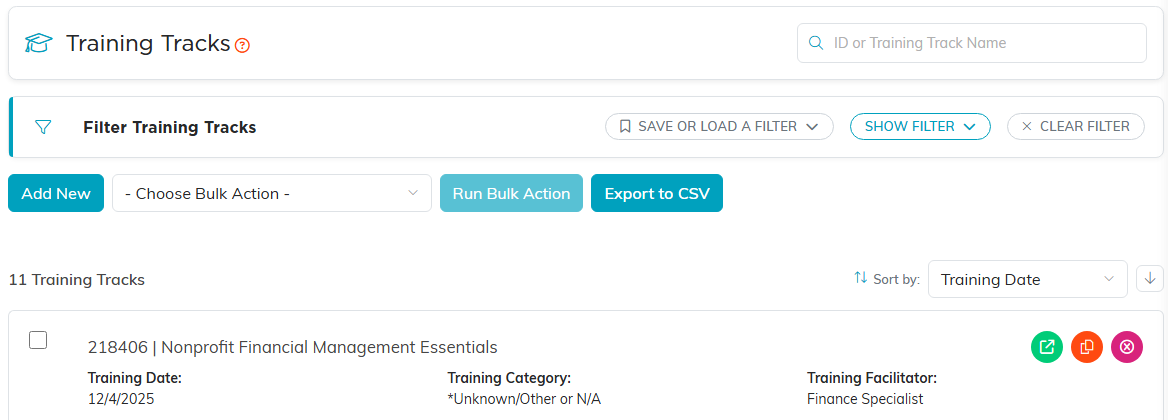
Training Tracks. Courses are built here, not on individual volunteer records.
Viewing a Volunteer's Training
- Open the volunteer's record
- Click Training in the workspace navigation

Training sits in the volunteer's workspace navigation.
This page is a read-only summary of every training track that volunteer is on, finished or not. The line at the top gives both numbers: how many tracks they are on, and how many of those are complete. For each track it shows:
- The track number and training topic
- The training track's own date. This belongs to the track rather than to the person, so everyone on that track shows the same one, and it is not the date they personally finished
- Training Category
- Is Training Complete
- Final Score
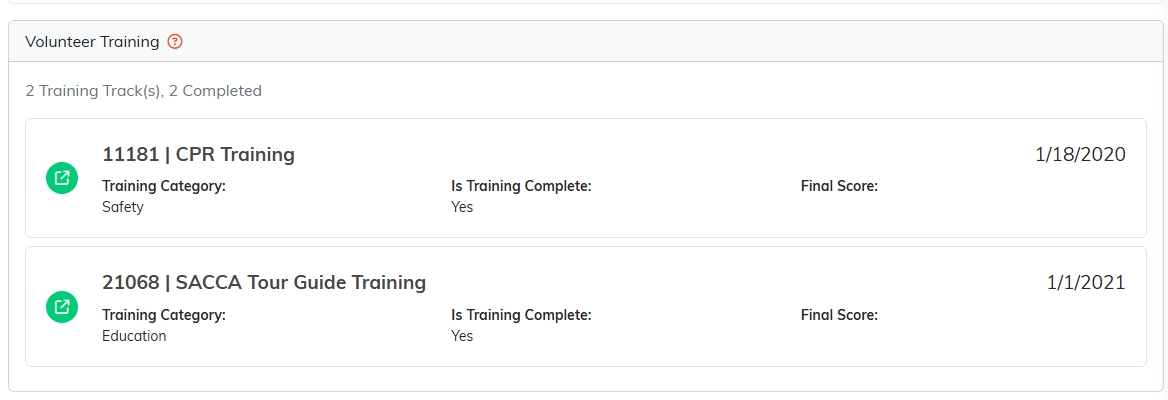
Each finished track, with its category, completion and score.
A volunteer who is on no tracks at all sees a line saying so rather than an empty list. Someone who is on a track but has not finished it still gets a card, with Is Training Complete reading No, so an unfinished volunteer is visible here rather than hidden. Because this page reports what the training tracks already know, you do not enter completions here. Click the green open icon beside any track to jump to the track itself.

A volunteer with nothing finished yet says so, rather than showing an empty list.
Reporting on Training
To see training across all your volunteers at once rather than one record at a time, run the Volunteer Training report from your Reports section. That is the fastest way to answer who has completed a required course and who still has it outstanding.
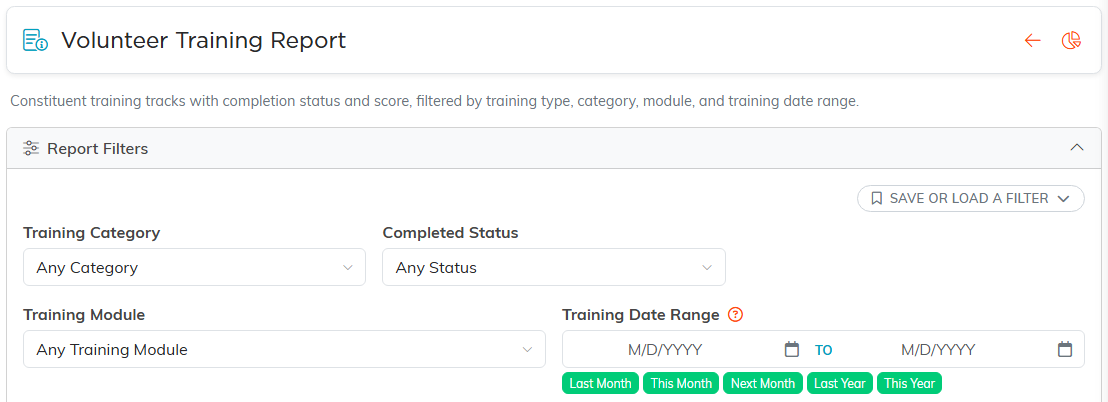
The Volunteer Training Report filters by category, completion status, module and the track's Training Date.
A Note on Certifications and Expirations
Argenta records whether a training track was completed and what the volunteer scored. It does not store the date a volunteer finished, or any expiration or recertification date, so anything time-limited (CPR, first aid, an annual refresher) is tracked by the training track's own Training Date plus your own renewal policy. A practical approach is to make the recurring requirement its own training track, dated for that cycle, and set up a new one on your schedule, which leaves a dated track for each cycle.
