Knowledge Base Article
How to Set Up Grant Notifications
Grant deadlines are the kind that cost you money when they slip. Argenta can email a reminder ahead of any date on the grant. Open the grant and click Notifications in the workspace navigation.
The Notifications page has a short Show Me How To Use This Page video at the top right; click it to watch, and use its chapters to jump to the part you need.

Notifications is in the workspace menu, alongside Budget and Grant Files.
The Two Shortcuts
These are the fastest way to cover a grant, because they already know the grant's dates:
- Set a deadline reminder: builds a reminder off the grant's Due Date.
- Set a report reminder: builds one off the Report Due Date.
Both only work if the matching date is filled in on Grant Details, which is a good reason to enter those dates when you create the record.

The two reminder buttons only appear when the matching date is filled in and still ahead.
Build One Yourself
- Click Add New.
- Date/Time To Send: when the reminder goes out. Set it ahead of the deadline, not on it.
- Send To Email: who gets it.
- Send From Email: the address it comes from.
- Subject and Message: what it says.
- Save.
Add a separate notification for each date you care about. One grant can carry several.
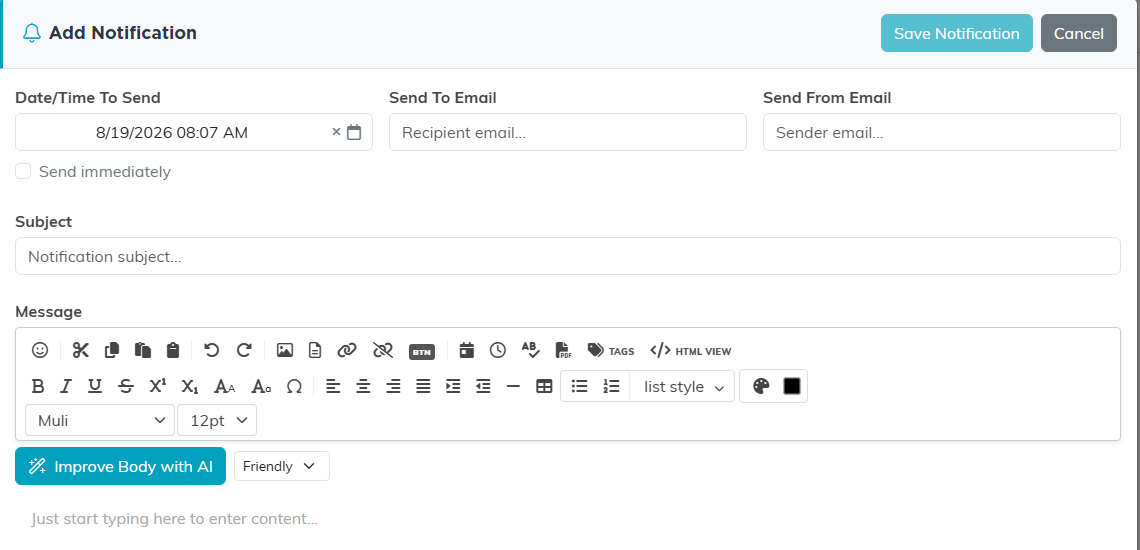
Set the send date ahead of the deadline, not on it.
What Is Worth A Reminder
- The application deadline, with enough runway to actually write the thing.
- The report due date.
- A renewal date, if the grant is renewable.
- The end of the funding period, so you can plan what replaces it.
Making Them Useful
- Give yourself two to four weeks, more for a big application. A reminder that arrives the day before is just bad news with extra steps.
- For anything important, set two: an early warning and a last call.
- Send to more than one person. Reminders that go to someone on holiday do nothing.
- Put the action in the subject line. "Fill in the Q3 report for the Smith Foundation grant" beats "Grant reminder".
See Everything At Once
For the whole picture rather than one grant at a time, use Grant Management > Grant Calendar View, which lays your grant dates out on a calendar.
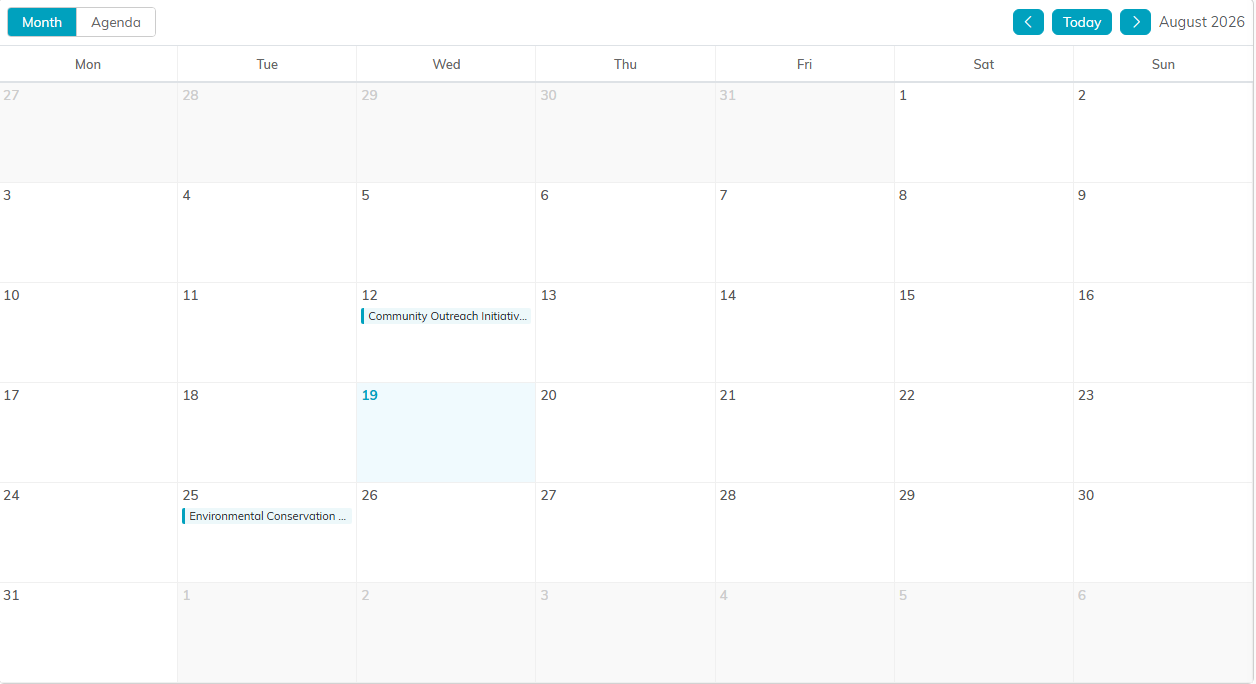
The calendar shows every grant date at once, not one record at a time.
