Knowledge Base Article
How do I find reports about a specific topic?
Argenta comes with nearly 200 built-in reports, so the trick is knowing where to look. There are three ways in.
Browse by category
Open Report Center from the top right of the screen (you see it if you are an administrator or have the Report Manager permission). The cards you land on are report categories, each showing how many reports it holds. Click one to see what is inside.
- Constituent Reports for contact lists, demographics, mailings, and engagement.
- Fundraising Reports for donations, donors, pledges, statements, and thank-you letters.
- Financial Reports for income statements, balance sheets, expenses, invoices, and budgets.
- Event Reports, Volunteer Reports, Membership Reports, and Marketing Reports for those parts of the system.
- Mission Trip Reports, Mission Project Reports, and Program Reports for program delivery.
- Human Resource Reports, Operations Reports, and Workflow Reports for managing your own team.
- Product Reports, Inventory Reports, Sales Reports, and Materials Management Reports for the goods you track, sell, or hand out.
- Political Reports and Custom Mailing Lists finish out the list.
You only see categories that have reports available to your team, so your set may be smaller than this.
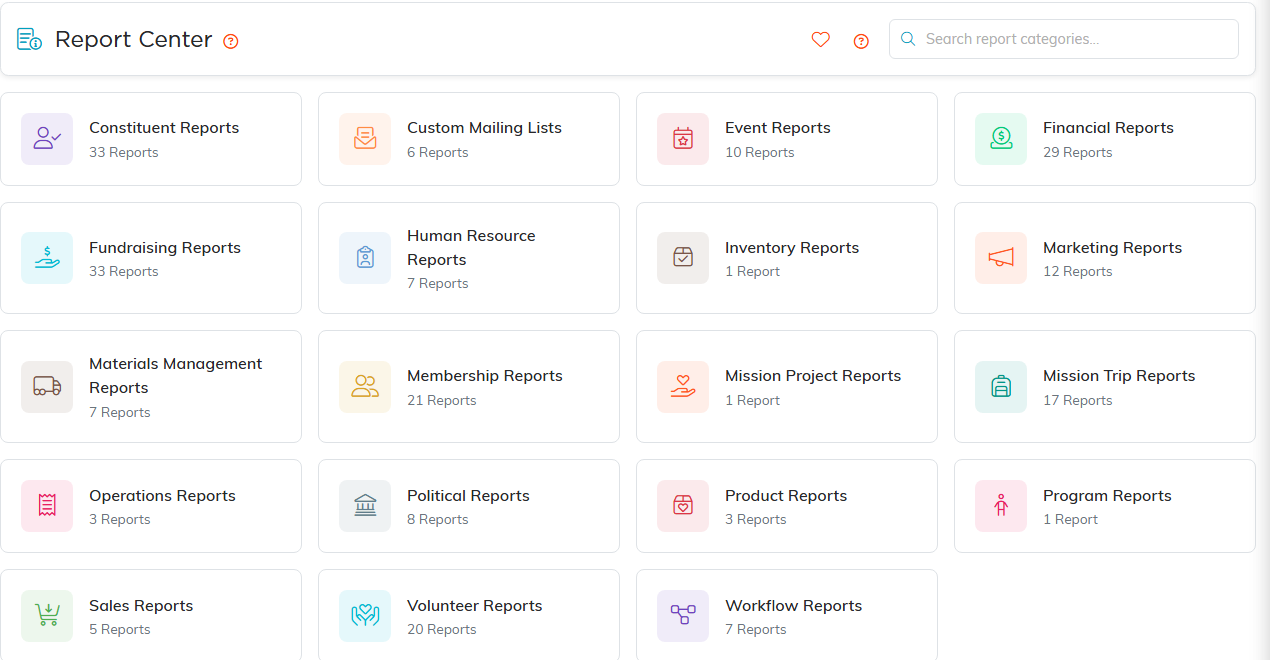
The Report Center. Every category card shows how many reports it holds.
Search inside a category
Once you are in a category, the Search reports... box matches both report names and their descriptions. That is the fastest route when you only half-remember what a report is called.
The same box on the main Report Center page behaves differently: there it filters the category cards. So if you type "donation" on the front page and nothing seems to happen, that is why. Step into a category and search there, or click the Search All Reports By Name icon (the page with a magnifying glass) in the top right of the Report Center to search every report name at once.
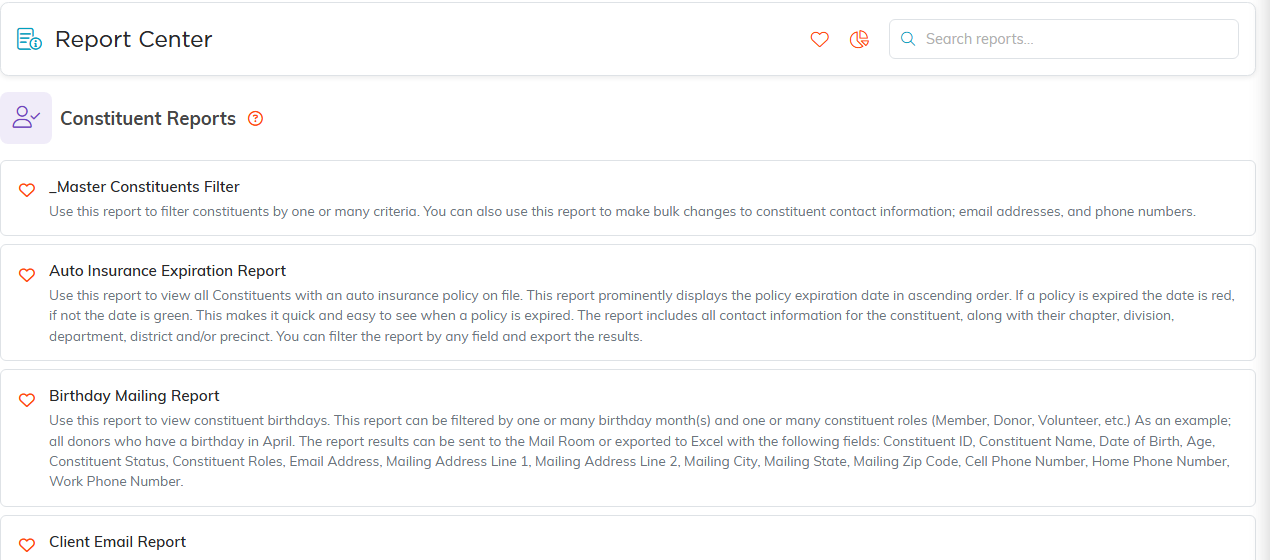
Inside a category, every report is listed with what it does.
Keep the ones you use
- Click the heart beside a report name to add it to your favorites.
- Click the heart icon at the top right of the Report Center to open My Favorite Reports.
- Click the heart again on any report in that list to take it back off.
Favorites are yours personally, not shared with your team, so nobody else's list gets cluttered by yours.

The heart on a report saves it. The heart in the header shows your saved ones.
If nothing quite fits
Most list pages in Argenta have their own Export to CSV button. You can filter a list on screen and take exactly those records to a spreadsheet, which answers a lot of one-off questions without a report at all.
If you need something recurring that does not exist yet, reach us through Help Center at the top of the screen and describe what you are trying to see.
New to the Report Center? Start with How to Use the Report Center.
