Knowledge Base Article
How to Connect Grants to Programs and Projects
Connecting a grant to the work it funds is what turns a grant record into something you can report from. Open the grant and click Connections in the workspace navigation.
Each tab of the Grant Workspace has a short Show Me How To Use This Page video at the top right; click it to watch, and use its chapters to jump to the part you need.

Connections sits next to Grant Details in the workspace menu.
What You Can Connect
The Connections page has a panel for each type:
- Associated Programs: the programs the grant funds.
- Associated Projects: handled on Grant Details, see below.
- Associated Tasks and Associated Time Sheet Tasks: the work items, and the staff hours logged against them.
- Associated Expenses: spending charged to the grant.
- Associated Deposits: the money as it arrives.
- Associated Properties: property tied to the grant.
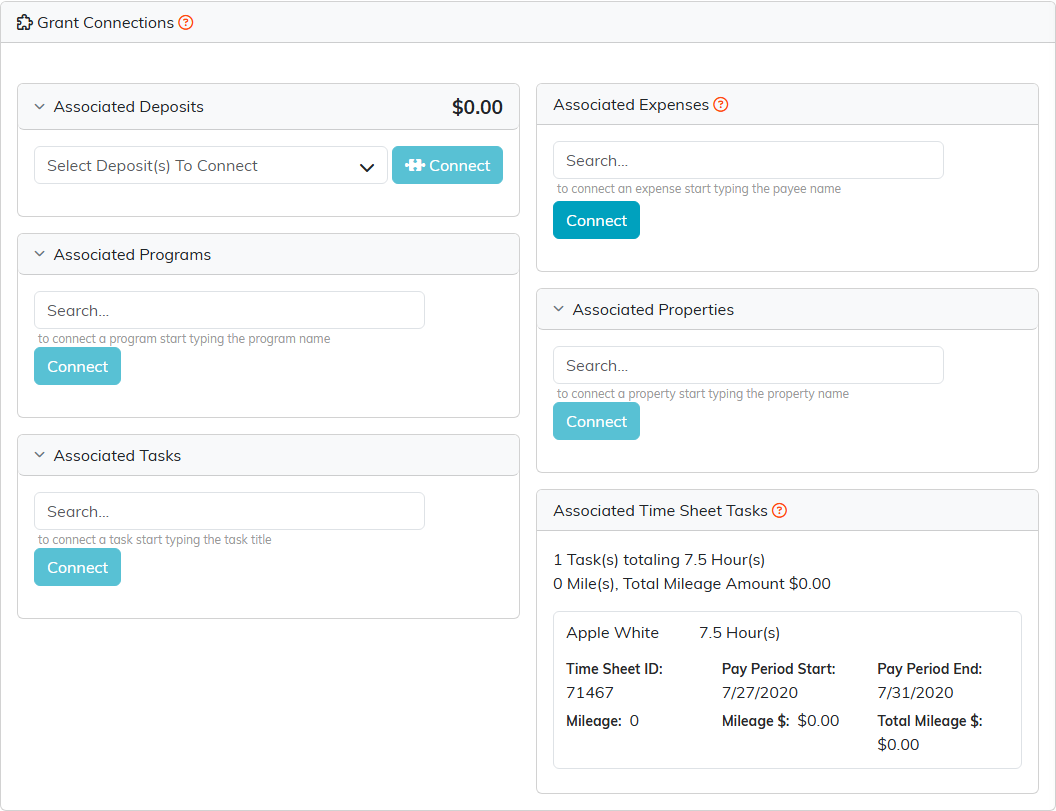
One panel per type. Time sheet tasks carry a running total of hours.
Connect A Program
- Open the grant and go to Connections.
- In Associated Programs, start typing the program name.
- Pick it from the list, then click Connect.
The other panels work the same way: start typing, pick the record, click Connect. Deposits open a checklist instead, so you can tick several and connect them at once. Time sheet tasks are read-only here: to add one, pick the grant in Associated Grant on the time sheet entry. To undo a connection, remove it from the panel and confirm. If the grant is view-only for you, the search box and the pink X are not shown, so you can see the connections but not change them. If it is locked to you, the page shows only a message saying the record is locked.
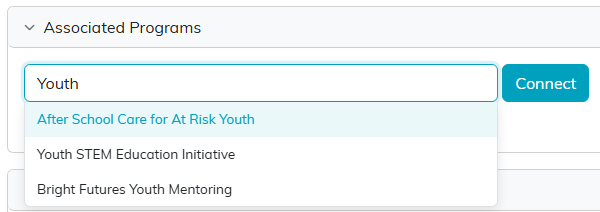
Type a few letters and pick the program from the list.
Connect A Project
Projects are set on the grant itself rather than the Connections page:
- Open Grant Details.
- Turn on Project Grant.
- Choose the Corresponding Project.
- Click Save All Changes & Continue.

A project is set on Grant Details, not on the Connections page.
The project keeps a separate list of its own: the project's Connections tab shows Associated Grants, and a grant appears there only when it is added from that tab. Choosing the Corresponding Project here does not add the grant to that list, and adding it there does not fill in this field.
Why Bother
- Reporting: when the funder asks what their money did, the answer is on the grant instead of in someone's memory.
- Staff time: connected time sheet tasks show the hours worked on grant-funded activity, with a running total of tasks and hours.
- Spending: connected expenses show what has actually been charged against the grant.
- Programs: your programs show which grants support them, which is the view you want when a grant ends and you need to know what is at risk.
Connect things as they happen. Reconstructing a year of activity the week a report is due is the slowest possible way to do this.
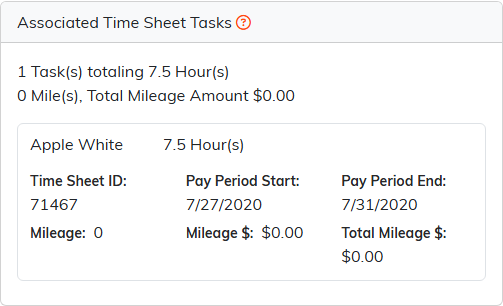
Connected time sheet tasks add up the hours worked on the grant.
