Knowledge Base Article
How to Create a Grant Receivable Record
A grant receivable record tracks a grant you are pursuing or have already been awarded, from first research through reporting.
Create The Record
- Go to Grant Management > Grants Receivable.
- Click Add New. Argenta asks for the Grant Title first, which is all it needs to start, then you click Add & Enter Details.
- The grant is created and its details page opens. Grant Title is the only field carrying the orange asterisk, so everything else can wait. Set the Grantor while you are there, though. The box searches all of your constituents, and the orange plus beside it adds a funder who is not in Argenta yet.
- Set Grant's Current Status to where the grant actually is right now.
- Click Save All Changes & Continue to keep working, or Save All Changes & Exit when you are done.
Save early. Once the record exists you can come back and fill in the rest as the grant progresses, which is how most of these get built anyway.
The Grant Details page has a short Show Me How To Use This Page video at the top right; click it to watch, and use its chapters to jump to the part you need.
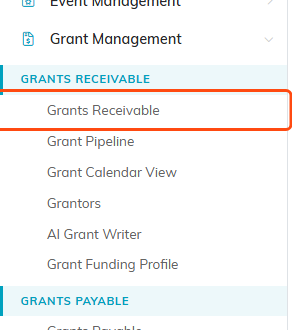
Grants Receivable sits at the top of the Grant Management menu.
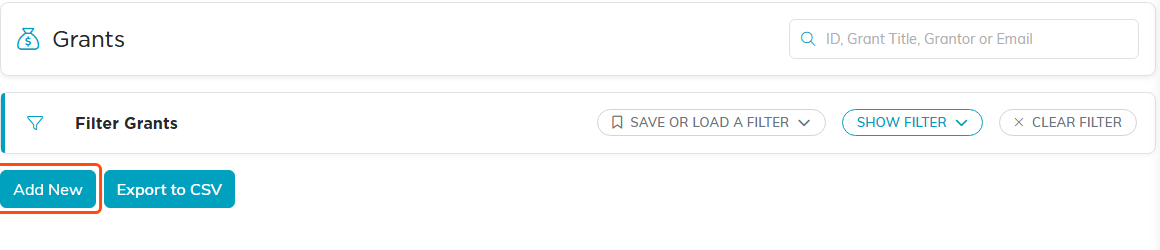
Add New is under the filter bar on the grants list.

Grantor and Grant Title carry the orange asterisk. Status sits beside them.

Save early. You can come back and fill in the rest.
The Money
- Grant Amount: what you are asking for, or what you were awarded.
- Floor Amount and Ceiling Amount: the range a funder will consider, useful while you are deciding what to request. The floor cannot be more than the ceiling; leave either one blank when the funder does not set it.
- Funding Amount (Actual): what actually came in, which is often not what you asked for.
- Installment Amount and Installment Frequency: for grants paid out in pieces rather than one check.

What you asked for, the range the funder considers, and what arrived.
The Dates
These are what drive the Grant Calendar, so it is worth filling them in properly.
- Due Date: the application deadline.
- Date Submitted: when you sent it.
- Notification Date: when you expect to hear back.
- Start Date of Funding and End Date of Funding: the grant period. The end cannot be earlier than the start.
- Report Due Date: when the funder expects your report. Missing this is how organizations lose repeat funding.

A blank date keeps the grant off the Grant Calendar.
Classifying It
- Grant Type and Grant Category: your own classifications, for grouping and reporting.
- Fiscal Year and Current or Future Grant: where it sits in your financial planning.
- Chapter, Division, and Department: which part of your organization it belongs to.
- Assigned to Team Member: who owns it. Fill this in, because an unowned grant is an unwritten grant.
- Delivery Method and Grant URL/Website: how it gets submitted and where the funder's information lives.

Your own classifications, plus who owns the grant.

Chapter, Division and Department also decide who can see the record.
The Funder's Contact
Record your person at the funder with Contact Name, Contact Email, and Contact Phone, so whoever picks the grant up next is not starting from scratch.

Your person at the funder, with the opportunity's web page below.
The Narrative
- Grant Description: what the grant is for.
- Funding Purpose: what the money will do.
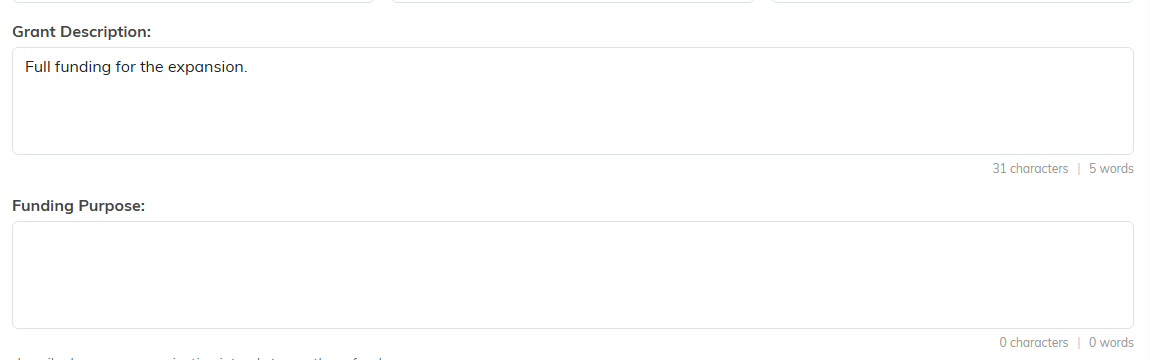
What the grant is, and what the money will do.
Special Conditions
Further down the page are switches for the conditions attached to a grant. Turn one on and its detail fields appear:
- Match Required with a Match Amount.
- Multi-Year Grant with a Grant Start Year and Grant End Year.
- Renewable Grant with a Renewal Date.
- Restricted Grant and Challenge Grant, each with a description and requirements box.
- Project Grant with a Corresponding Project.
Set these while the award letter is in front of you. Reconstructing a funder's conditions a year later is nobody's idea of a good afternoon.
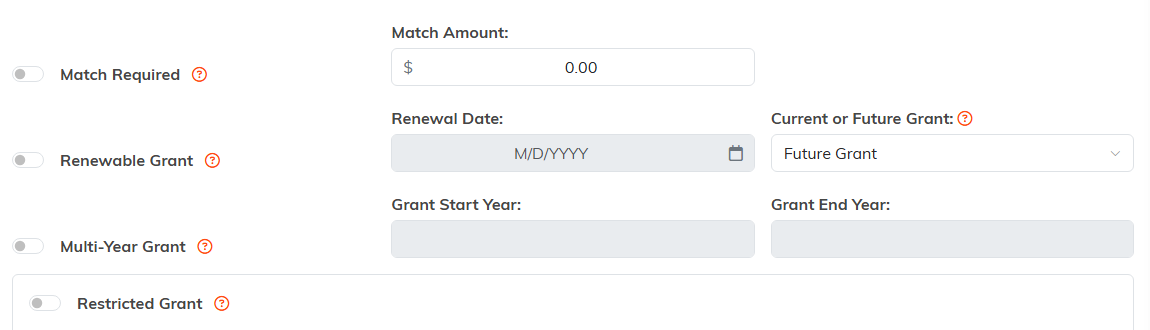
Turn a switch on and its fields wake up beside it.
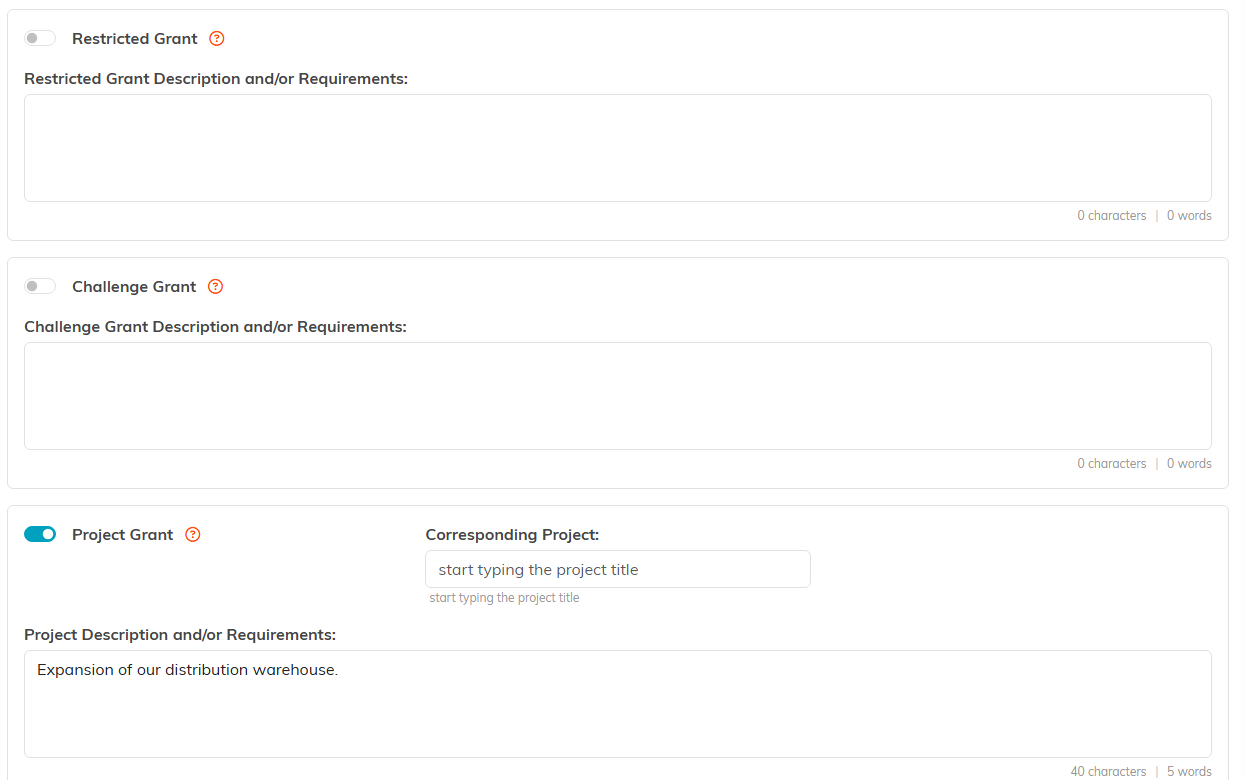
The last three each get their own block with a description box.
