Knowledge Base Article
How to Use Project Discussions
Project Discussions is a threaded message board attached to the project, so the conversation about the work lives with the work instead of in everyone's inbox.
Start a thread
- Open the project and go to Project Discussions. The heading shows how many threads the project has.
- Click New Thread.
- Pick a Category and write your Discussion Topic.
- Click Post Thread.

The thread count sits in the heading. New Thread is on the right.
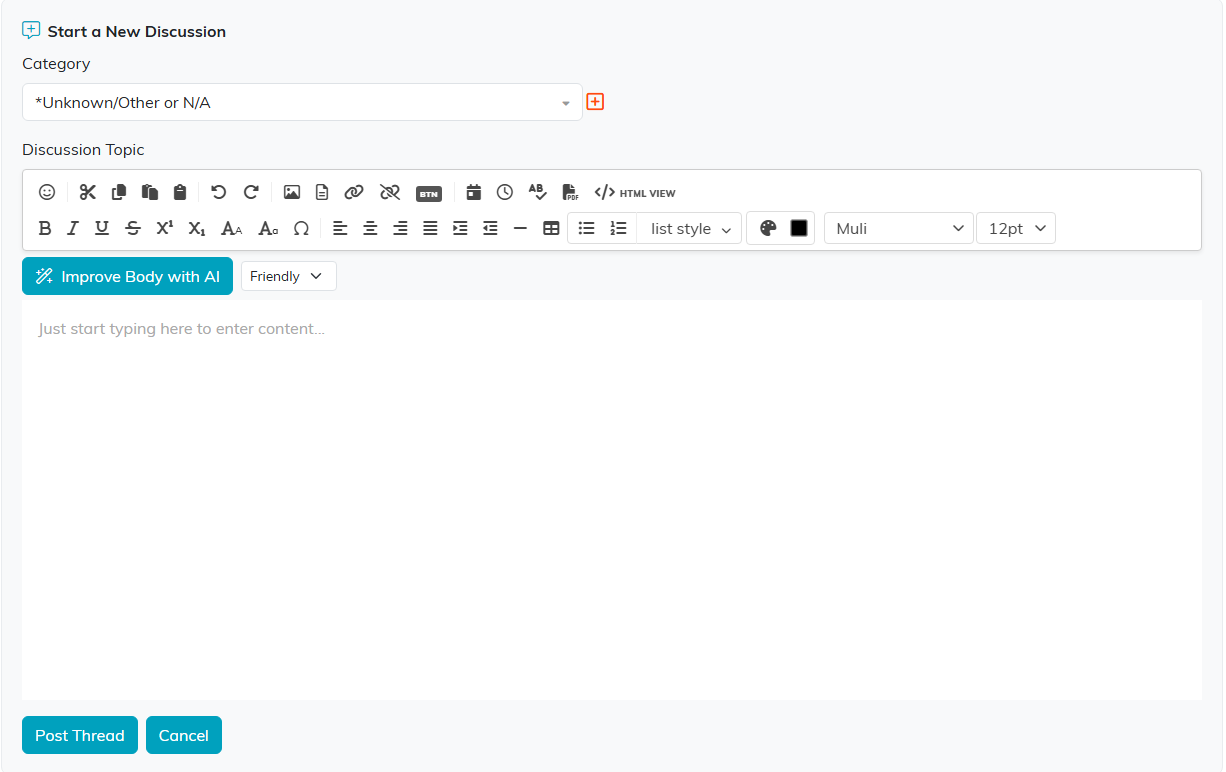
Pick a category, write the topic, then click Post Thread.
Reply and follow along
- Open a thread and use the reply box, then click Reply. Replies stack under the thread in order.
- You can edit your own comment after posting.
- The search box at the top searches the project's discussions, which is how you find a decision made months ago.
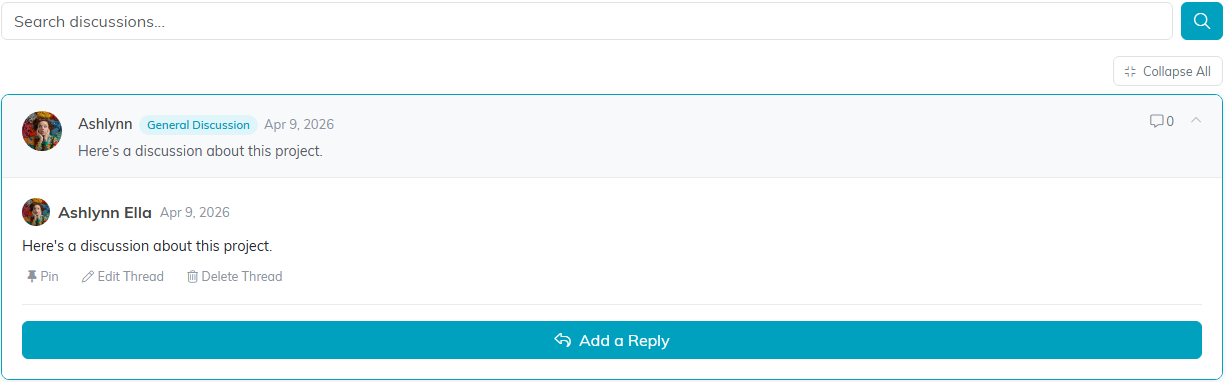
An open thread. Add a Reply opens the reply box, and the search box sits above.
Closing a thread out
When you edit a thread you can change its Discussion Topic and Category, and set Lock Thread to stop new replies or View Only to keep it readable without further changes.

Lock Thread and View Only sit on the edit screen, beside the category.
Discussions or notes?
- Discussions are for back and forth: questions, decisions, and anything more than one person needs to weigh in on.
- Project Notes are for recording something for the record, where no reply is expected.
