Knowledge Base Article
How to Connect an Auction to a Campaign
Connect an auction to a fundraising campaign and an event so the proceeds and reporting roll up together. These links live on the Connections tab.
The Connections tab has a short Show Me How To Use This Page video at the top right; click it to watch, and use its chapters to jump to the part you need.
Why connect an auction
- Auction proceeds count toward the campaign and event totals.
- You get unified reporting across your fundraising.
- It is one clear place to see how the auction fits the rest of your work.
Connect a campaign or event
- Open the auction.
- Click Connections in the workspace navigation.
- Use the Related Campaign field to pick the campaign, and the Associated Event field to pick the event.
- Each choice saves on its own and shows a green check. There is no separate save button.

Connections is one of the tabs in the auction workspace menu.
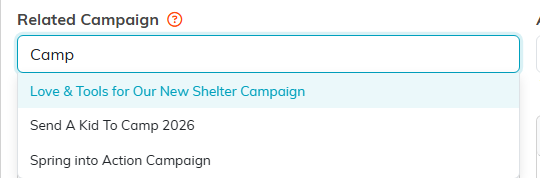
Start typing and pick the campaign from the list.
One campaign and one event
An auction links to a single campaign and a single event. Picking a different one replaces the previous link, which keeps the reporting accurate. To remove a link, click the small x at the right of the field. Deleting the name by hand does not remove it. On a view-only record the field is disabled, so you can read the link but not change it.

One campaign and one event. The small x on the right clears a link.
Connect the campaign before the auction closes
The two links reach your totals by different routes, and the timing only matters for one of them.
The campaign is stamped onto each winner's invoice at the moment the auction closes, so connect it beforehand and the winners' invoices are listed on the campaign, and the payments on them count toward the Total Income on its Actual Income tab. Connecting it afterwards does not go back and change invoices that already exist.
The event is read live from the auction itself, so an event total picks the auction up whenever you connect it, before or after.
Other connections
The same tab lets you link the auction to Associated Funds and Programs.
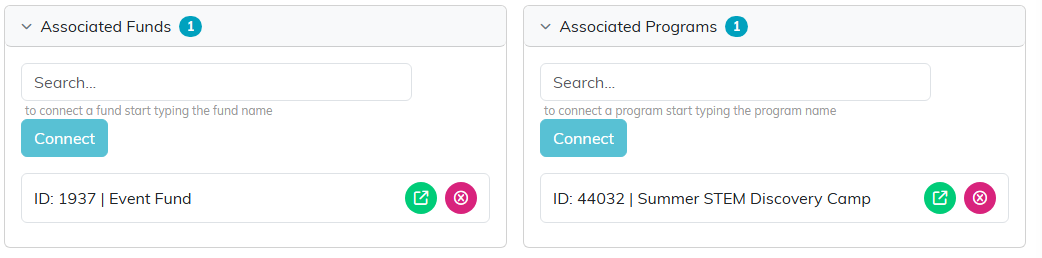
Funds and programs connect from the same tab.
