Knowledge Base Article
Where to find the Auction List
The Auction List is where you manage all of your organization's auctions.
How to get there
From the left sidebar, choose Fundraising > Auctions.
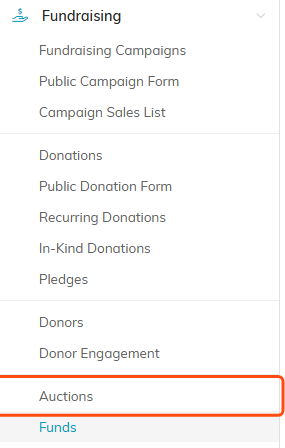
Auctions sits under Fundraising in the left sidebar.
What you can do here
- Search auctions by ID or title.
- Filter by Auction Status, Auction Type, Auction Category, Auction Coordinator and Auction Start Date Range, and by Chapter, Division and Department. Political teams also get District and Precinct.
- Add A New Auction to create one.
- Export to CSV to download the list.

Search, filter, add and export all live at the top of the list.
What each row shows
Every auction lists its ID and title, status, start and end dates and times, type and category, and the assigned team member.

Each row carries the auction's ID and title, its status, and the key details.
Quick actions
- Click the green open icon to open the auction workspace.
- Click the copy icon to duplicate the auction (Copy & Add New). The copy opens for you and starts with the status New, whatever the original's status was.
- Click the pink delete icon to delete an auction.
When Argenta will not let you delete. An auction cannot be deleted while anything is still attached to it. Remove its auction items and its sponsorships first, and clear any expenses or invoices tied to the auction. An auction item that carries live auction sales will not come off on its own: undo those sales and try again. A sale that is already on an invoice cannot be undone; reverse it instead with the Reverse this sale icon under Sales Recorded on the Live Auction screen, which takes its line off the invoice. If that invoice has money paid on it, reversing is refused only while more is paid than the invoice would bill without the sale, and Argenta tells you how much of the payment to refund first. A locked auction cannot be deleted until it is unlocked, unless you are a Master Admin.
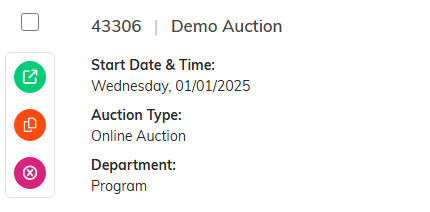
The three round icons on the left of a row open, copy or delete the auction.
