Knowledge Base Article
How to Connect Programs to Campaigns, Events, Grants, and More
The Connections page links your program to other Argenta records, so you can see everything feeding a program in one place.
Accessing Connections
- Open the program
- Click Connections (the puzzle piece icon) in the workspace navigation

Available Connection Types
There are twelve panels on the page:
- Associated Campaigns: Fundraising campaigns that support the program
- Associated Donations In Kind: Donated goods or services the program uses
- Associated Events: Events that are part of or support the program
- Associated Funds: Designated funds backing the program, useful for restricted funding
- Associated Grants: Grants that pay for program activities, needed for grant reporting
- Associated Leads/Opportunities: Prospects tied to the program
- Associated Members: Members affiliated with the program
- Associated Projects: Projects carrying out the program's work
- Associated Tasks: Staff tasks related to program delivery
- Associated Volunteers: Volunteers involved in the program
- Associated Volunteer Task Groups: Groups of volunteer work tied to the program
- Associated Volunteer Tasks: Individual volunteer assignments
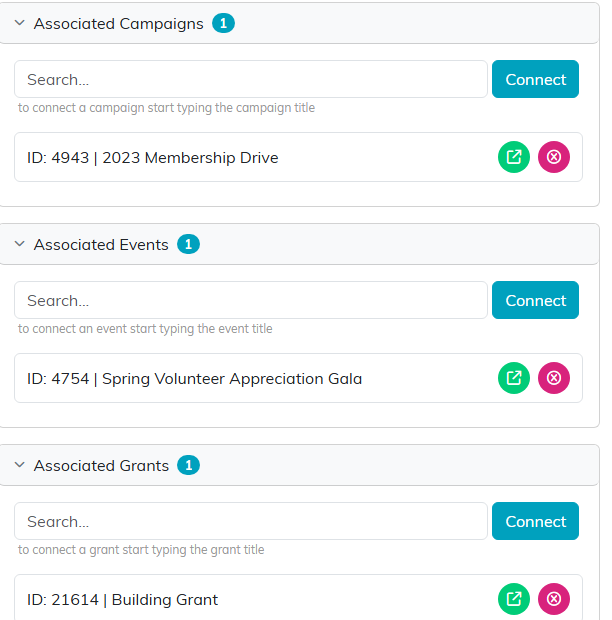
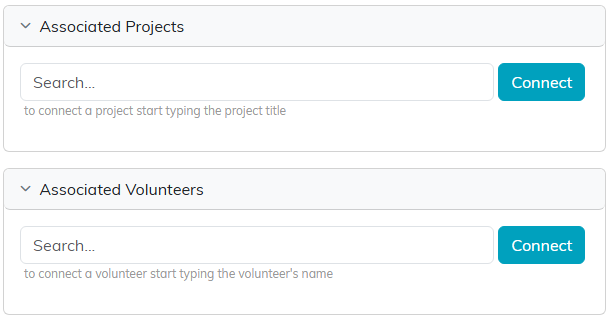
Twelve panels in all, laid out in two columns.
Making a Connection
- Find the panel you want. Click a panel heading to expand or collapse it
- Search for the record in the lookup and pick it
- Click Connect
- The record appears in the list below
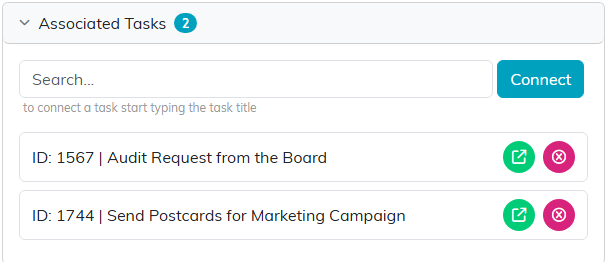
Connected records list under the search box, each with its own open and remove buttons.
Removing a Connection
Click the pink X next to a connected record. That breaks the link only, the record itself stays in Argenta. If the program is view-only for you, the search box and the pink X are not shown, so you can see the connections but not change them. If it is locked to you, the page shows only a message saying the record is locked.
Opening a Connected Record
Click the green arrow next to any connected record to open it in a new tab.
