Knowledge Base Article
How to Assign a Team Member to a Program
Assigning a team member creates accountability and makes it easy to see who is responsible for each program.
Steps to Assign a Team Member
- Open the program (or create a new one)
- On Program Details, find the Assigned To (Team Member) field
- Start typing the person's name. You can also search by email address
- Select the correct person from the results
- Save your changes
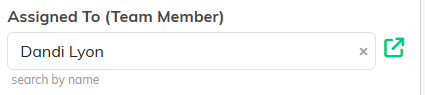
Assigned To (Team Member) sits on the right of Program Details.
Who Appears in the Lookup?
The lookup searches everyone on your team who is one of the following:
- Staff members
- Board members
- Volunteers marked as team members
- Users, meaning anyone with an Argenta login
Both active and inactive people are returned, so check that you picked someone current.
Clearing an Assignment
To remove the assigned team member, click the clear icon next to the lookup field, then save.
Opening the Team Member Record
Click the open button next to the lookup field to jump to that person's constituent record.
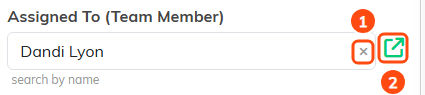
1 clears the assignment. 2 opens that person's constituent record.
Filtering by Assignment
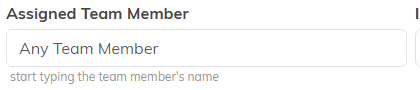
On the Program List, open the Filter Programs panel and use the Assigned Team Member filter to find all programs assigned to a specific person.