Knowledge Base Article
How to Measure Program Outcomes and Impact
Program impact is measured with the Program Impact & Outcomes Report, which rolls up every program in one view. There is no Outcomes tab on the individual program record.
Running the Report
- Open the Report Center
- Find the Program Impact & Outcomes Report
- Set the filters you need
- Run it
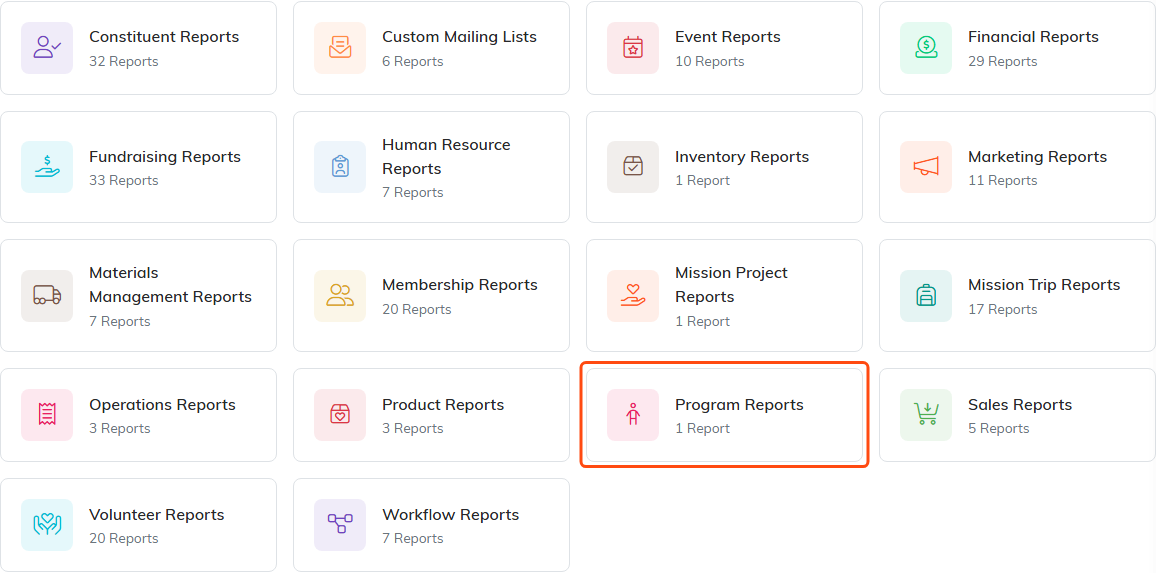
The report lives under Program Reports.
What It Shows
For every program, the report brings together:
- Participants
- Tasks and how many are complete
- Service hours
- Events
- Budget

Every program gets a row like this one.
Filtering It
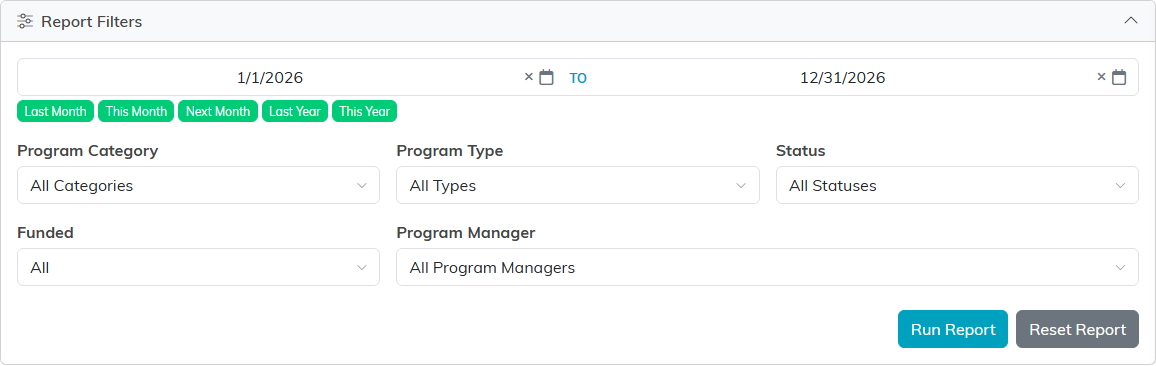
The report can be narrowed by date range, program category, program type, program status, funding, or program manager. Filtering by program manager is the quickest way to give someone the picture for just their own programs.
Where the Numbers Come From
The report reads what is already recorded on your programs, so its accuracy depends entirely on the day to day upkeep:
- Participants come from each program's Participants tab
- Budget figures come from Budget & Financials
- Events come from the program's Connections

The three tabs the report reads from, on any program record.
A program with nobody added to it reports no participants, even if it served a hundred people. The report cannot know what was not recorded.
Best Practices
- Add participants as they join rather than at the end of a program
- Keep program status current, since status is one of the filters
- Run the report before board meetings and funder reports, not after
- Use the same category and type values across programs, or the roll-up cannot group them sensibly
