Knowledge Base Article
How to Connect Programs to Grants
Grants are linked to a program through the program's Connections tab, so you can see which grants pay for a program and which programs a grant supports.
Linking a Grant
- Open the program from Programs > Program List
- Choose Connections in the workspace menu
- Find the Associated Grants panel
- Start typing the grant's title in the search box, pick it, then click Connect

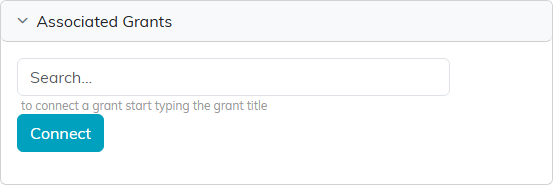
The link can be removed from the same panel. Removing it breaks the connection only. The grant record itself is untouched. If the program is view-only for you, the search box and the pink X are not shown, so you can see the connections but not change them. If it is locked to you, the page shows only a message saying the record is locked.
Everything Else a Program Can Connect To
Associated Grants sits alongside eleven other panels on the same tab, laid out in two columns:
- Associated Campaigns
- Associated Events
- Associated Funds
- Associated Donations In Kind
- Associated Projects
- Associated Tasks
- Associated Volunteers, Associated Volunteer Tasks and Associated Volunteer Task Groups
- Associated Members
- Associated Leads/Opportunities
They all work the same way: search, pick, Connect. Each panel tells you what to type, and a panel holding connections shows the number beside its name.

Funds and Grants Are Not the Same Thing
A grant is money awarded by a funder. A fund is how your organization separates money internally. A program can be connected to both, and restricted grant money is usually tracked against a fund as well as the grant.
Managing the Grants Themselves
Grant records live under Grant Management, which separates Grants Receivable from Grants Payable. The Connections tab links to those records rather than replacing them.
Best Practices
- Link the grant as soon as the program is funded, so reporting is not reconstructed later
- Connect the fund as well as the grant when money is restricted
- Check the connections before a funder report, since that is what shows the relationship
