Knowledge Base Article
How to Track Program Sponsorships
The Program Sponsorships tab records who is sponsoring a program and on what terms.
Adding a Sponsorship
- Open the program from Programs > Program List
- Choose the Program Sponsorships tab
- Click Add A New Sponsorship. Argenta asks who the Constituent Sponsor is, and that is all it needs to start
- Click Add & Enter Details. The sponsorship is created and its own page opens
- There, set the status, the type, the level, the amount and the sponsor's logo, then save
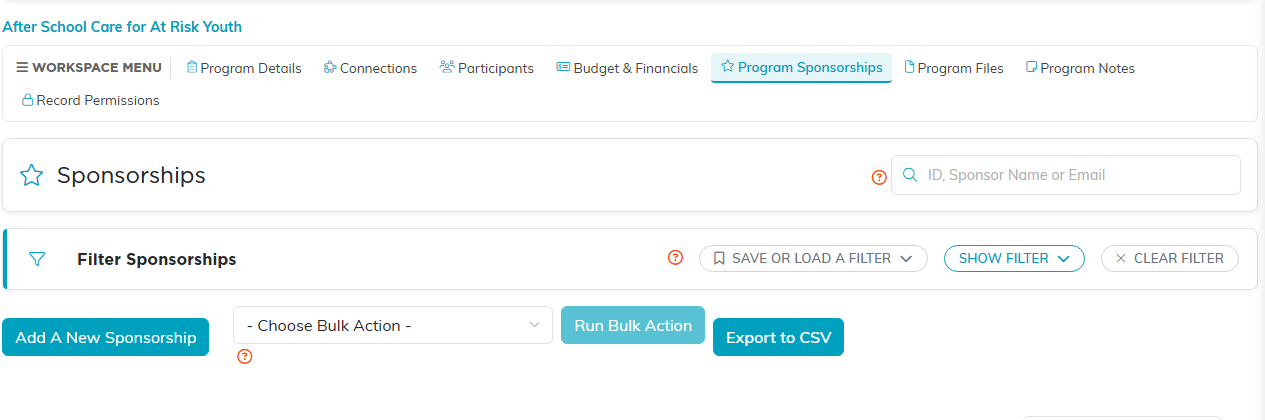
Add A New Sponsorship sits below the filter panel.
What Is Tracked
- Sponsor Details: who the sponsor is
- Sponsorship Type
- Sponsorship Category
- Sponsorship Level
- Sponsorship Status
Sponsorships and Program Income
Sponsorships attached to a program feed into the program's Actual Income, alongside payments and donations. So recording a sponsorship here is what makes it show up in the program's financial position.
In-kind sponsorships are the exception. They are listed on the Budget and Financials tab so you can see them, but because they are non-cash they are not added into Total Actual Income.
Best Practices
- Use the status field so lapsed and current sponsors can be told apart at a glance
- Keep levels and categories consistent across programs, or comparing them later is guesswork
- Record the sponsorship against the program it funds, so the income lands in the right place
