Knowledge Base Article
How to Create Membership Application Forms
Organizations that run memberships or giving clubs have a public membership form where people join and pay their dues.
Where It Lives
The membership form is one of your organization's public interfaces, at your own team's membership address. Organizations that run more than one giving club have a second address per club, so each club has its own page rather than sharing one form.
It is a link you send people rather than a page you open from your sidebar, so keep the address wherever you keep the other links you hand out.
How the Form Is Set Up
Membership forms are built to match how your organization runs its memberships, so what appears on yours reflects your own levels, dues and wording. There is no self-service designer for this form in the way the public donation form has one. Contact Argenta to discuss a change to your membership form.
What Someone Joining Sees
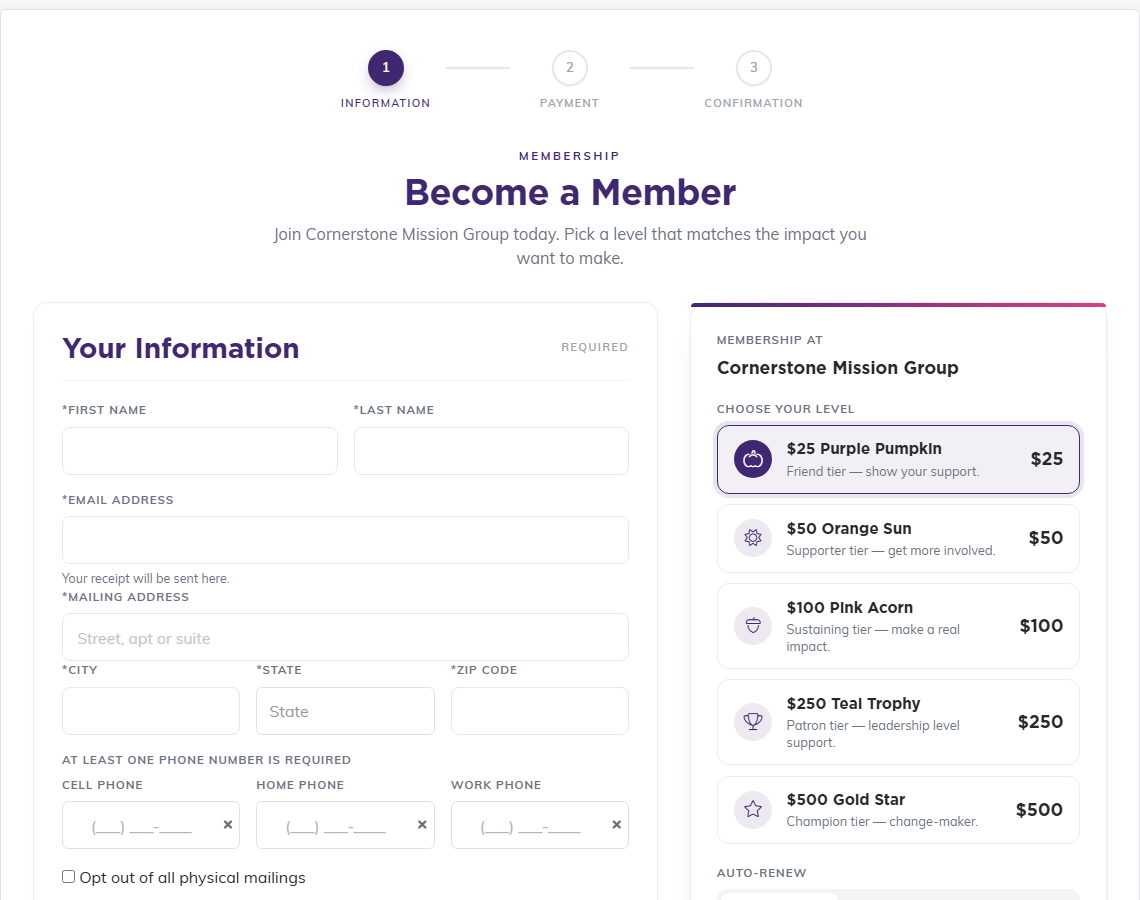
Every membership form runs in three steps: Information, Payment, then Confirmation, and carries your logo and colors from your public interface branding. The person fills in their details on the left and picks a level on the right, then clicks Continue to Payment, where Stripe handles the card.
The details section is checked before the form moves on, and which details are required differs from one organization's form to the next. On every one of them State has to be an actual state: the picker starts on *Unknown, and leaving it there stops the form with "State is required."
The example below is one organization's form. Yours will show your own level names, amounts and wording, and some forms offer choices this one does not.
Covering the Processing Fee
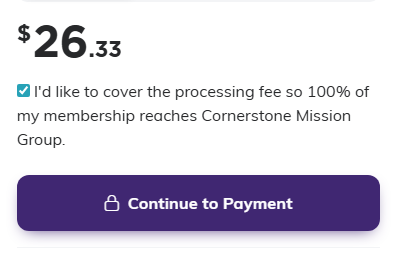
Every membership form offers to let the member cover the card processing fee, and the box is already ticked. The total shown above the button includes that fee, so a person joining at one of your levels sees a slightly higher figure until they untick it. It is worth knowing before someone asks you why the amount is not round.
Memberships That Renew Themselves
Not every membership form renews. Some ask the person joining whether they want to pay monthly or annually, some are giving clubs where every membership is monthly by definition and there is nothing to choose, and others take a single payment only. Which of those yours is was decided when your form was set up.
When a membership does renew, the receipt emailed to the member says so. It carries an Auto-Renew line reading Monthly or Annually, a Next Payment date, and a sentence naming the amount, how often it will be charged and the date of the next charge. That sentence tells the member to contact your organization to change or cancel the renewal, so those requests come to you rather than to Argenta. A receipt for a one-time membership carries none of this.
Managing Memberships Inside Argenta
Membership records themselves live under Membership in the menu, along with Membership Payments and Recurring Membership Payments. Those last two also appear under General Financials, so use whichever menu you are already working in.
Where Payments Land
Dues paid through the form appear with your other income under General Financials > Payments & Income, and card transactions are visible in the Stripe Transaction Log.
Best Practices
- Check the live form yourself after any change to your levels or dues
- Give each club its own link when you run more than one, rather than explaining in the wording which one to pick
- Expect totals to include the processing fee, since most people leave that box ticked
- Watch the first few real sign-ups closely, then reconcile them against your income
