Knowledge Base Article
How to Configure Payment Forms
Argenta provides a public payment form your organization can send people to when you need to take a payment that is not a donation, a ticket or a membership.
Where It Lives
The payment form sits at your own team's payment address. It is a link you send people rather than a page you find in a menu, so it does not appear in your sidebar the way your other public forms do. Copy the address once and keep it wherever you keep the links you hand out.
What Someone Paying You Sees
The form runs in three steps: Information, Payment, then Confirmation. It carries your organization's logo and colors, which come from your public interface branding rather than from the form itself.
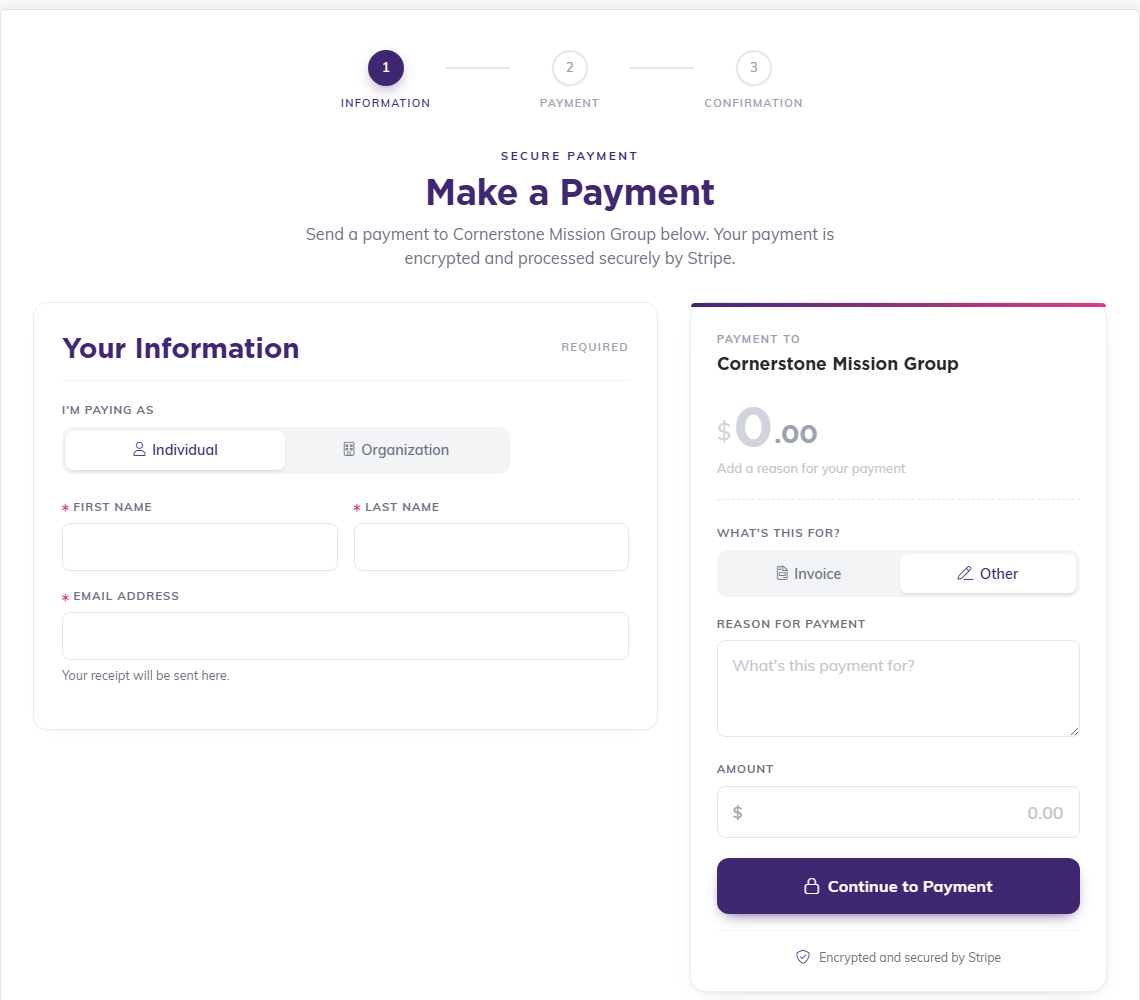
On the left they choose whether they are paying as an Individual or an Organization, then give their name and email address. The receipt goes to that address.
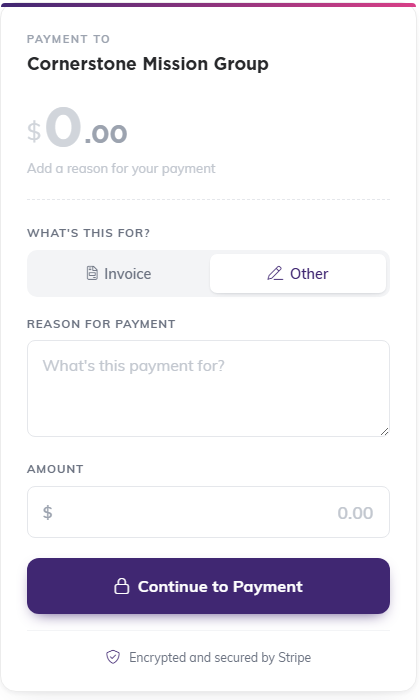
On the right, What's this for? asks them to pick Invoice or Other. Under Invoice they type the Invoice number; under Other they write a Reason for payment. If your organization has no invoices in Argenta, the form skips that choice and asks only for the Reason for payment. Then they enter the Amount and click Continue to Payment. Card details are handled by Stripe on the next step.
If your organization is set up as a political organization, the form also asks for a Compliance Information section (address, at least one phone number, employer, occupation, employer location and funding source), because federal election law requires it for political contributions.
When the form is opened from an invoice's payment link, it shows the invoice total, what has already been paid and the balance due, and fills in the Amount with that balance rather than the full total. An invoice that is already paid in full says This invoice has already been paid in full. and takes no payment.
How It Differs From the Donation Form
The public donation form is designed by you, with its own headline, fields, suggested amounts, colors and banner. The payment form does not have that designer. It is a set page rather than one you lay out yourself, so there are no field switches or layout settings to configure.
Related Payment Routes
Argenta takes money through several other paths, and one of these is usually a better fit than a general payment form:
- Public Donation Form for gifts
- Event registration and event ticket sales for events
- Membership forms for membership dues and giving clubs
- Campaign forms for campaign sales
- Invoices and payment requests for money owed by a specific person or organization
Where Payments Land
Payments taken through public forms appear under General Financials > Payments & Income, and card transactions are also visible in the Stripe Transaction Log.
Best Practices
- Use the closest specific form rather than the general payment form, because the record it creates is more useful afterward
- Ask people to fill in the reason. It is the only thing telling you what an Other payment was for
- Test with a real small payment before sending the link out, and refund it
- Reconcile against the Stripe Transaction Log rather than assuming every attempt succeeded
