Knowledge Base Article
How to Track Constituent Medical Information
Health details for a constituent live on the Health Info page in the workspace menu. It appears on individual records only, not on an organization or a household.
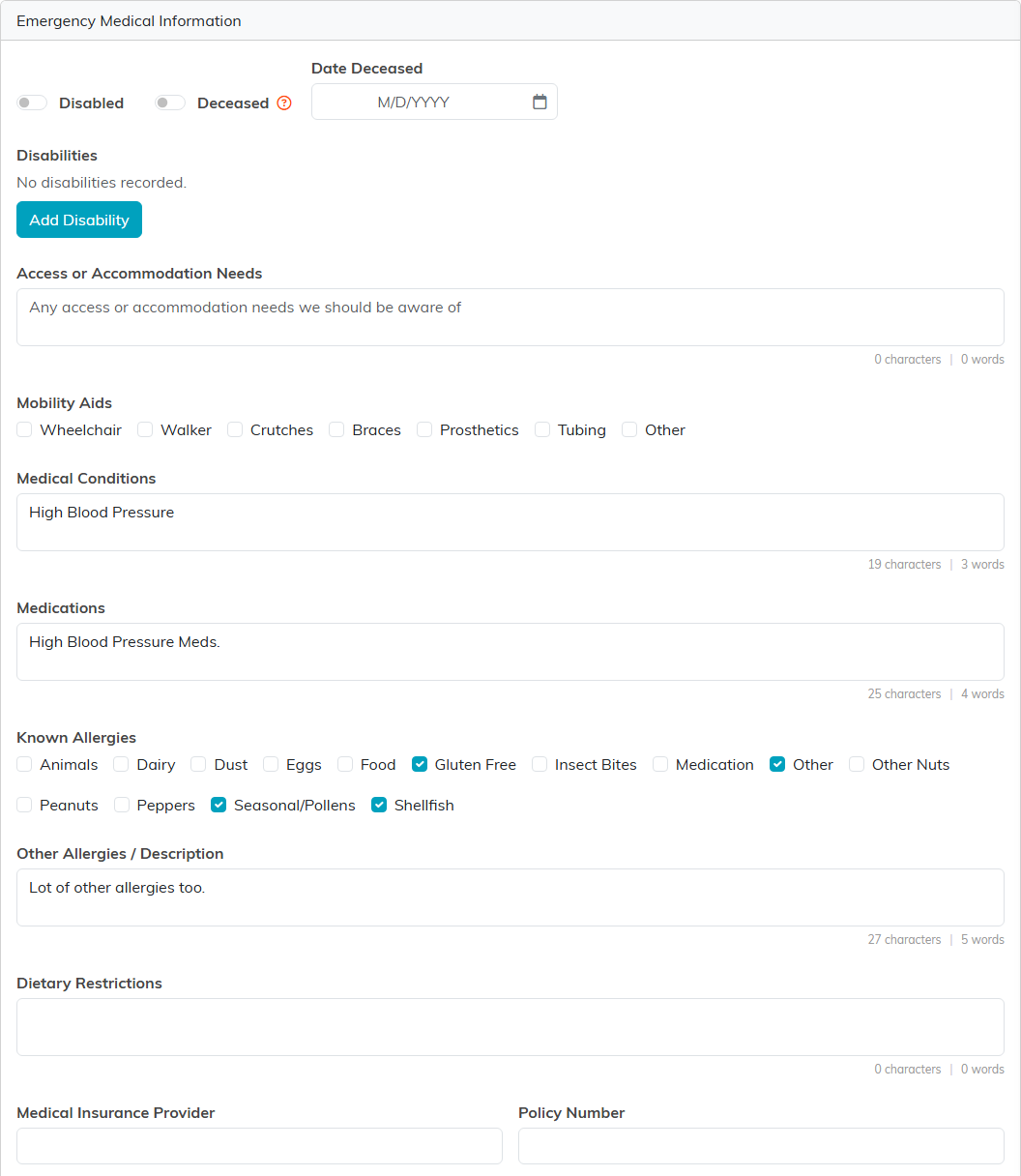
Emergency Medical Information
The first card holds the details someone would need in a hurry:
- Medical Conditions, Medications, Known Allergies and Other Allergies / Description.
- Dietary Restrictions.
- Medical Insurance Provider and Policy Number.
- Physician's Information.
- Access or Accommodation Needs and Mobility Aids.
- Disabilities, added as rows, each with a disability, a rank and notes.
- Disabled and Deceased switches, with a Date Deceased.
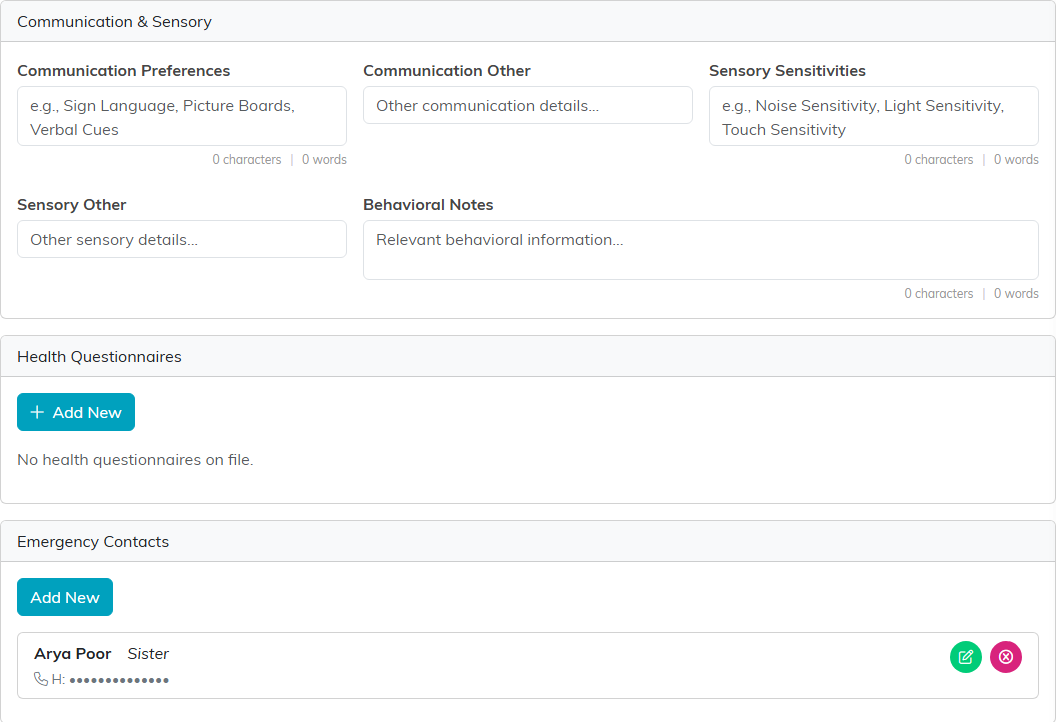
Communication and Sensory
A second card records how best to reach and support the person: Communication Preferences, Sensory Sensitivities, a free-text "other" beside each, and Behavioral Notes.
Health Questionnaires
A questionnaire is a dated record, and a constituent can have several, so taking a fresh one before each trip does not wipe out last year's.
One thing to watch: a questionnaire that arrived through a program registration form is tied to that event. If the same person submits that form again for the same event, their new answers overwrite that record rather than adding a second one. A different event gets its own record.
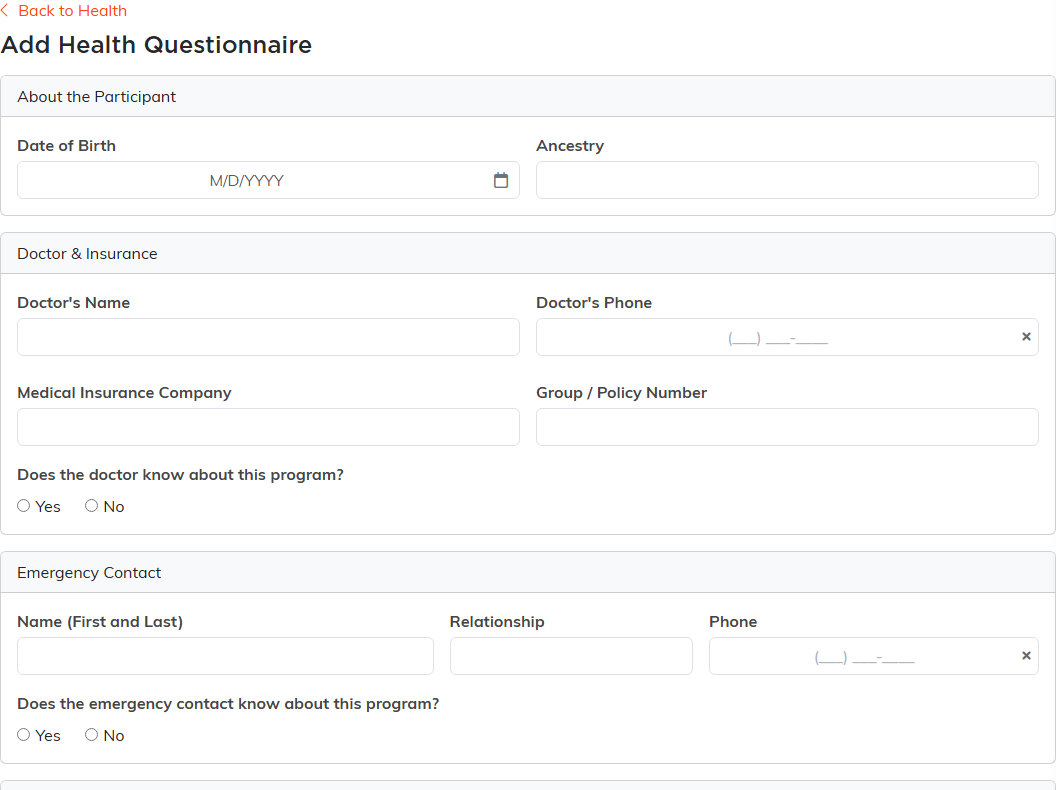
- On Health Info, find the Health Questionnaires card and click Add New.
- Fill in About the Participant (date of birth and ancestry), Doctor & Insurance, Emergency Contact and Medical Information.
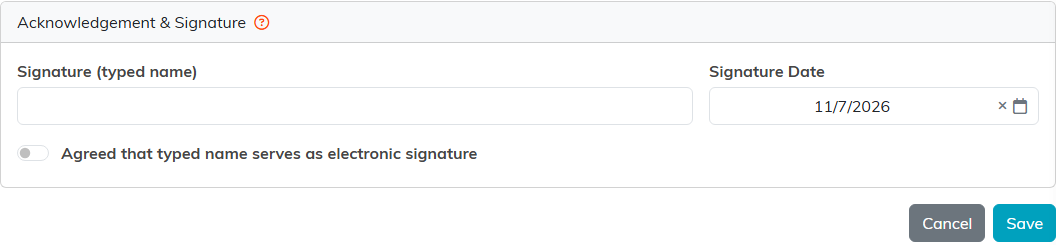
- Under Acknowledgement & Signature, take the person's typed name, the signature date, and their tick agreeing the typed name serves as an electronic signature.
Each questionnaire is listed by the date it was created, showing the doctor, the emergency contact and whether it has been signed. Open one from the list to read or edit it.
To print one, open it and click Print / Save As PDF. For a whole event, click Print Health Questionnaires on the event's Participants/Guests page: you get one participant per page, behind a cover page naming anyone with no questionnaire for that program. Anyone who can open that page can print, which means Event Manager or Master Admin, so a trip guide needs Event Manager switched on under Module Permissions on their user record. A participant whose record is locked to you is named on that cover page under Locked record, not printed, and none of their questionnaire is printed. Every print is recorded in the activity log with who printed it, because it is health information.
Emergency Contacts
The page carries its own Emergency Contacts card, separate from the questionnaire, for the people to call about this person. Each contact needs a first or a last name, and an email, if you enter one, must be a valid address. Otherwise the contact is not saved and the form lists what to fix.
Keeping it private
- Health details are among the most sensitive things you will hold. Give access to the people who need it and no one else.
- Use the constituent's Permissions page to limit who can open the record.
- Ask before you collect, and collect only what the program actually needs.
- Keep signed release forms with the record on its Constituent Files page.
- Refresh it before each trip or program rather than trusting last year's answers.
- What rules apply to health data you hold, and how long you must keep it, is your organization's to determine.
