Knowledge Base Article
How to Manage Payroll Records
Argenta holds two different payroll things: what you pay a staff member, kept on their record, and each individual payment you made, kept as a payroll distribution.
What you pay someone
Open the staff member and click Payroll Info. The Payroll Information card holds:
- We Pay This Staff Member, Payroll Category and PT or FT, plus Payroll Forms On File, with a W2 On File switch and an I9 On File switch.
- Wage and Per, plus Overtime Wage.
- Receives Commission, with a rate, a term in months and details.
- How Is Payment Made, for a bank account, PayPal, Venmo or anything else you use.
- Withholding and tax figures: Federal W4 Allowances, Fed. Income Tax, State Income Tax, SS Tax, Medicare Tax, Total Deductions and a deduction summary.
- Social Security Number and EIN.
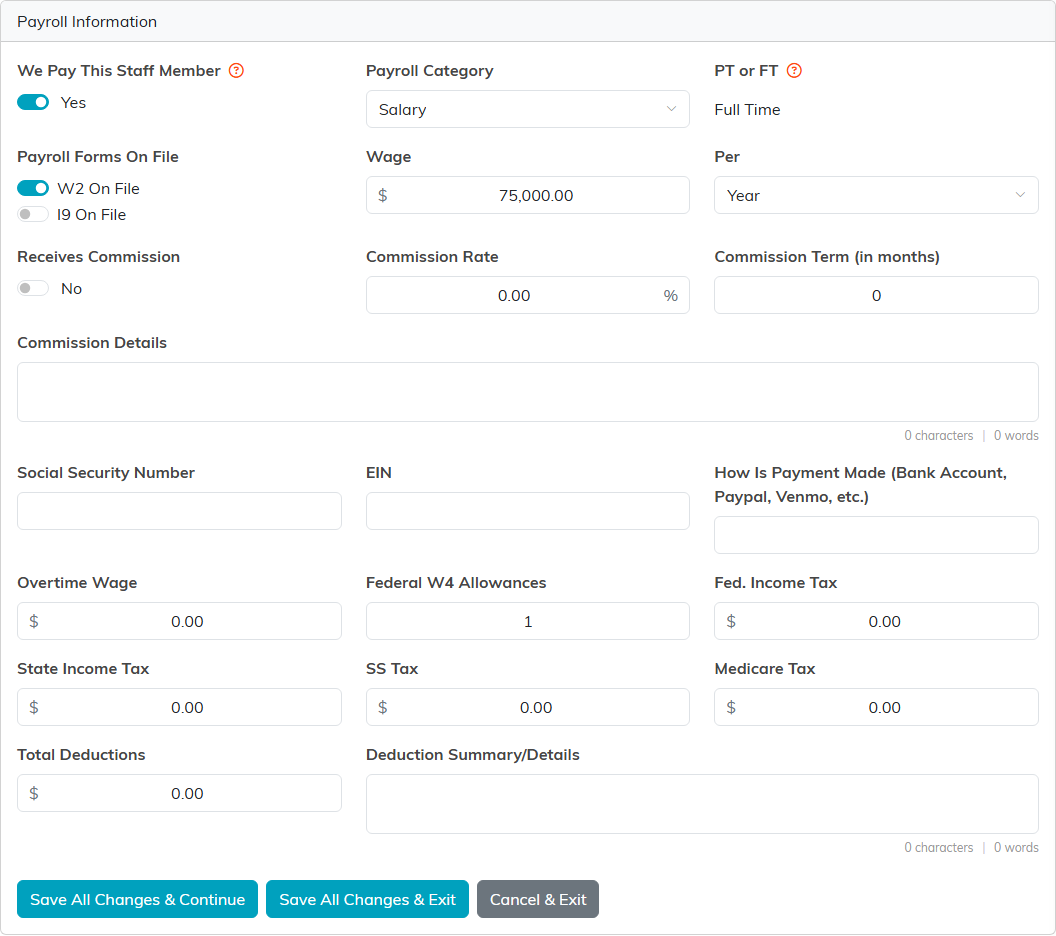
That SSN field is reason enough to keep this tab tight. Give payroll access only to the people who need it.
Recording a payment
A payroll distribution is one payment to one staff member for one pay period. It is not a payroll run holding several people, so you add one per person per period.
- Go to General Financials > Payroll Distributions and click Add New.
- Choose the Staff Member, then click Create Distribution & Enter Details.
- Fill in the required fields: Fund, Deposit Account Used for Payment, Payment Date, Pay Period Start Date, Pay Period End Date and Payment Method. The Pay Period End Date cannot be earlier than the start date.
- Add the figures: regular and overtime hours and pay, commission, the federal, state, Medicare and Social Security tax withheld, and the Gross Pay and Net Pay totals. Put a check or reference number in where you have one.
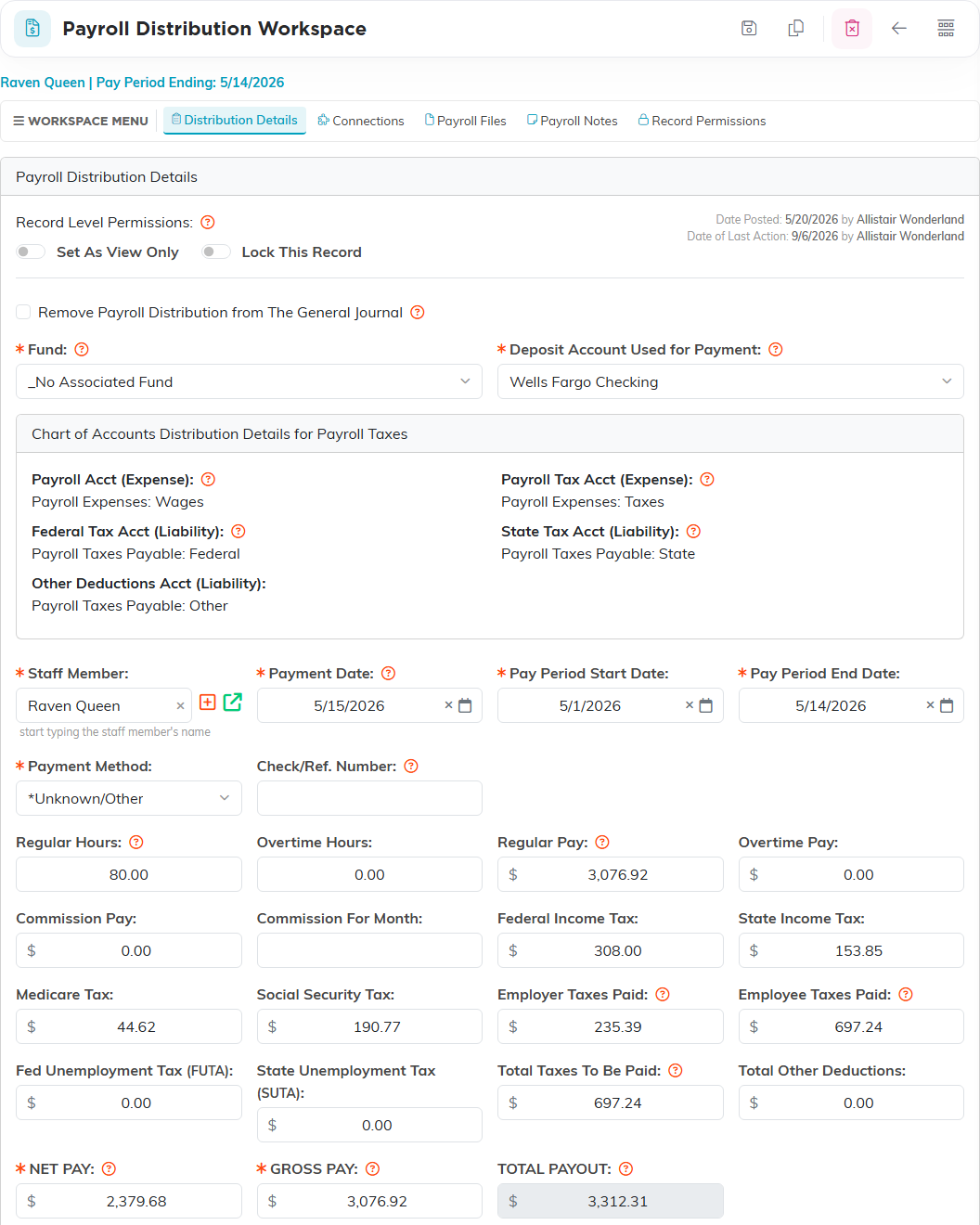
The Chart of Accounts Distribution Details for Payroll Taxes card shows the accounts the distribution posts to in your books: the wages and payroll tax expense accounts, and the federal, state and other deductions liability accounts. Each distribution also carries its own Files, Notes and Connections pages, and can be set view only or locked.
What staff can see themselves
My Payroll Distributions shows a signed-in staff member their own payments and nobody else's.
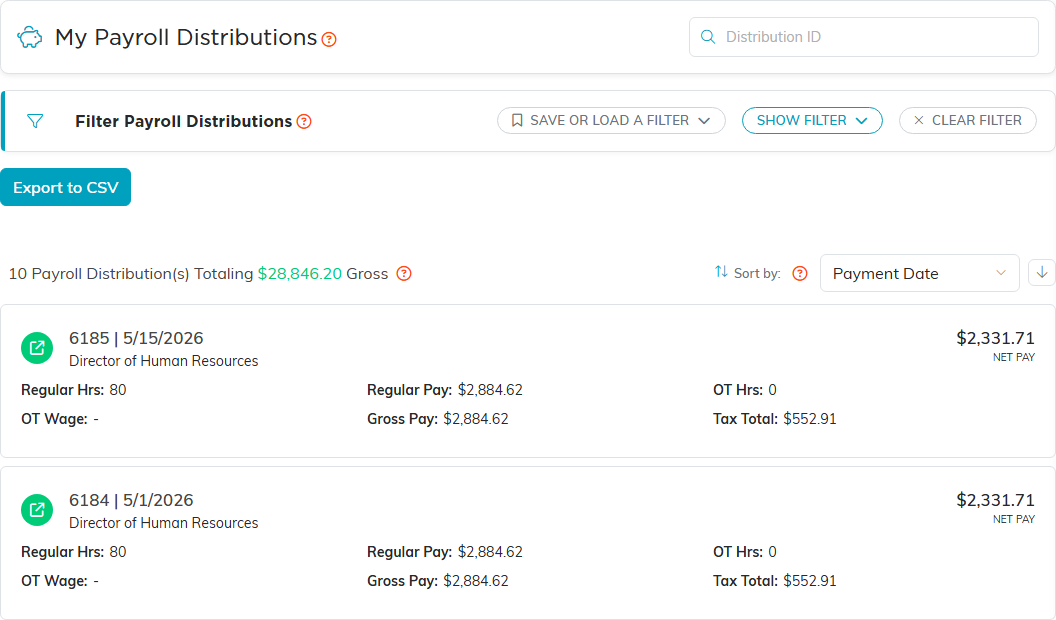
Bringing staff in from a payroll provider
Argenta does not connect to a payroll service and nothing syncs on its own. What it does have is a staff member import, opened with the Import button for Staff Members in the Import & Export Hub, that reads a CSV or Excel file you export from your provider. Picking the source, ADP, Paychex, Gusto, QuickBooks or Other, is optional and helps it match your columns. It also asks how the people in the file agreed to hear from you by email, which is required.
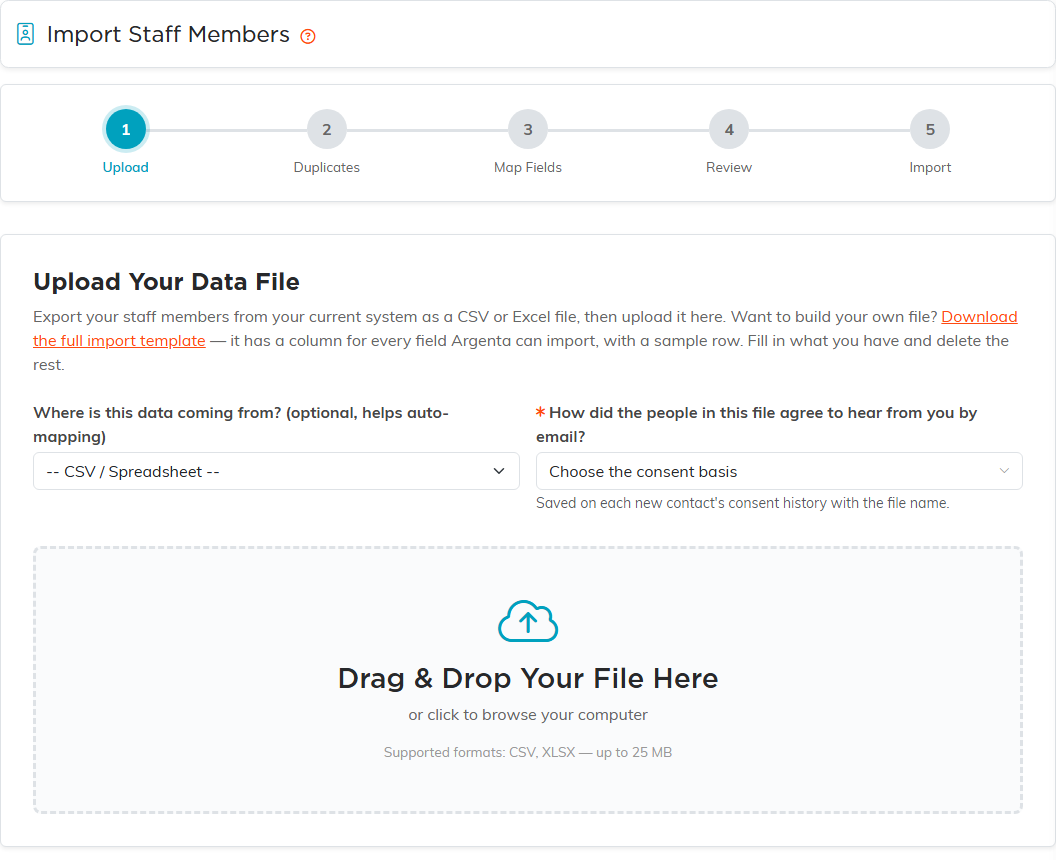
It brings in the staff and their pay setup, things like employee ID, hire date, regular and overtime wage, and the W-2 and I-9 flags. A row with no hire date leaves Date of Hire blank rather than filling in the day of the import, and because Date of Hire is required on the staff record, add it before you next save that person. It matches to constituents you already have and creates the ones it cannot find. It does not import pay runs, so the distributions above are still entered here.
