Knowledge Base Article
How to View the General Ledger
The General Ledger is every posted transaction in one list, across all your accounts. Open it at General Financials > General Ledger. It is a financial page, so you need Finance Manager or Master Admin.
It is a list, not a report you run
There is no date range to set and no button to press. The ledger loads and you narrow it with the filter panel, so what you are looking at is always live rather than a snapshot you generated.
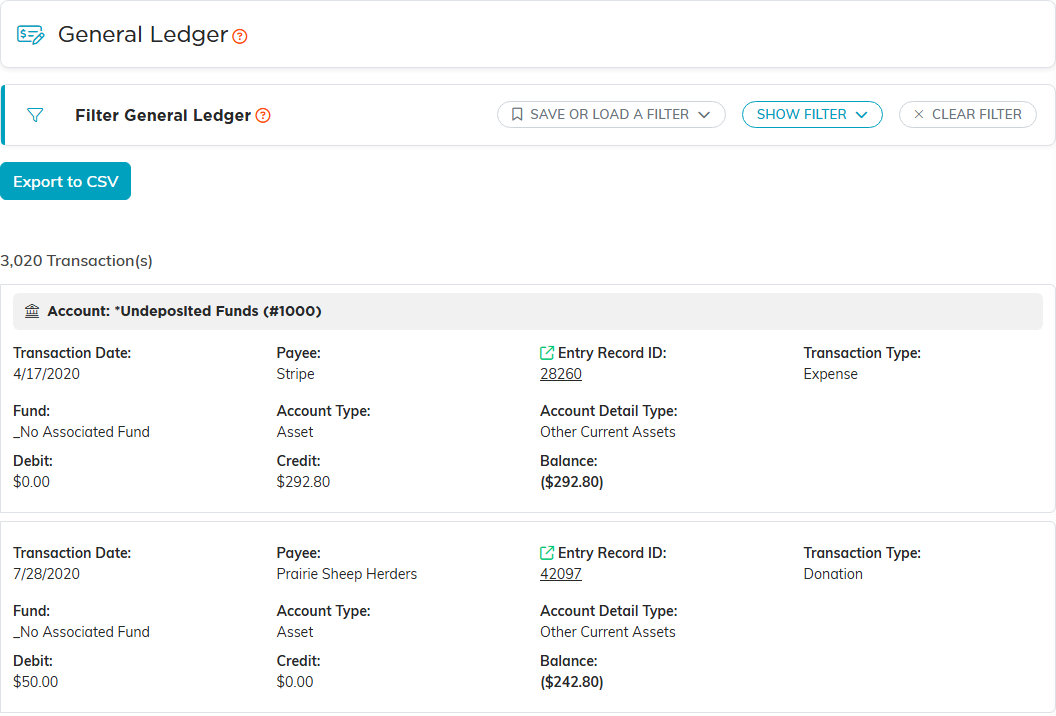
What each entry carries
The list is grouped by account, with the account's name as a heading over its entries.
- Transaction ID and Transaction Date.
- Constituent, where the entry has one. The list labels it Payee.
- Entry Record ID, which is the record the entry came from, so you can trace a line back to the donation, expense or journal entry that made it.
- Transaction Type, Fund, Account, Account Type and Account Detail Type.
- Debit, Credit and a running Balance.
Debits increase assets and expenses. Credits increase liabilities, equity and income. That is the accounting convention and it does not change here, unlike the account register, which relabels its two columns to suit the account you are on.
Narrowing it down
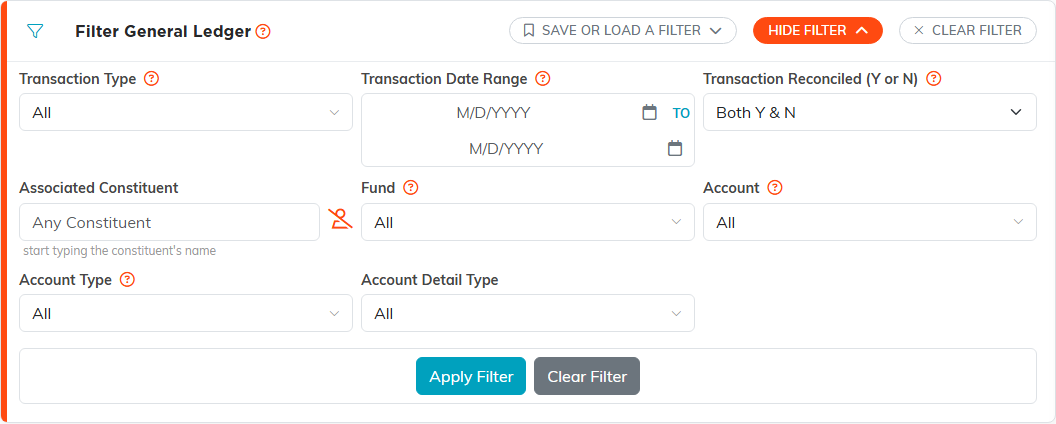
The filter panel offers Transaction Type, Transaction Date Range, Transaction Reconciled (Y or N), Associated Constituent, Fund, Account, Account Type and Account Detail Type.
Account plus a date range is the usual pair for checking one account over a month. Fund on its own is how you see everything that touched a restricted fund, which is the question a funder tends to ask.
Taking it away
The ledger exports to CSV, carrying the same columns you see, for reconciling in a spreadsheet or handing to an auditor. A transaction locked to you is still in the file, but with only its Transaction ID, which the Locked Record ID column added at the end repeats.
Ledger or register?
- The General Ledger is every account at once, in accounting form, with debits and credits.
- The Account Register is one account, checkbook style, reached from that account's row in the Chart of Accounts. Use it when you are working a single bank account against a statement.
Both read the same posted transactions. They differ in what they show you at once and how the two amount columns are labeled.
