Knowledge Base Article
How to Track References for Staff and Volunteers
A reference in Argenta is not a free-text note about a phone call. It is a structured questionnaire with the same set of questions every time, so two candidates can be compared on the same basis.
Where References Live
Three kinds of record carry a References tab, and each keeps its own separate list:
- A staff member record, which needs the Staff Manager or Master Admin.
- A volunteer record, which needs the Volunteer Manager or Master Admin.
- An employment application, which has its own References tab.
Each References tab has Add New and Export To CSV.
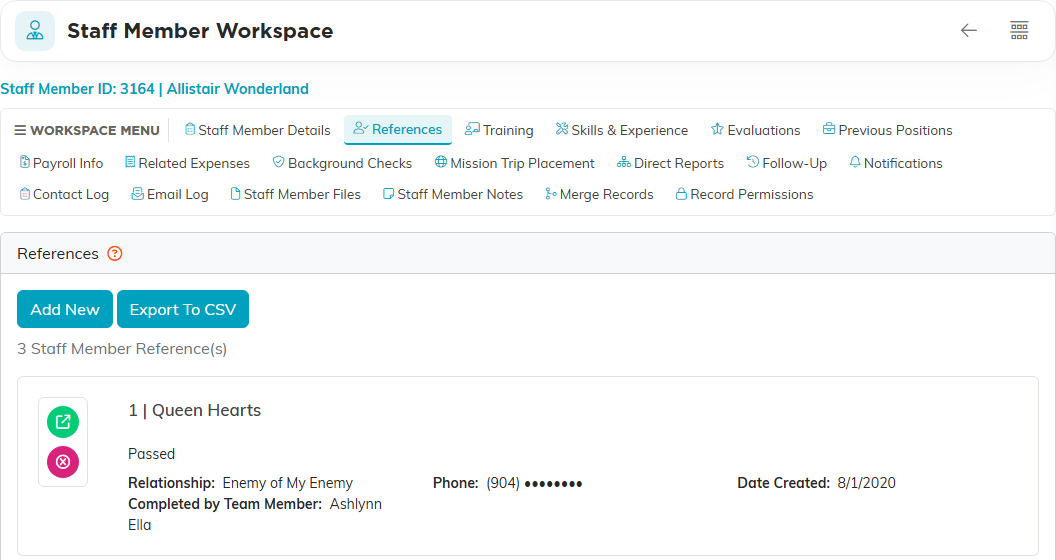
A reference added to a volunteer does not appear on their staff record, or the other way round. If somebody moves from volunteer to staff, their references do not travel with them.
Adding a Reference
- Open the record and click the References tab.
- Click Add New.
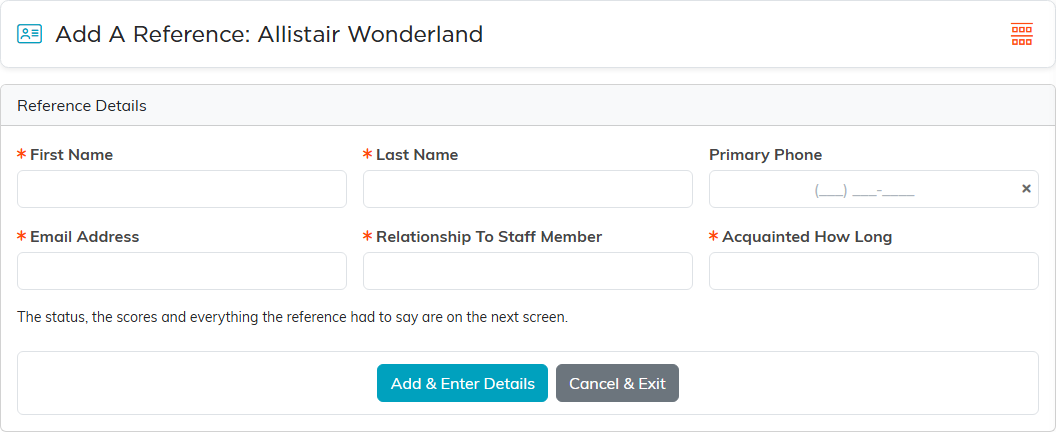
- Fill in the five required fields: First Name, Last Name, Email Address, Relationship To Staff Member (or Relationship To Volunteer, or Relationship To Applicant) and Acquainted How Long (called How Long Acquainted on an employment application). Primary Phone is optional.
- Save.
Email is required and phone is optional, so ask the applicant for each reference's email address up front. The name is two fields rather than one.
Recording What the Reference Said
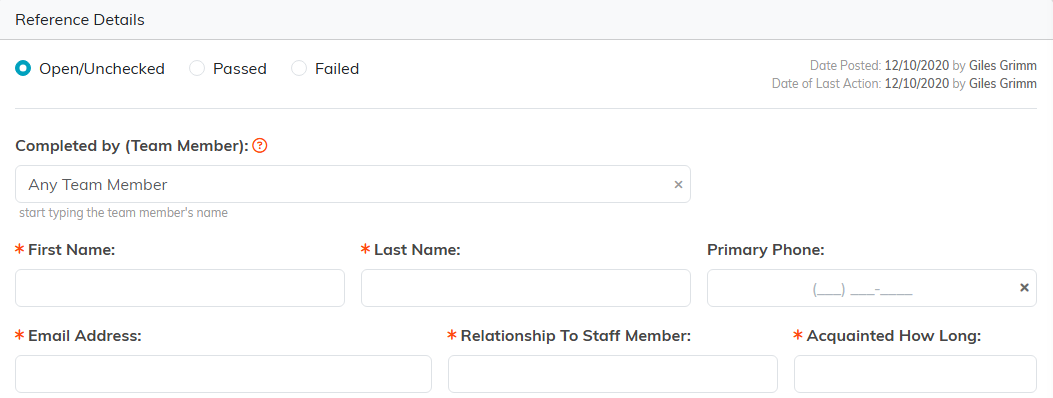
Open the reference and work down its details. Acquainted How Long is required there too, so an older reference saved without it will not save again until you fill it in.
The questionnaire has three parts.
Open questions, for what somebody actually said:
- How Well Does This Person Handle Stress & Conflict?
- How To Encourage Growth
- What Is Their Greatest Asset?
- Assessment Of Their Teachability
- Areas Of Service, Can Work Long Hot Days?, Works Well With Others?
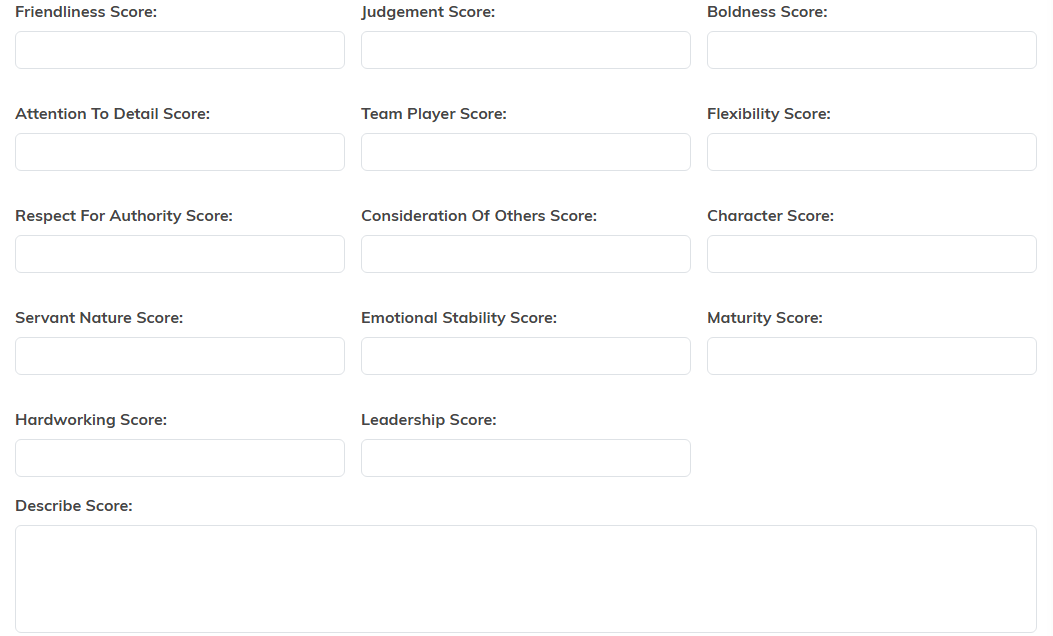
Rated attributes, one box each: Friendliness, Judgement, Boldness, Attention To Detail, Team Player, Flexibility, Respect For Authority, Consideration Of Others, Character, Servant Nature, Emotional Stability, Maturity, Hardworking and Leadership, followed by a Describe Score box for explaining them.
The conclusion: Comments from Reference, Digital Signature, and Completed by (Team Member) so you know who took the reference.
At the top of the record, set its status: Open/Unchecked, where a new reference starts, then Passed or Failed. There is no middle grade, so decide what a middling reference counts as before your team starts using it.
Save with Save All Changes & Exit, or Save All Changes & Continue to stay on the record.
The Rated Attributes Are Free Text
Each rated box takes any text you type. Argenta does not impose a scale, does not average them, and does not stop one person writing 4 where another writes Good.
Agree a scale in your organization and write it into your reference-check instructions before anyone starts. Mixed entries cannot be compared later, and there is nothing in the product that will tidy them up for you.
What You Cannot Attach
A staff or volunteer reference holds no files. There is no upload on the reference, so a written reference letter or a completed paper form cannot be attached to it.
Put the document on the staff member's or volunteer's own Files tab instead, name it so it is obviously that reference's letter, and record in Comments from Reference that a letter is on file.
Keeping References Private
References sit inside the staff or volunteer record, so whoever can open that record can read them. Use Record Permissions on the parent record to limit who that is, and set it before you start collecting references rather than after.
Getting the Most Out of It
- Add all the references first, with names and contact details, then work through the questionnaires. It gives you a checklist of who is still outstanding.
- Use Completed by (Team Member) every time. Six months on, knowing who took the reference matters as much as what it said.
- Write the open questions in the reference's own words rather than your summary of them. The rated boxes are your judgement; the open answers should be theirs.
- Fill in Acquainted How Long honestly. A glowing reference from someone who has known the person three weeks is a different thing from one covering ten years.
- Decide as a team what makes a reference Failed, since there is no middle option to fall back on.
