Knowledge Base Article
How to Manage Grant Funding Profiles
The Grant Funding Profile is your own organization's profile: the details a grant application asks for about you, kept in one place so you are not hunting for your EIN every time you apply.
It is not a record of your funders. There is one profile for your organization, at Grant Management > Grant Funding Profile. Foundations and other funders are Grantors, a separate list in the same menu.
Organization Info
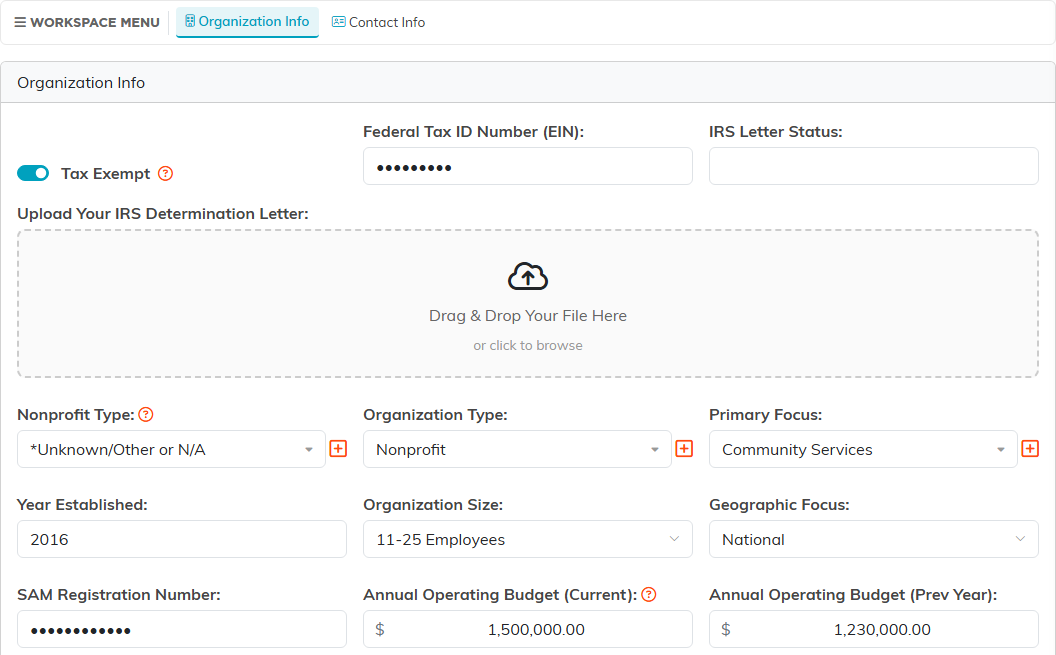
- Tax Exempt, Federal Tax ID Number (EIN) and IRS Letter Status, with a place to upload your IRS determination letter so it is attached rather than sitting in somebody's inbox.
- SAM Registration Number, for federal applications.
- Nonprofit Type, Organization Type, Primary Focus, Year Established, Organization Size and Geographic Focus.
- When you type a new Year Established, it has to be a four-digit year from 1600 to this year, and a new Federal Tax ID Number (EIN) has to be nine digits, such as 12-3456789. Either one can be left blank.
- Annual Operating Budget for the current year and the previous one.
What you do and who you serve
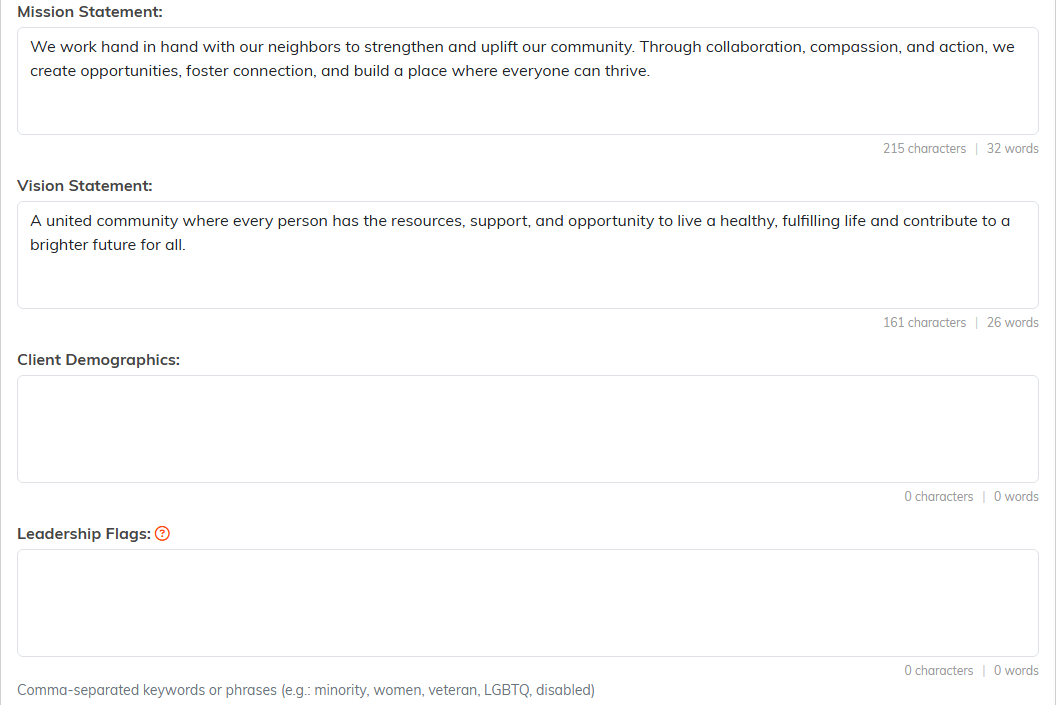
- Mission Statement and Vision Statement.
- Client Demographics and Target Populations.
- Leadership Flags, for the leadership questions applications ask.
- Funding Needs and Funding Source Preferences.
Your addresses
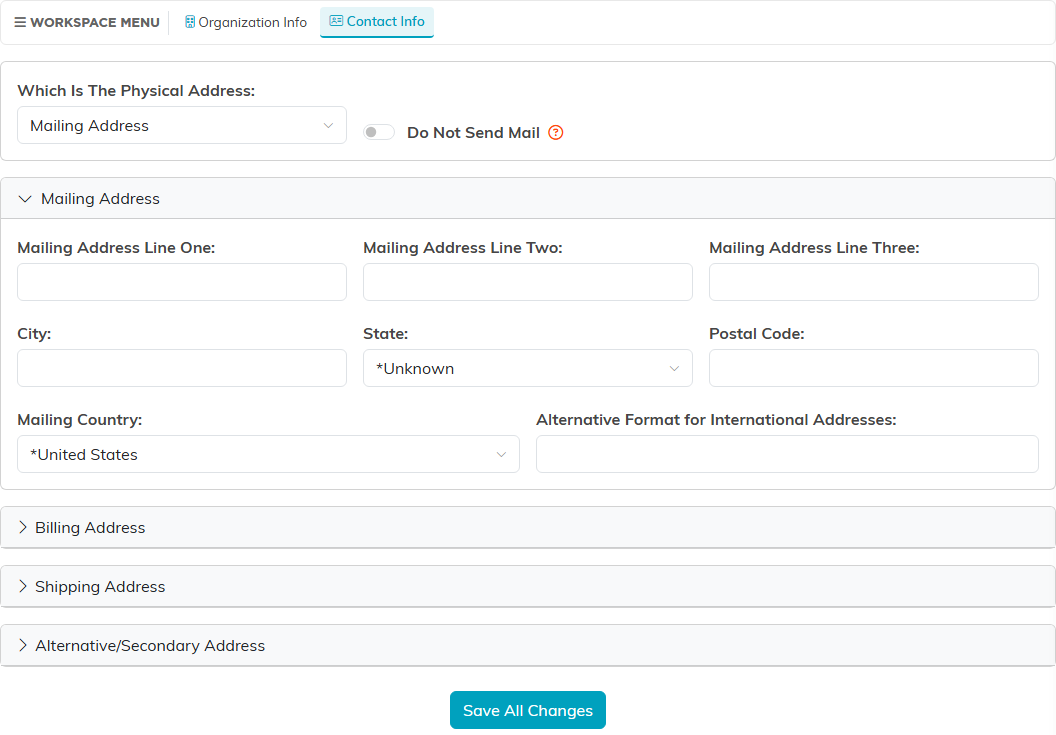
The Contact Info page on the profile holds four addresses, Mailing, Billing, Shipping and Alternative/Secondary, each with a box for an alternative format for international addresses. It also records Which Is The Physical Address and has a Do Not Send Mail switch.
It feeds the AI Grant Writer
This is the reason to fill it in properly rather than eventually. The AI Grant Writer reads this profile, and it checks whether the profile is complete before it can do its best work. A thin profile produces thin drafts, because the facts about you simply are not there to use.
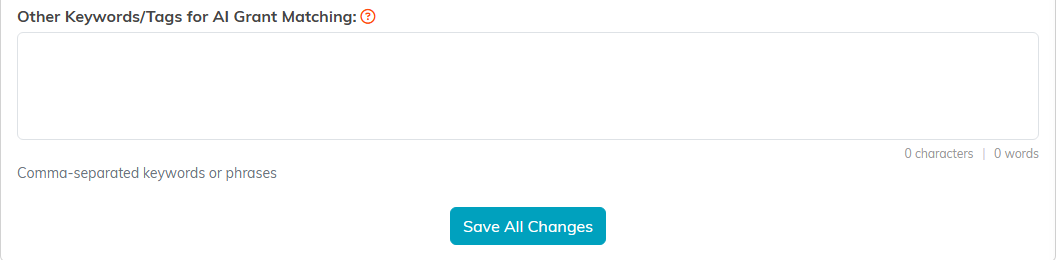
Other Keywords/Tags for AI Grant Matching exists for the same reason: words that describe your work but do not appear in your mission statement, so that matching has something to catch on.
These keywords also drive the live search. When you ask the AI Grant Writer about funding, it searches Grants.gov on the first few of them, joined so that an opportunity has to match all of them at once. Write single specific words separated by commas rather than a phrase, and put the most important first: if the search finds nothing, the Grant Writer widens it by dropping your last keyword and trying again. Leave this box empty and it searches on the first few words of your Target Populations instead, and on the words of your question only when both are empty. Forecasts first posted on Grants.gov more than a year ago are left out of what it shows you.
Worth doing
- Fill it in once, properly, before you start an application rather than during one.
- Update the operating budget figures when your year closes, since they are the ones that date fastest.
- Re-upload the determination letter if the IRS sends a new one.
- Revisit the mission and vision wording after a strategic change, because it is the text that ends up in front of funders.
