Knowledge Base Article
How to Document Staff Write-Ups and Disciplinary Actions
A staff write-up records a disciplinary matter and the employee's acknowledgement of it. Argenta keeps both on the same record but behind different doors, and that is the part worth understanding before you use it.
Creating one
- Go to Staff & HR > Staff Write-Ups and click Add New.
- Fill in the three required fields: the Staff Member it concerns, the Notification Date, and the Constituent Giving The Write Up.
- Click Add & Enter Details. The substance is on the next screen: Write Up Type (Problem Or Violation), Write Up Category, Details Of Occurrence, Corrective Action To Be Taken and Expected Improvement.
- Save.
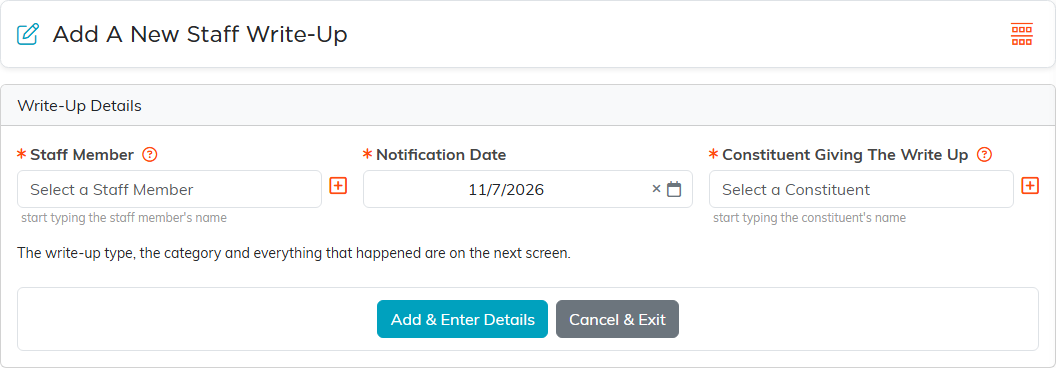
Two of those labels carry their own instructions. Details Of Occurrence asks for the impact on the organization, and Expected Improvement asks for a clear statement of the consequences of failing to improve. Both are there because they are what makes a write-up worth having months later.
Who can open it
- The list, and a write-up's details, files and notes: staff managers and administrators only.
- The Acknowledgement page: staff managers, administrators, and the employee the write-up is about.
Anyone else is turned away and sees none of the record, not even who it names. So an employee can sign their own write-up without being able to open the rest of it, or anybody else's. Each write-up also carries a Record Permissions page if you need to narrow it further.
The acknowledgement
- Open the write-up and go to Acknowledgement.
- The employee ticks I have read and acknowledge this write up.
- They can add an Employee's Statement in their own words.
- Click Save Statement & Continue or Save Statement & Exit.
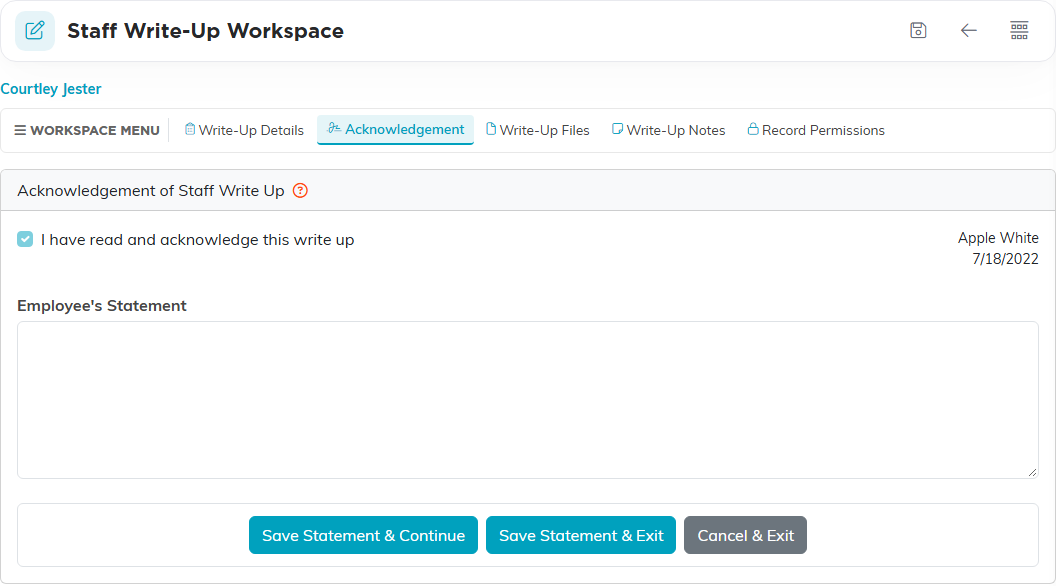
Ticking the box stamps the date and the name of whoever ticked it, and it cannot be un-ticked afterwards. That is the reason to let the employee tick it themselves: do it on their behalf and the record carries your name as the person who acknowledged it. The Acknowledgement page shows that name beside the date, and so does the Acknowledged By line on the write-up's card in the Staff Write-Ups list; editing the write-up afterwards does not change it.
The tick works even when the employee only has view-only rights on the record. That is deliberate, because people usually are view only on their own write-up. The Employee's Statement is saved separately by the buttons at the bottom, and that part view only does block, so an employee who wants to add a statement needs edit rights.
Supporting documents
Each write-up has its own Write-Up Files and Write-Up Notes pages for signed forms, correspondence and anything else belonging to the matter. Both are manager-only, the same as the details.
Worth doing
- Write it up while the detail is fresh, and keep it factual and specific.
- Set the record to View Only, or use Lock This Record, once the matter is settled.
- What a write-up leads to is your own organization's process. Argenta records what happened and who acknowledged it.
